Top 10 Power Apps Examples: Real World Use Cases

As the UK Microsoft partners for PowerApps we demonstrated our top 10 examples of Canvas Power Apps to give you ideas of what mobile-friendly applications can be created. The Power Apps examples combine bespoke solutions and applications that any organisation or business could use to streamline day-to-day operations.

Contact our Experts

    Watch a Live Demo of Power Apps Examples

    To watch a live demonstration of Top 10 Examples of Power Apps check out our video below.

    Power Apps Examples

    Below are some of the Power Apps that are demonstrated in our video and some additional examples. These PowerApps could be used by any organization or business to improve efficiency. See our video for full details.

    1. Leave Request

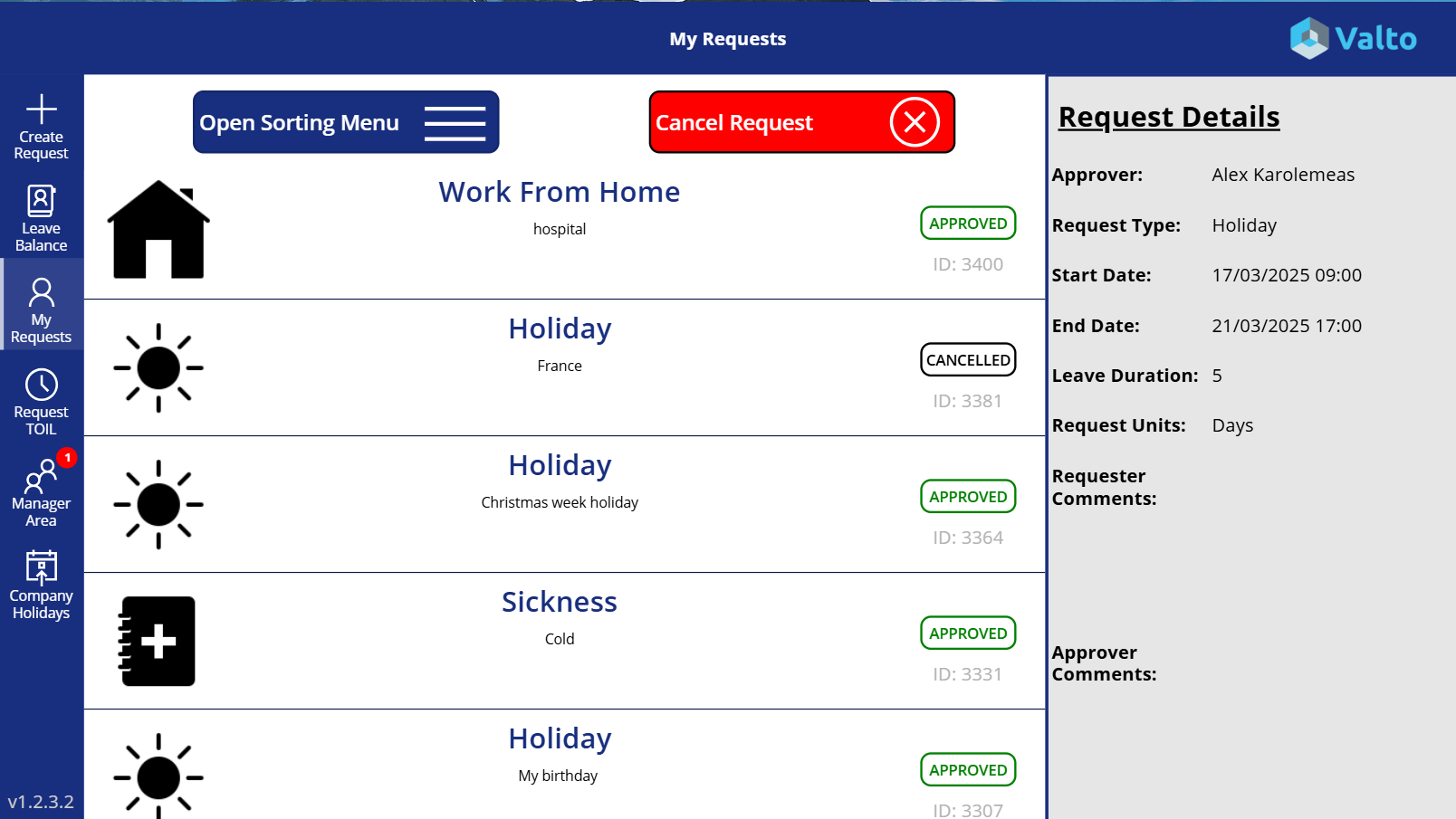
    Our Leave Request PowerApp is so much more than just a holiday booking system. It will also track other types of leave including: Time off in lieu, Sickness, Authorised absence and more.

    The system used SharePoint Online to store data to enable the PowerApp to keep track of an employee’s entitlement balances and statues of requests.

    The application is bursting with additional and optional features like enforcing Christmas shutdowns, approvals via a button in an email, holiday calendar, preventing too many people booking leave on the same day and more.

    Power Apps and SharePoint Leave request app

    2. Employee Directory

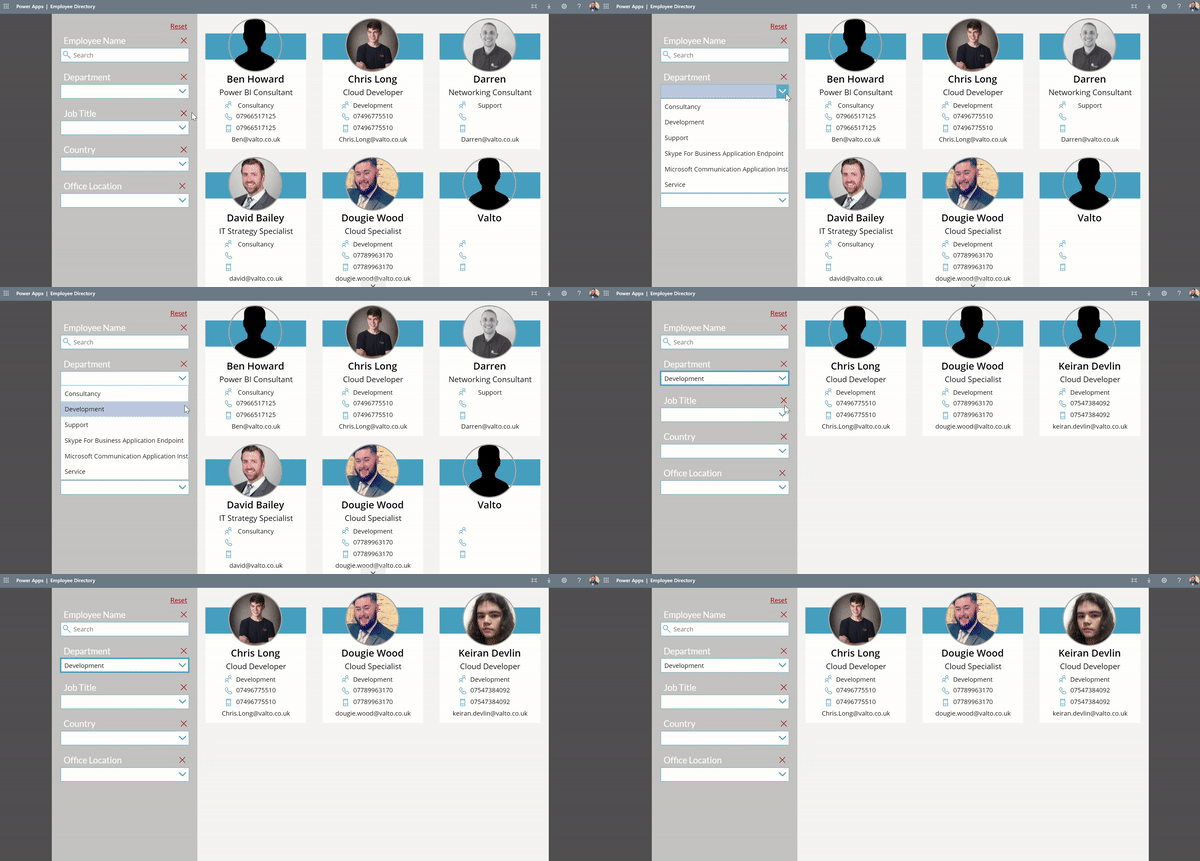
    This PowerApp has been given multiple names to describe its function such as “People Directory” or “Phonebook” but essentially its purpose is to allow employees to find each other’s contact information.

    It is built with a gallery of items that are pulled directly from the Azure AD user profiles. It will then display the employees profile picture (that can be updated in Delve) along with email address and phone numbers.

    Employee Directory Software

    3. Expense Request

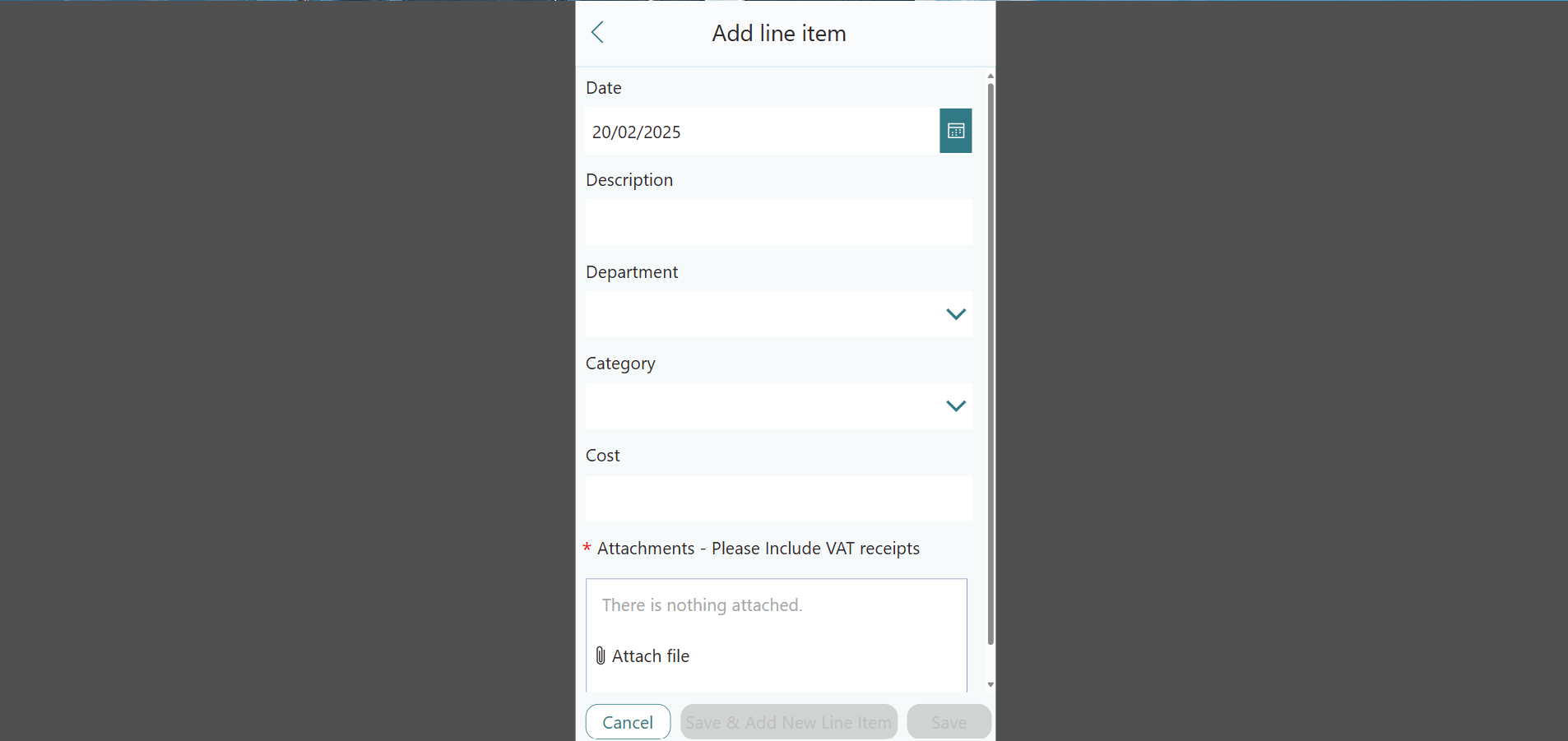
    This mobile phone friendly business application will allow your employees to submit their expense requests with ease.

    The PowerApp will collect multiple receipts of purchases against a single expense claim sheet.

    Once submitted this application will automate notification requests to the employee’s manager and or finance team for approval. The employee can track the approval process and will receive notifications at each step of the process.

    Expense request app built with Power Apps and Microsoft SharePoint

    4. Guided FAQ

    This Power Apps example demonstrates how simple and effective a guided pathway app can be for answering frequently asked questions. Think of this app as a choose your own ending. Depending on the answers the user selects will result in the final page of information that will be displayed.

    This solution was deployed to help a legal department in a large enterprise triage questions via a standard list of questions they would have to ask their colleagues before providing advise.

    This Power Apps example prevent around 43% of support requests coming to the legal team. Saving them a very large portion of time and in return costs of having to hire more team members.


    Guided FAQ interface in a Power Apps

    5. Process Checklist

    One of the pain points that Power Apps nicely addresses is ensuring the right information is captured at the right point of a process.

    This Power Apps example showcases how a manufacturing company ensured that their daily checks happened at the right time of a shift.

    It allowed the warehouse operative to follow a pre agreed checklist of tasks. Marking them off as complete as they go along.

    The Power Apps solution also allowed the user to click “Not Ok” which launched a follow up series of questions to capture a fault or a problem. This would then be properly documented and a follow up task would be automatically issued to the respective employee.

    Other PowerApps Examples

    The three above PowerApps are just some of the examples demonstrated. Our video also includes demonstrations of the following:

    Barcode Scanner – The ability to scan a bar code to automate a task such as checking out a piece of equipment or combined with geolocation tracking can prove an employee was at a certain location and a specific time.

    Accident Logbook – If you have a dusty incident logbook in your workplace that requires manually writing out a paper form, why not replace this process with a digital form accessible on a tablet.

    Time Sheets – Replace product license costs for third party software that is tracking employee timesheets with a Canvas PowerApp. Then export that data for project metric reports.

    Contact Our Experts

      Watch PART 2: Microsoft Power Apps Real World Examples

      Power Apps Governance Whitepaper

      Want more information on Power Apps?

      Download your copy of our recent whitepaper “Power Apps Governance Strategy”.

      If you would like more information in regards to getting started with PowerApps then please download the whitepaper below.

      DOWNLOAD A POWER APPS WHITEPAPER

      We collect your name and email only to send you a link to download the whitepaper. This information is not shared or sold. We may also contact you for feedback.

      Valto also host free web seminars, which on occasion, you will be invited to. You can unsubscribe at any time.

      To download the whitepaper please fill in the contact form below and you will be emailed a link to download the file.

        Keep me up to date with your latest news and online events

        Contact our Experts

          Need help with Power Apps?

          I hope you found this information useful, if you have any questions regarding Power Apps, Power Automate, SharePoint or Office 365 please do not hesitate to contact me.

          Author of Power Apps Examples

          Dougie Wood

          Power Apps Solutions Architect and Microsoft MVP