Data Strategy & Migration

Get your data foundations right before you build on them

Valto builds the data foundations you need to get more from Microsoft technologies. We agree definitions, ownership and the target data model, then migrate from legacy warehouses, Synapse, spreadsheets and finance systems with reconciliation built in. Book a free discovery call and we’ll send you a proposal for budget purposes, setting out the cost, approach and timeline.

Rated 5 stars on Google

  • Badge Security
  • Badge AI Business Solutions
  • Badge Cloud & AI

Trusted by organisations like yours

City of London logo
Princes logo
Pivotal logo
The Openwork Partnership logo
Best Buy logo
Chester Racecourse logo
Nice Pak logo
Oxbury logo
Watches of Switzerland logo
Leger Shearings logo
Chester Zoo logo
Manchester University NHS Foundation Trust logo
Royal College of Surgeons of England
Grosvenor logo
Watkin Jones logo
VSI logo
Vertical Systems logo
Hughes Hall logo
Saltgate logo
Spencer West logo
Lanterna logo
Holstein UK logo

Sound familiar?

Where most Data Strategy projects start

Data projects often stall before the technology is even the problem. Different teams define the same measures differently, ownership is unclear and nobody is quite sure which data should move, stay or change.

Valto helps organisations build a clear data strategy before migrating, modernising or preparing for AI. We define the structure, ownership and approach first, so the technology has the right foundations. Pick the situation closest to yours.

If you're planning a rollout

Data Strategy Envisioning

Plan your data strategy and target platform.

You leave with

  • A strategy document with recommendations and next steps
  • A rollout plan covering training, adoption and security
  • Cost and licensing recommendations
  • Examples and case studies from your sector

How it starts: a free discovery call, then a proposal with the cost, approach and timeline.

If you have a clear requirement or RFP

Data Strategy Scoping

Turn a migration requirement into a fixed price project.

You leave with

  • A MoSCoW report prioritising every requirement
  • A fixed price with fixed outcomes and a timeline
  • All ongoing licensing, capacity and support costs
  • A recommended solution matched to your brief

How it starts: a free discovery call, then a proposal with the cost, approach and timeline.

If your project is in trouble

Data Strategy Health Check

Data platform failing or untrusted? We assess and fix.

You leave with

  • An assessment by a consultant and an engineer
  • Stakeholder views on what's gone wrong
  • Security, governance, platform and licensing findings
  • A recommendations report: fix, rescope or reset

How it starts: a free discovery call, then a proposal with the cost, approach and timeline.

“Having worked with a number of Microsoft partners over the years, I can genuinely say that, in my opinion, Valto are the best in the business. The breadth of Microsoft's ecosystem means it's incredibly difficult to find a partner with the expertise to support such a wide range of technologies, but Valto have consistently proven to be that one-stop shop for us.”

Matt Gibson · IT Support Specialist, Krysalis Consultancy

How we work

How we deliver Data Strategy & Migration projects

Six clear stages. A paid scoping workshop turns your requirements into a fixed-price project with fixed outcomes and deliverables, so you know exactly what you’re getting before the build starts.

  1. 01

    Discovery

    Free · requirements & proposal

    A free requirements discussion, followed by a proposal setting out the cost, approach and timeline.

  2. 02

    Scoping workshop

    Fixed price, fixed outcomes

    A paid workshop that turns requirements into a fixed-price project with fixed outcomes and deliverables.

  3. 03

    Initiation

    Low-level design & kick-off

    A low-level design refines the outcomes into delivery requirements, then the project is set up and kicked off.

  4. 04

    Build

    Visible progress, every step

    Our developers and engineers build the solution, working closely with your team and showing progress as we go.

  5. 05

    Deploy

    Launch & adoption

    Launch with training and a planned rollout, so people are using it from day one.

  6. 06

    Hypercare & support

    Go-live and beyond

    Hypercare through go-live, then ongoing support, improvements and tuning.

    See our Managed Services

Microsoft expertise you can trust

Valto are one of the UK's few Microsoft Partners to hold all Microsoft Solution Partner Designation Badges, across all Microsoft Solution Partner Designation Pathways. For our customers, this means you can rely on one partner for end-to-end support across all your organisation's needs.

Badge Security
Badge AI Business Solutions
Badge Cloud & AI

All Microsoft Solution Partner Designation Badges

Our data strategy services

A clear plan, then a clean move

  • Data strategy

    Where your data should live, who owns it and how it will be used, agreed with the business.

  • Definitions and ownership

    Key measures defined once, with named owners.

  • Financial and accounting data

    Specialist migration of ledgers, opening balanced, transaction history and customer and supplier records, reconciled to the penny.

  • Platform migration

    Legacy warehouses, SSIS, Synapse and spreadsheets moved with reconciliation at every step.

  • Data quality

    Problems found and fixed at the source, not hidden in reports.

  • AI readiness and governance

    Data organised, governed and secured so Copilot and AI can use it safely.

Not sure where you fit?

Book a free discovery call and we'll point you to the right starting point, even if it isn't Data Strategy & Migrations.

Specialist knowlegde

Financial and accounting data, migrated with confidence

Finance data has to balance. We move ledgers, opening balances, transaction history and customer and supplier records from Sage, Xero and legacy ERPs, planned around your financial year and reconciled at every step.

Moving to Business Central?
  • General ledger and history

    Balances and transactions moved and reconciled.

  • Customers, suppliers and items

    Master data cleaned and mapped.

  • Cutover around year end

    Timed around your reporting dates.

  • Finance reporting

    Power BI and Fabric reporting on the new data.

Learn more

Get to know Data Strategy & Migration

Walkthroughs, real examples in the product, and honest comparisons with the alternatives.

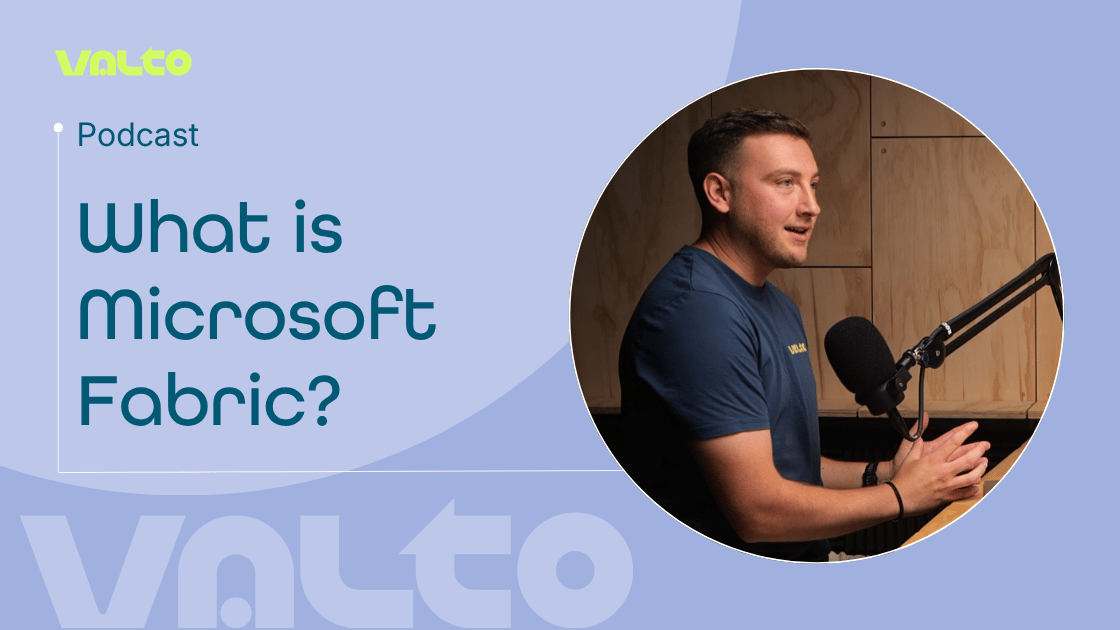
Video thumbnail reading 'What is Microsoft Fabric'19 min
Transcript: What is Microsoft Fabric?

Introduction Hugh: Welcome to the Valto Podcast. Today, we’re discussing Microsoft Fabric, and I’m joined by Dena and Sam.

Sam is one of our pre-sales experts and works across our Business Applications offering. Sam, would you like to introduce yourself?

Sam: I’m Sam. I work across the Business Applications and Data & AI business units. I get involved in conversations around automation, helping organisations get more value from their data, and exploring how AI can support business processes.

Hugh: Thank you, Sam. Dena?

Dena: I’m Dena, and I lead the Business Applications, Data & AI business unit here at Valto. My role focuses on aligning sales activities, overseeing project delivery, managing business unit operations and supporting stakeholder relationships.

Hugh: Many organisations still aren’t sure what Microsoft Fabric is. A lot of the enquiries we receive are related to data.

AI has seen a huge surge in interest, with businesses increasingly asking how they can make greater use of it. However, the starting point is often understanding what their data currently looks like.

Sam, what types of enquiries are you seeing?

Sam: A common challenge is that organisations have data spread across multiple systems. The data exists, but it’s siloed, making reporting and gaining insights difficult.

Many businesses aren’t sure where to begin. Some have heard of Microsoft Fabric, while others haven’t. Our role is to help them understand what it can do and how it can support their business goals.

Hugh: Dena, you’re spending a lot of time with customers reviewing their data estates.

Dena: Definitely. Customers come to us with challenges around Microsoft Access databases, large Excel-based processes, legacy systems, duplicate data or simply too much unmanaged data. They often need a significant clean-up exercise before they can move forward.

Introducing Microsoft Fabric helps customers understand what’s possible and gives them greater insight into how they can better manage and utilise their data.

Hugh: It also lends itself well to AI. Having structured, accessible data creates opportunities to use AI more effectively. Organisations can ask questions of their data, identify trends and even generate dashboards.

That’s one of the reasons why conversations around Microsoft Fabric have increased.

Microsoft is also placing significant emphasis on data. Organisations are being encouraged to move away from spreadsheet-based processes and legacy systems, organise their data properly and create the foundations needed for AI.

That leads us nicely into the next question. Sam, what is Microsoft Fabric?

What Is Microsoft Fabric? Sam: For a non-technical audience, I usually describe Fabric as a platform that brings data from many different locations into a single place.

Once all the data is together, you can build relationships between different datasets and gain much deeper insights.

Fabric also includes tools such as Microsoft Copilot, which can help people who aren’t data engineers or data scientists build workflows, analyse information and work with data more effectively.

Hugh: That’s a great explanation. For a more technical audience, Microsoft Fabric is essentially a modern data warehousing platform.

Historically, if you wanted to build a data warehouse, you needed numerous individual components. You would need data storage, a data lake, data-ingestion tools, virtual machines, servers and a variety of licences to make everything work together.

It was a significant undertaking, and for many small and medium-sized organisations, it was simply too expensive.

Microsoft Fabric changes that by providing a Software-as-a-Service platform that brings these capabilities together in one place. It covers data storage, engineering, modelling, science, analytics and data flows within a single environment.

Rather than purchasing and maintaining individual systems, organisations can use a single platform with a tiered pricing model.

Sam, could you explain how the licensing works?

Fabric Licensing and Scalability Sam: Fabric licensing is based on capacity, which means organisations pay for the level of processing power they require. That capacity is managed through Azure subscriptions, making it easier to monitor and control spending.

The tiers start at F2 and increase through F4, F8 and beyond, with each tier providing additional capacity.

The benefit is that organisations only purchase what they need at the time. We can also help customers estimate their expected costs before they commit.

This works particularly well for organisations that are new to the platform. They can begin with a proof of concept, demonstrate value and then gradually scale as their requirements increase.

Hugh: I think that’s one of the biggest benefits. When customers see all their data brought together into a central platform, it gives them confidence that their data is finally in a position where it can be used effectively across the business.

Sam: Absolutely. Beyond being a data warehouse, Fabric includes a range of advanced capabilities that a traditional data warehouse may not have.

For example, its data science capabilities can analyse information, identify trends and uncover patterns that organisations may not have spotted themselves.

On top of that, we can introduce AI and Copilot functionality, allowing users to build reports, ask questions of their data and generate meaningful insights. It’s an extremely powerful platform.

Why Customers Come to Valto Hugh: We see a lot of organisations approach us because they’re experiencing data challenges. They don’t necessarily know what Fabric is, but it often turns out to be the right solution.

Can you talk a little more about those typical challenges?

Sam: Most of the time, the issues are around reporting. Reporting processes can take a long time, organisations are heavily reliant on Excel spreadsheets, or they’re struggling to trust the data they have.

Often, the data lives in multiple systems, making it difficult to access and analyse. As a result, leadership teams struggle to identify trends or make data-driven decisions.

The conversation usually starts with a lack of confidence in the data. Once we’ve identified the challenges, we can explain how a platform such as Microsoft Fabric can help solve those problems.

Proof-of-Concept Projects Hugh: Another advantage of Fabric is how easy it is to get started. Because it’s available through Azure, we can quickly create proof-of-concept environments.

That’s something your team does regularly, isn’t it, Dena?

Dena: Yes, absolutely. Proof-of-concept projects are a practical way for organisations to experience the value of the platform before committing to a larger programme of work.

Once customers can see the value for themselves, they often want to do more and expand the solution over time.

I also think customers build trust in Valto throughout that process. We regularly work with organisations that rely heavily on large Excel spreadsheets, sometimes owned by only one or two individuals across the entire business.

That can introduce significant business risk because all the knowledge sits with a very small number of people.

Once organisations recognise that risk and begin working with us, we can support them through multiple stages of their transformation journey.

Real-World Example: EV Charging Network Analytics Hugh: Let’s look at some real examples.

One of my favourite Fabric projects involved an electric vehicle charging installer. They wanted to bring together a variety of different data sources.

They had their own information about charger locations and usage. They also wanted to bring in publicly available information about competitor charging networks through APIs.

On top of that, they wanted to include demographic and weather data.

The objective was to create a Fabric-powered reporting solution that could identify the best locations in the UK to install new charging points.

It analysed competitors, customer demographics, existing utilisation data and a range of external factors.

Using AI modelling, the customer could identify gaps in the market and make much more informed investment decisions.

That was a really interesting project, wasn’t it, Sam?

Sam: Definitely. From the customer’s perspective, the project demonstrated a clear return on investment.

By bringing all that information together, they were able to make much better decisions about future growth.

The project could also be delivered in phases. We could focus on the data first and introduce the reporting later. That made the journey easier to manage and allowed the customer to realise value incrementally.

Real-World Example: Mergers and Acquisitions Hugh: Sam, can you share another example?

Sam: Another interesting use case involved a private equity-backed organisation growing through mergers and acquisitions.

As it acquired businesses, it inherited multiple CRM systems and data sources across more than 20 organisations.

The organisation wanted to consolidate all that data into a central platform so it could improve financial reporting, gain visibility across the group and understand the value being generated through each acquisition.

Microsoft Fabric gave it a single location for the data, which helped the business produce stronger insights and support future acquisition strategies.

Real-World Example: Customer Portal and Reporting Dena: Another project involved an existing customer that wanted to bring together multiple systems, including its internal systems, Dataverse and several external APIs.

The goal was to create a single customer-facing portal where information could be accessed more easily.

Microsoft Fabric sat at the centre of the solution. Once the data had been prepared and structured within Fabric, we developed extensive Power BI reporting for the finance department.

The reports were large and complex, but we designed them so they could be updated easily and additional data could be extracted to support future reporting.

Sam: One of the really interesting aspects of that project was the Power Pages element.

Customers could sign in and access reports tailored specifically to them. It was a great example of how Fabric can support both internal reporting and external customer experiences.

Connecting Different Data Sources Hugh: One of the key strengths of Fabric is that it can connect to many different data sources.

In one project, there wasn’t a traditional API available, yet we were still able to bring the information into the platform.

Once data is connected, Fabric allows you to model relationships between different datasets and uncover insights that may otherwise remain hidden.

For example, one customer believed its typical customer was aged between 40 and 50.

Once the organisation connected its membership data and analysed it within Fabric, it discovered that customers in their twenties were actually its highest spenders.

That insight changed its marketing strategy. Instead of focusing primarily on one audience segment, the organisation redirected activity towards a demographic it hadn’t fully appreciated before.

That allowed it to approach marketing differently and helped generate additional revenue.

Data, AI and Agents Sam: That’s also where technologies such as Microsoft Foundry and AI agents begin to become important.

One of the biggest challenges with AI is poor-quality data. If the underlying data isn’t structured properly, the outputs won’t be reliable.

When organisations build strong data foundations using Fabric, it becomes much easier to introduce AI agents and more advanced automation.

The quality and structure of the data allow those solutions to perform more effectively.

Dena: Exactly. Microsoft Fabric provides the data foundation. Once that foundation is in place, the wider AI solution becomes possible.

Getting Started with Microsoft Fabric Hugh: If an organisation wants to explore Microsoft Fabric, it all starts with a discovery call.

Sam, can you explain what that process looks like?

Sam: The first step is understanding the customer’s challenges and objectives.

We discuss what the organisation is trying to achieve, the issues it’s facing today and what success would look like.

From there, we can begin building a plan and providing guidance on likely project and licensing costs.

It’s a free, one-hour consultation designed to help organisations understand their options. We want to be as transparent as possible about both the project costs and the ongoing licensing costs.

After that, we typically move into one of our specialist workshops.

Fabric Envisioning Workshop Hugh: The first of those is our Envisioning Workshop.

This is an education-focused session where we help organisations understand what Fabric is, how it can be applied within their business and how other organisations in their sector are using it.

It’s designed to identify opportunities and use cases before any technical work begins.

The workshop helps customers understand how Fabric could be rolled out and where the strongest use cases sit within their business.

New App Scoping Workshop Hugh: We also offer a New App Scoping Workshop. Sam, can you explain that option?

Sam: The New App Scoping Workshop is for organisations that already know they want to use Fabric and have a clearer idea of what they want to achieve in the first phase.

We’ll review the different data sources, reporting requirements, business processes and technical objectives.

The outcome is a detailed scope that allows us to define the project accurately and provide a fixed-price proposal.

Microsoft Fabric Health Check Hugh: The third option is our Microsoft Fabric Health Check. Dena, can you explain what that involves?

Dena: One of our consultants reviews the existing Fabric environment, examines how it’s configured and identifies potential issues or risks.

We’ll look at the platform setup, assess the data architecture and identify common issues based on what we’ve learned from previous projects.

The goal is to provide organisations with an independent assessment of their Fabric environment and practical recommendations for improvement.

Hugh: One of the most common challenges we see is cost management.

As Fabric capacity increases, the cost can rise significantly if environments aren’t managed effectively. We’ve seen organisations whose Fabric costs began at a relatively low level but later grew to tens of thousands of pounds.

Through the Health Check, we can identify opportunities to optimise data flows, reduce data sizes, improve performance and bring costs back under control.

At the end of the engagement, customers receive a report outlining our findings and recommendations.

Dena: I think that’s one of the key benefits. We’re not just reviewing the technology. We’re also documenting everything along the way.

That gives organisations a fresh perspective on their data environment and creates documentation they can circulate across the business to other stakeholders and data owners.

Choosing the Right Starting Point Hugh: To summarise, everything starts with discovery.

We first understand what you’re trying to achieve and provide guidance around budgets and expected outcomes.

From there, organisations typically move into one of three areas.

The Envisioning Workshop is focused on education, understanding how Fabric could be used and identifying relevant business use cases.

The New App Scoping Workshop is for organisations with a clear requirement that need support defining how it should be built and priced.

The Microsoft Fabric Health Check is for organisations that are already using Fabric but are experiencing uncontrolled costs, technical issues or results that don’t meet their expectations.

Those are the three main ways we help organisations get started with or improve Microsoft Fabric.

Closing Remarks Hugh: That concludes our overview of Microsoft Fabric.

We’ve created a wide range of Microsoft Fabric resources, demonstrations and deeper-dive sessions, many of which are available on our YouTube channel. Sam has hosted several of those sessions, where we explore the platform in more detail.

Thank you both for joining me today, and thank you for listening.

We’ll see you next time.

Watch · Explainer

What is Microsoft Fabric?

A plain-English walkthrough of OneLake, the Fabric workloads and how capacity billing works, then how envisioning, scoping and health checks map onto each stage.

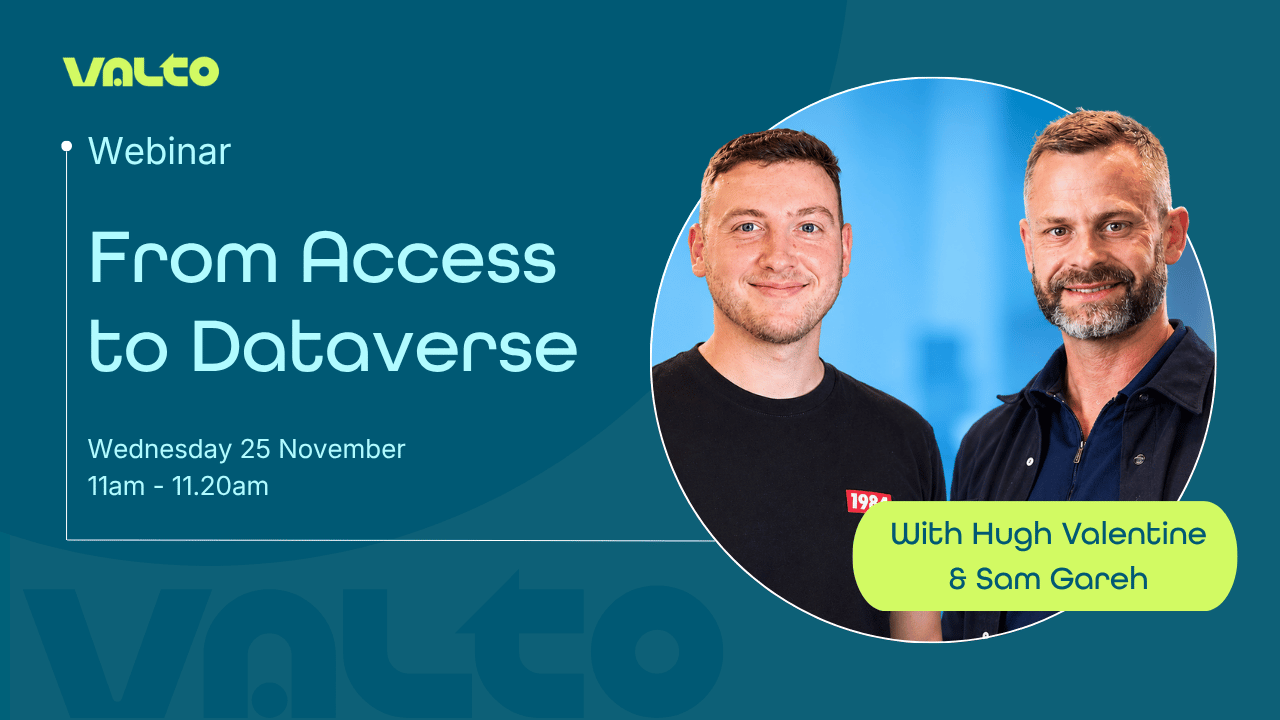
Webinar graphic for “From Access to Dataverse”, taking place Wednesday 25 November, 11am–11.20am, featuring two speakers.16 mins
Transcript: Still running your business on Microsoft Access? Move to Microsoft Dataverse

Transcript: Your Access Database Isn’t as Safe as You Think

Speakers: Hugh Valentine – CEO, Valto Sam Gareh – Automation and AI Pre-Sales, Valto

Introduction

[00:00:00] Hugh Valentine: This webinar is Your Access Database Isn’t as Safe as You Think. We’ll be covering five signs that it’s becoming a risk and where a safer path leads next with Dataverse.

Today it’s Hugh and Sam. I’m Hugh, the CEO here at Valto. I’ve helped a lot of organisations transition their Access databases that have become mission-critical into productive Microsoft Dataverse applications.

[00:00:27] Sam Gareh: And I’m Sam Gareh. I’m part of the Automation and AI Pre-Sales team. I’ve spoken to lots of organisations that are currently using Access and want to move away from it for various reasons.

We’re going to cover the five main reasons why we’re hearing these organisations want to do something different.

We’re seeing more organisations realise, often too late, that the Access database they originally set up maybe years ago was a big part of the business and why it’s so successful now, but it’s no longer fit for purpose as they’ve scaled.

We wanted to cover five of these core reasons that tend to show up before something goes wrong. I’ll let Hugh take over for the first reason.

Reason 1: You’re firefighting fixes, not running a system

[00:01:17] Hugh Valentine: The first reason is you’re firefighting fixes and you’re not running a system.

We see it in lots of organisations where the day-to-day is consumed with fixing the Access database, whereas they should be working on the business, improving it and focusing on delivery.

They’re finding more and more that the Access database has become a real pain to deal with. There are lots of fixes and updates that happen within Access, and basically you get into a position where you’re just firefighting that Access database all the time.

[00:01:48] Sam Gareh: In practice, from our own experience of being involved in various sessions with organisations, typically we’ve found it’s maybe one or two people in the organisation that are actually having to effectively maintain this Access database as a full-time job.

We’ve even seen some members of the board having to be the person responsible for doing that.

[00:02:11] Hugh Valentine: Yeah.

[00:02:11] Sam Gareh: They’re constantly getting pinged by the team saying, “This part’s broken, we need this fixing,” or, “We need this report doing.” It’s just a bit chaotic, really.

[00:02:22] Hugh Valentine: We’ve seen some crazily successful businesses where the managing director is having to provide fixes and they’re jumping on those kinds of things while on holiday. It’s just not a great position to be in.

[00:02:33] Sam Gareh: Yeah. Not sustainable.

Reason 2: Access databases have no real route to AI

[00:02:35] Sam Gareh: We’ve then got the next core reason: Access databases have no real route to AI.

We’re finding leadership teams increasingly asking the business, “What are we doing with AI? What are we doing with Copilot, agents, automation and reporting?”

Access doesn’t really have a path that leads you there. There isn’t really a way that you can start to look at Copilot and automations within Access, so that’s a real blocker for a lot of organisations now.

Whatever the business wants to start doing with AI, it needs to have much better governance, and Access is very limiting in that respect.

This leaves teams having to manually copy data out of the Access database and move it elsewhere so they can start to use AI over the top of it. It’s just not fit for purpose, especially with integrations with things like SharePoint and Excel.

[00:03:37] Hugh Valentine: A lot of our initial enquiries are from organisations who want to take advantage of AI, but they just can’t do anything with it.

The first step is that we’re going to have to get rid of that Access database. Otherwise, you’re left with a really manual process to get that data out of Access, maybe into SQL or into Fabric. From there, you can start to leverage AI.

Ultimately, Access isn’t the foundation to build your new projects on, so you’re going to have to get rid of that eventually.

[00:04:04] Sam Gareh: Yeah.

[00:04:04] Hugh Valentine: So you might as well do that before you start a big, expensive AI project.

[00:04:08] Sam Gareh: One hundred percent.

Reason 3: Getting a straight answer takes too long

[00:04:10] Sam Gareh: The next point touches a little bit on what you mentioned around Fabric, but definitely around reporting in Access. It’s currently very limited in terms of what you can actually do in Access.

I’m not sure if you wanted to touch a little bit more on your experience of seeing what that’s all about.

[00:04:24] Hugh Valentine: Ultimately, reason number three is that getting a straight answer just takes too long.

You’re fiddling around with a legacy system trying to pull out the data that you need. You’re trying to join the relationships together. There’s no AI functionality built within there, so it’s basically just developing it again and starting from scratch.

It’s just not there to get the data and the answers that you need. In today’s world of data, it’s just hard to get what you need out of that.

[00:04:53] Sam Gareh: Absolutely. Even trying to do month-end reports or your weekly updates on where projects are up to ends up taking loads of time.

In this modern world, it should be a case of clicking onto a report and being able to see all that information right there in front of you. That’s just not the case with what we’re seeing.

So, yeah, a really important point for that one.

Reason 4: It’s not scalable

[00:05:17] Hugh Valentine: We’ve got reason number four: it’s just not scalable.

It works for a lot of organisations, but when you hit the bottlenecks, it’s going to fail fast. It’s fine for now, but as soon as that bottleneck is hit, the whole system you’ve built your business on is going to collapse.

We’re looking at data-size limits, the number of concurrent users, and we’re always seeing performance issues with organisations. We see companies hit those limits and they need a fast solution to basically get them up and running again.

It can support 10 or 20 users, but as soon as that limit is hit, it’s game over for that organisation and their Access database.

[00:05:55] Sam Gareh: Absolutely. That feeds into slowness and timeouts. Even having whole businesses with, say, 60 or 70 people all accessing a single Access database creates issues.

Again, that scalability is very much limited.

Reason 5: Access sits as its own tool

[00:06:14] Sam Gareh: The last of the five reasons is that it very much sits as its own tool.

In this world of connectivity and automation, you want systems that are connected to tools for things like email, finance and marketing.

Access isn’t built for that particular world. It’s very much its own isolated, siloed data set. When it comes to integrations, we’re just not able to do it, so it’s becoming a real hindrance for businesses.

In practice, that can mean someone having to spend parts of their week or month keeping data in sync across all these different systems. It just adds no real value.

What we want to see now is people moving away from that and starting to integrate their finance and CRM systems much more easily with things like Dataverse.

[00:07:13] Hugh Valentine: Ultimately, the world’s moved on.

Access was a great tool for being able to build applications decades ago, but now we’ve got much more powerful tools that are easier to use and integrate directly with AI.

As an example, Dataverse, model-driven apps and Power Apps code are available straight out of the box and are much easier to manage, build and maintain than Access databases ever will be or ever have been.

Demonstration: Dataverse and model-driven apps

[00:07:41] Sam Gareh: For this next part, we’re going to show an example of a model-driven app and Dataverse, also with Power Pages.

We’ll go through what that actually looks like in practice, using a CRM system as an example, and then Power Pages as an external-facing portal where customers can log in, upload project documents and view where their projects are up to.

That’s something I’m going to show now.

[00:08:13] Sam Gareh: In this example on screen, we have a model-driven app. This is an example of a CRM system.

What’s really useful with model-driven apps is that we’ve got some out-of-the-box reporting as well.

[On-screen demonstration shows reporting within a model-driven CRM application.]

You can see here how many active quotes and active projects there are, as well as the size and costs of projects that have been signed off.

As a high-level snapshot, that’s all available out of the box with model-driven apps.

We then have a leads management section. Within this section, we can see the number of active leads we currently have and their status.

[00:08:54] Sam Gareh: When I click into here, you can see that the tables and fields we’ve got on screen are all fully customisable. This allows us to build this completely custom for any organisation.

You can see the business process flow at the top. We have this staging-gate process where we can include mandatory fields.

For a sales team, once they’ve got a new enquiry and want to pass it through because they’ve qualified it as an opportunity, you can see that they need to have captured certain fields.

If they haven’t captured those, it’s not qualified and therefore we can’t move it across.

[00:09:36] Sam Gareh: We can do other cool things in here as well.

Once we’ve sent a proposal, you’ve got this “proposal sent” section. It might be that we’re creating a template based on building out a quotation, and then we can automatically send that out to the customer.

Again, we’ve got that type of automation that we can build using Power Automate as part of the model-driven app.

Project management

[00:10:00] Sam Gareh: We then have things around projects, so actually managing your projects.

This again uses the business process flow. At this point in the app, it might be that the sales team are no longer involved and this is where the project management team, consultants, developers or other people working on those projects are brought in.

We can assign resources to that particular project.

We can track communication in here as well, which we can also do for leads and opportunities.

We can integrate with Outlook. As part of the project, if we’ve emailed timelines or sent a quote out in the lead stage, we can capture all of that with the Microsoft Outlook integration.

We can also manually manage meetings like kick-off calls and project meetings, as well as task management. We can assign tasks to the project and then assign those to users internally.

All of this functionality is something we can start to build out with Dataverse and model-driven apps.

You can start to see how this can transform what you’re currently doing in things like Access and bring it into an up-to-date, low-code solution.

Demonstration: Power Pages

[00:11:19] Sam Gareh: We then have an example of a Power Pages solution.

As mentioned, this would be an example for external users to log in and view where their projects are up to.

The business process flow we saw in the model-driven app can effectively be reflected in Power Pages.

[On-screen demonstration shows an external-facing Power Pages customer portal.]

You can see here that a customer has three projects with us at the moment.

They can see that one project is currently being planned. Another project is about to approach the user acceptance testing period, so they’ll be able to get access to actually use it and play around with it.

They can also see, based on the invoicing milestones, when their next invoice is going to be due based on that project’s business process flow.

[00:12:04] Sam Gareh: There are lots of things we can do in here.

If they wanted to upload additional requirements, these could be passed through to the sales team and become a new lead.

They could also upload specific documentation or download, for example, a low-level design document that’s been created by ourselves at Valto.

They can log in, download that document and sign it off so we can then go ahead with the actual build.

There are all kinds of things we’ve seen Power Pages used for, but that’s one good example relevant to this.

Replacing an Access database

[00:12:39] Hugh Valentine: Replacing your Access database is probably quite daunting for a lot of organisations.

If it’s running within your entire business and all your operations are based on it, or it’s critical to a lot of your business operations, then there’s obviously a lot of concern about how you actually take this Access database and move it.

Valto has created a process to make that as streamlined and simple as possible.

We have a free assessment which uses AI to scan your current Access database, alongside one of our expert consultants who will interview you about how it’s currently being utilised.

That will then establish a migration complexity and highlight any key risk flags, such as whether there’s a lot of VBA logic, whether it relies on a key person, or whether there are data integrity issues.

[00:13:28] Hugh Valentine: We’ve got a landing page which outlines all of the components of what we do.

First, let’s understand your database. Then we’ll read that database and one of our experts will review it. Finally, we’ll produce a report.

Once we’ve done the AI assessment and discovery call, we then have a modernisation workshop. One of our consultants will sit down with you for a hands-on exercise and start to scope out how that Access database is currently being used and how we can modernise that into Dataverse and model-driven apps, as Sam has described.

The cost for that is typically £2,500 to £5,000.

Off the back of that, we’ll produce a workshop report that will have a fixed price, and then we’ll move into a fixed-price project with you.

The Valto Access Scanner

[00:14:15] Hugh Valentine: The first step really is looking at our Valto Access Scanner.

As you can see here, this is the tool that we’ve developed. We’ve got some samples in here, but of course we can upload our own.

One example we see all the time is operations, job scheduling and invoicing.

[On-screen demonstration shows the Valto Access Scanner.]

In the second section here, we can give it the context. What is it? How critical is it? Who’s using it? Roughly how many people are using it? And what’s the main reason you’re looking at moving away from it?

As an example: the person who built it left.

[00:14:48] Hugh Valentine: Once we run that assessment, our AI scanner will go and understand exactly how that database has been constructed.

That will then be handed to the consultant and they’ll produce a report.

In this report here, we’ve identified how many tables, queries, forms and VBA modules are part of this application, as well as an overall migration complexity.

We can see here that the tables would probably map cleanly into a Dataverse structure, but the queries in the Access database are definitely going to be key risks that need to be redeveloped.

Off the back of that, we can also give an indicative running cost to move away from Access and what those Dataverse and model-driven app costs are likely to be.

From there, we’ve got our recommended approach. Phase one is the design and data, then the rebuild, then reporting and finally the cutover.

That’s a quick insight into our Access Scanner.

Closing

[00:15:46] Sam Gareh: Now that we’ve talked through the five core reasons we’re seeing organisations want to move from Access, and given some examples of Dataverse, Power Pages and our AI scanner for helping organisations move away from it, if that’s something you’re currently running and you want to have a chat to see what can be done and how it would actually work if you were to move away from Access, please get in touch.

There’ll be a link in the comments section and in the description of the video to get in touch with one of us. We can then sit down and discuss what that would actually look like in practice.

Thank you very much.

[00:16:27] Hugh Valentine: Great. Thank you very much. See you on the next webinar. Cheers. Bye.

Watch · Webinar

Still running your business on Microsoft Access? Move to Microsoft Dataverse

Join the Valto team for a practical session exploring five common signs that an Access database is starting to hold an organisation back, and what moving to modern Microsoft technology such as Dataverse and model-driven Power Apps could look like.
Data strategy questions, answered plainly

Learn more about how Valto data strategy & migration can support your business objectives.

Often, but not always, and this is the question we are most often asked to answer honestly. Fabric makes sense when data sits across several systems, when reporting depends on manual extracts, or when you are preparing for AI. Where Power BI on existing sources is coping and the real problem is conflicting definitions or unclear ownership, a platform will not fix it. We assess first and tell you which situation you are in, including when the answer is to spend nothing.
We audit your data sources, ownership, quality, duplication and access, and identify where definitions conflict. You receive a written assessment setting out what exists, what condition it is in, what needs fixing and in what order, with a platform recommendation and reasoning. It is a defined piece of work, scoped and priced before we start.
A set of decisions rather than a document: what data you consider authoritative, who owns each domain, how quality and access are managed, what platform supports it, and in what order you will address the gaps. The useful version is short and acted upon.
Because most reporting and AI problems trace back to data that is fragmented, duplicated or poorly governed, and those problems are not solved in the reporting layer. Migration is the point at which you can restructure, deduplicate and govern properly rather than carrying the same issues onto a newer platform.
No, and that is deliberate. We agree a retention position early: what is genuinely used and moves, what is archived, and what is retired. Migrating everything reproduces the current problem on a more expensive platform. Whatever moves is mapped, cleansed, validated and reconciled so your team can confirm it arrived correctly.
Yes. We migrate from legacy warehouses, on-premises databases, Synapse, other cloud platforms and self-built solutions. We assess the existing estate first, including which reports have a current audience, because a meaningful share of reports in most organisations no longer have one.
Yes, and we have done. Cross-cloud migration involves the same disciplines as any other: assess what exists, agree what moves, plan the sequence, validate on arrival. We will also be honest where a workload is better left where it is.
Internal teams usually know where the problems are but lack the time and the mandate to resolve them, particularly where the fix crosses departments. An external assessment is also easier to act on politically, because agreeing that a definition is wrong is simpler when the finding comes from outside.
Yes. We have specialist experience moving ledgers, opening balances, history and master data, often into Business Central, with full reconciliation.

Book a free discovery call

Tell us where you are with Data Strategy

Speak directly with the consultants who design and deliver Data Strategy and Migrations every day. We’ll follow up with a proposal setting out cost, approach and timeline.