
News

Top 5 Microsoft Copilot examples in 2026

Five practical Microsoft 365 Copilot examples for everyday work, from analysing data in Excel and creating PowerPoint content to better prompting and building custom Copilot agents.

AI & AutomationCopilotModern Workplace
Author
Martin Howe
Published
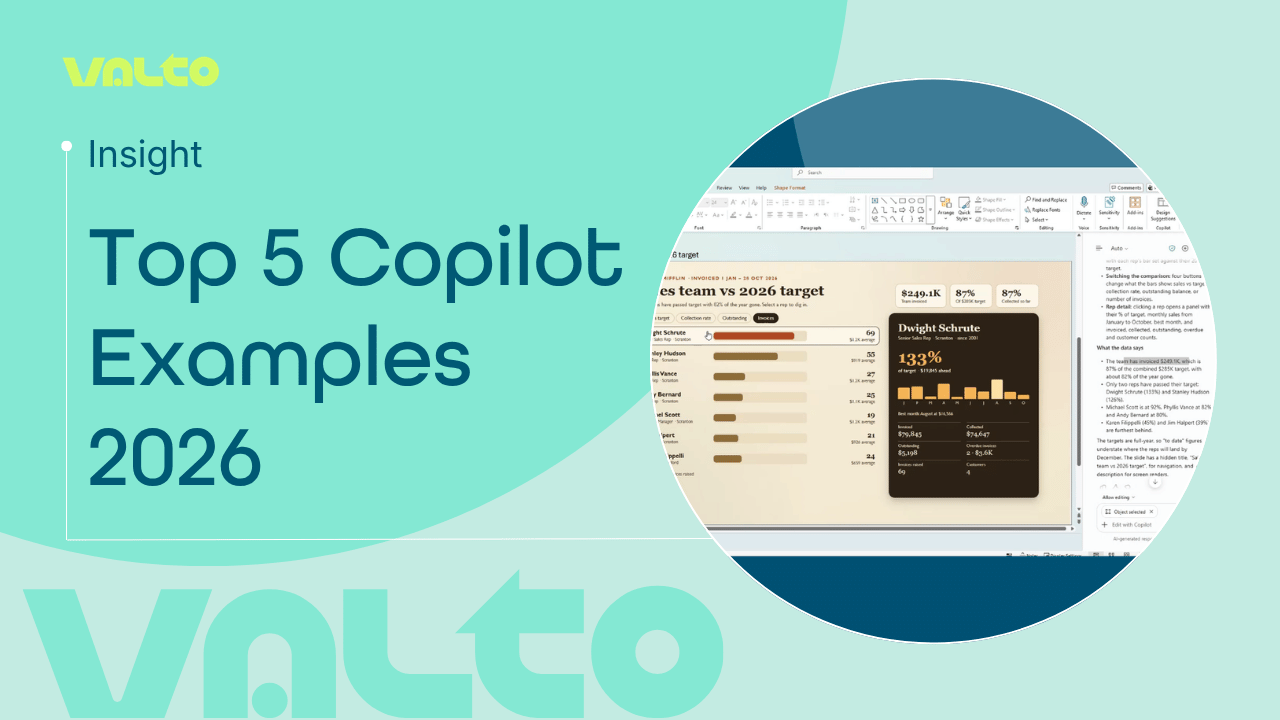
Valto graphic titled ‘Top 5 Copilot Examples 2026’, featuring a Microsoft PowerPoint sales performance dashboard created using Copilot.

TL;DR

Microsoft 365 Copilot can now do much more than answer questions or summarise information. It can help users analyse business data, create dashboards, build interactive presentation content, find effective prompts and create task-specific AI agents.

Five practical ways to use Microsoft 365 Copilot in 2026 are:

  1. Choose the right AI model for the task
  2. Analyse data and create dashboards in Excel
  3. Turn Excel data into interactive PowerPoint content
  4. Find and improve prompts with Prompt Lab
  5. Create your own Copilot agents for repeatable tasks

What can you actually do with Microsoft 365 Copilot?

Microsoft 365 Copilot has changed considerably since its introduction. Instead of simply asking Copilot a question and receiving an answer, more of the experience is now focused on helping users actually complete work.

That means the interesting question for organisations is increasingly less“What is Copilot?” and more“What can our people actually use it for?”

In our latest video, Martin Howe explores five practical examples that can fit into a normal working day, covering everything from choosing an AI model to analysing data and building your own agents.

Here are the five examples in more detail.

1. Choose the right AI model for the task

Not every task needs the same AI model. Within Microsoft 365 Copilot, users can choose between available models or leave Copilot set to Auto, allowing Copilot to select an appropriate model based on the task. For everyday users, Auto keeps things simple. But having the ability to select a model gives more experienced users greater control when the nature or complexity of the task changes. Why it matters: Rather than treating every AI request in the same way, users can better match the model to the work they are trying to complete.

Example 1

Copilot model selector

2. Analyse data and build dashboards in Excel

Copilot can help turn existing Excel data into something much easier to understand. In the example, Copilot works with sales data to produce a performance dashboard containing KPIs, trends, filters and additional insights. Instead of manually working through a workbook, creating calculations and presenting the results yourself, Copilot can help surface the information that matters and make the data easier to interrogate. Why it matters: This can reduce the effort involved in moving from raw spreadsheet data to useful business insight.

Example 2

Copilot Excel sales dashboard

3. Turn Excel data into interactive PowerPoint content

The Excel example doesn't have to end with the spreadsheet. In the next demonstration, Excel data is provided as context for Copilot to create interactive content in PowerPoint, including comparisons, filters and more detailed performance information. This shows one of the more useful aspects of the wider Microsoft 365 Copilot experience: information can become the starting point for the next piece of work rather than having to be manually recreated. Why it matters: Teams can spend less time transferring, formatting and rebuilding information between Microsoft 365 applications.

Example 3

Copilot PowerPoint example

4. Find better prompts with Prompt Lab

Getting more from Copilot isn't only about what the technology can do. The instructions you give it still matter. Prompt Lab helps users discover prompts and provides a starting point for common tasks rather than requiring everyone to work out the right prompt from scratch. For organisations trying to increase Copilot adoption, this can be particularly useful. Employees don't necessarily need to become expert prompt engineers before they can start finding useful ways to work with Copilot. Why it matters: Better starting prompts can make Copilot easier to adopt and help employees discover new ways to use it in their day-to-day work.

Example 4

Microsoft Copilot Prompt Lab

5. Create your own Copilot agent

One of the biggest developments is the move from simply prompting Copilot towards creating AI experiences for specific tasks. The final example shows how users can create their own Copilot agent with defined instructions, knowledge and skills, giving Copilot more context around a particular role or repeatable piece of work. Rather than repeatedly providing the same background and instructions, an agent can be configured around what you want it to do. Why it matters: This moves Copilot beyond one-off assistance and towards repeatable AI-supported processes that can be tailored to the way an organisation works.

Example 5

Microsoft Copilot agent creation

Getting more value from Microsoft 365 Copilot

These examples are relatively straightforward, and that’s really the point.

Getting value from Copilot doesn’t necessarily mean starting with a huge AI transformation project. There are opportunities to save time and improve everyday processes within Excel, PowerPoint and the wider Microsoft 365 environment, before progressing towards more specialised agents and automation.

The key is identifying where Copilot can genuinely remove effort or improve the way people work, then giving users the skills, governance and support needed to adopt it effectively.

Ready to get more from Microsoft 365 Copilot?

Whether you're considering Copilot for the first time, planning a wider rollout or already have licences but aren't seeing the adoption you expected, Valto can help.

Call +44 (0)333 577 9009

Related reading

Fanned pages of Valto's AI in Finance Whitepaper
White paperAI & Automation

AI in Finance: From Copilot to Automation

AI is already changing how finance teams work, but where does the real value come from? This practical guide explores Microsoft Copilot, AI agents, and automation use cases that help finance leaders reduce manual effort, streamline processes, and unlock measurable ROI. Learn where to start, what to prioritise, and how to build an AI strategy that delivers results.

13 April 2026