
Unily to SharePoint & Microsoft 365
Move your intranet from Unily to SharePoint
Move from Unily to a modern SharePoint intranet with Viva Connections, built on Microsoft 365. We’ll migrate your content, branding and communications to create a connected, accessible intranet that’s easier to manage and built around your organisation.
Rated 5 stars on Google
Plan your move from Unily
Book a discovery call

Trusted by organisations like yours







How it works
How your migration works
Every migration starts with a free discovery call, so you know the approach and cost before anything is paid for.
- 01Free
Free discovery call
We talk through what you're moving, when and why.
- 02Fixed price
Migration Assessment
Volumes, risks and dependencies audited, with a plan, timeline and fixed price.
- 03Proven first
Plan & pilot
A pilot group moves first so issues are found early.
- 04Low disruption
Migrate in waves
Data pre-staged and users moved in planned waves.
- 05Planned
Cutover
A short, planned switch-over with clear communications.
- 06After go-live
Hypercare & support
Hands-on help after cutover, then ongoing support if you need it.
“Valto explained to all stakeholders in easy-to-understand terms the approach for migration, the costs and the overall benefits. From SharePoint to networking, the team have delivered every time and continue to surpass all expectations.”
Case study · Branding Science
Branding Science Saves £20K Annually Migrating to SharePoint
Branding Science partnered with Valto to replace third party intranet platform, Box, with a secure SharePoint-based collaboration solution, eliminating third-party licensing costs while improving governance, visibility and control.
- ~£20k annual savings
- Third party tool migration to SharePoint
Microsoft expertise you can trust
Valto are one of the UK's few Microsoft Partners to hold all Microsoft Solution Partner Designation Badges, across all Microsoft Solution Partner Designation Pathways. For our customers, this means you can rely on one partner for end-to-end support across all your organisation's needs.
All Microsoft Solution Partner Designation Badges
Protect IT with Microsoft Purview
Keep files protected and compliant
We deploy Microsoft Purview on top of your structure, so sensitive files stay protected and content is kept or deleted automatically to meet compliance requirements.
More about Microsoft PurviewKey features of Microsoft Purview
Sensitivity labels
Protect confidential files and emails, for example by encrypting them or restricting who can open and share them.
Retention
Automatically delete files you no longer need, and hold files you’re required to keep for compliance.
Built on your structure
Applied to your SharePoint sites, Teams and OneDrive so protection follows the content.
Not sure where you fit?
Book a free discovery call and we'll point you to the right starting point.
SharePoint vs third party intranets (Unily, Box, Google Drive)
This video explore how rising third-party platform costs, Teams-first working, Copilot readiness, security, governance and platform sprawl are driving a market-wide shift back to Microsoft-native intranets/
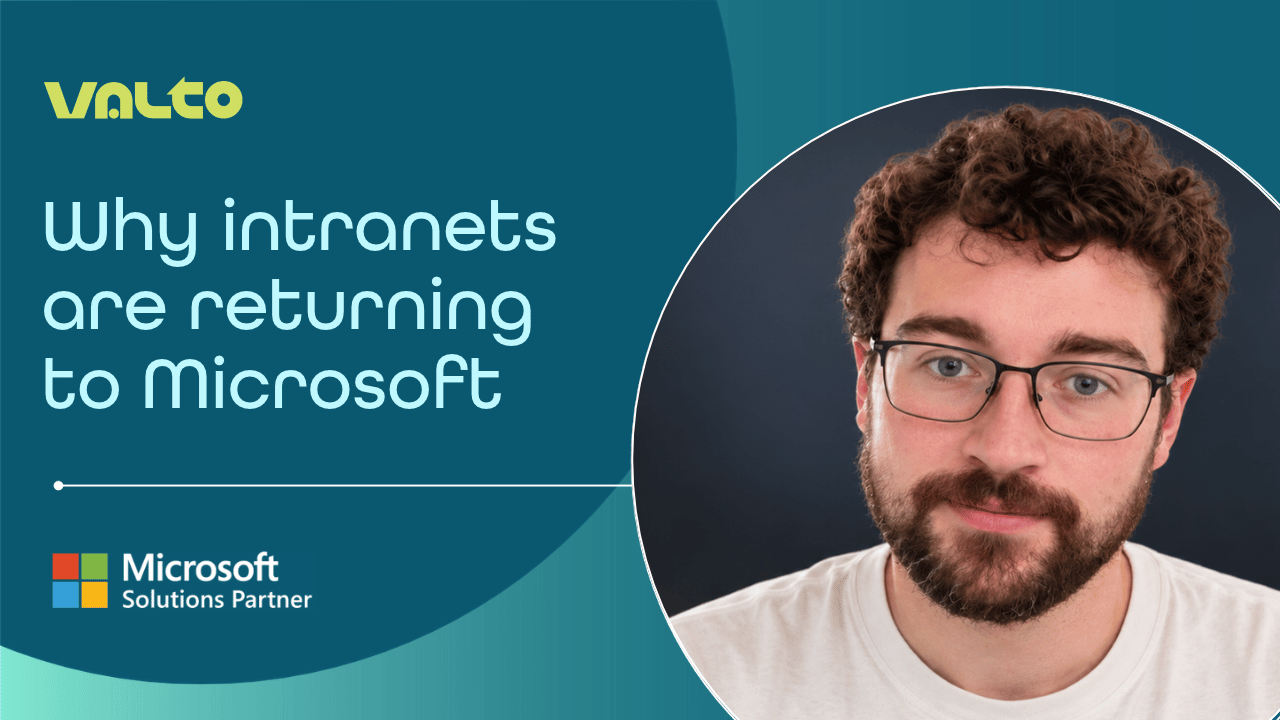 37 mins
Transcript: SharePoint vs third party intranets (Unily, Box, Google Drive)
Transcript: Why Intranets Are Moving Back to Microsoft
Speaker: Dan, Microsoft 365 Consultant at Valto
[00:00:00] Dan: Hello and welcome to this webinar on why intranets are moving back to Microsoft.
What I'm going to do quickly is introduce myself. I'm Dan, a Microsoft 365 Consultant at Valto. I've been at Valto for about two years, and I think I've now had five-plus years of experience during my early career with SharePoint.
If you want to follow me on LinkedIn, feel free to click on the QR code and drop us a follow, or feel free to connect as well if you'd like to.
In terms of accreditation, I've tackled the early ones at the moment, the ones that are here. So, the MS-900 and other Fundamentals exams, like Azure AI and Power Platform.
Essentially, I'm a Microsoft 365 Consultant, as I've said, and I typically tackle the SharePoint workshops that we're assigned within Valto.
[00:00:47] Dan: I'll quickly skip onto the next slide and talk a little more about Valto, in case you don't know us.
Valto has been around since about 2017. We're based up in Chester; however, there are a few of us peppered around the country. I myself am somewhere near Reading, so I'm based down south.
We align ourselves very closely with the key Microsoft pillars. We do Modern Workplace work. We also have a managed service desk in case anyone needs IT support.
We work closely with Microsoft 365 and Azure, so anything migration-based and anything Azure-based, we can tackle.
For Business Applications, we have our own Business Applications pillar that allows us to create Canvas apps, model-driven apps, etc. for customers.
We also have a Data and AI team. We have a team that looks exclusively at Copilot, but also things like Power BI. We've got quite a few different things in our arsenal.
In terms of our partner designations, we've got all six Microsoft Solutions Partner designations, which is really handy as well.
You can see the team on the right-hand side. I think there are a few more of us now, and we've got a few of us scattered around the country as well.
That's just a little bit about Valto before I get going.
Why Intranets Are Moving Back to Microsoft
[00:01:57] Dan: The reason we've started this webinar today is because we're seeing a bit of a shift recently where intranets are moving back to Microsoft.
In case you aren't aware, Microsoft has its own intranet platform named SharePoint. I'm sure most of you have heard of it before.
What we're seeing at the moment is lots of people going to SharePoint, but also going back to SharePoint.
Lots of people in the past moved away from SharePoint for various reasons, which we'll cover later on. But the main thing is that we're seeing a huge trend of people coming back to SharePoint.
As I said, some previously left, but we're also seeing people moving to SharePoint due to licensing, etc., which we'll cover.
We're seeing a general market shift. It's not just on a vendor-by-vendor basis. We're seeing a general market shift, and I think that suits SharePoint really well.
This session is basically explaining why people are coming back to SharePoint.
The Changing Role of the Intranet
[00:02:58] Dan: I think the main thing regarding SharePoint is that the strategy around an intranet is being revisited generally.
We've seen that since COVID. I know it's been six years since COVID, but we're always talking about it.
There's been lots of discussion around how companies and their employees should work together. Before COVID, a lot of companies, even IT companies like ourselves, were very in-person based. Generally, that was fine for lots of teams and departments.
However, since COVID and the pandemic, we've shifted, across the market and industries, to more hybrid and remote working.
With that come challenges that are unique to that particular example. One of those is that you're generally further away from each other, so you need a platform that enables people to engage with each other.
That's where Teams came in.
Teams is a great app that brings together the key things we need in order to function as remote and hybrid employees. It brings all those functions together into one big app.
[00:04:08] Dan: Now that Teams has firmly established itself as a large part of the market for internal communication platforms, SharePoint has started to become increasingly integrated with Teams.
You can use things like Viva Connections to bring your intranet into Teams.
In the last couple of years, artificial intelligence has also really taken off. Copilot has been developed by Microsoft, and with that we're finding lots of people want to move to a platform that is ready for Copilot adoption.
A lot of boards and senior people within businesses are scrutinising overlapping platforms because they want the same platform to work across everything.
They want Copilot, Teams and SharePoint to be brought together without the disjointed platform changes that we often see.
One of the aims is to simplify everything for people within your organisation, but we also want to reduce risks such as data leaks.
When you're employing Copilot across these apps, it's useful to have the security measures that Microsoft has put in place.
If you're going with SharePoint and Teams without a third-party app, everything is being developed by the provider itself rather than being released to third parties.
Why Third-Party Intranet Platforms Emerged
[00:05:34] Dan: Let's go through why third-party intranet platforms emerged in the first place.
SharePoint has been around for a long time. In the past, SharePoint was very heavy. It was extremely flexible and customisable, which in some ways was fantastic.
However, it took a long time for talented and skilled developers to develop an intranet that looked the part.
Customers couldn't simply pick up SharePoint and run with it in the way they can now. There was a large market for SharePoint developers to come in, build an intranet, leave, and then leave the intranet in the client's capable hands.
The build time involved, and the cost of implementing those features, meant projects could take a long time and cost a lot of money.
The fact that SharePoint was so heavily customisable could actually work to its detriment. People therefore started looking for third-party tools that prioritised easy setup and maintenance, as well as giving everything a clean, polished appearance.
[00:06:49] Dan: At the time, third-party apps made sense. I don't blame people who used those apps because SharePoint was really heavy and often needed that additional skin to make it simpler.
However, over time, and particularly in the current global situation, we're finding that costs are increasing while budgets are decreasing.
Those third-party tools are becoming more expensive, which is natural. At a time when costs have been increasing, we're finding that budgets for things such as engagement platforms are generally decreasing across different organisations.
Finance and IT teams are therefore asking whether these third-party apps are becoming too expensive and what value they're delivering that SharePoint doesn't already provide.
SharePoint as a platform has grown and changed massively since these third-party apps were first introduced.
The Cost of Third-Party Intranets
[00:08:00] Dan: I think cost is one of the biggest factors driving people to move from a third-party skin to SharePoint.
When you own a Microsoft 365 licence, even down to a Business Basic licence, SharePoint is included within it.
When I say "free", it is included within that licence cost. As a platform, SharePoint is relatively inexpensive compared with some other Microsoft 365 applications.
SharePoint is also accessible because you only need a relatively basic licence to unlock it.
The annual cost of an experience layer that sits on top of SharePoint can therefore be significantly higher than the cost of SharePoint itself.
In other words, third-party skins and applications that hook into SharePoint could cost more than the underlying SharePoint platform.
If you've already got a Microsoft 365 licence and you can make SharePoint work for you, why not simply use SharePoint?
[00:09:12] Dan: In the past, there was a strong argument for these third-party apps bridging the gap between SharePoint and a nice experience that was easy to use and maintain.
But SharePoint has grown significantly over the past few years, and we're finding that people are increasingly capable of looking after their own intranet.
We can come in and build an intranet for you, for example, and then provide knowledge transfer so your people become upskilled.
We're finding that many customers can maintain their own intranet following that knowledge transfer.
Previously, talented companies could build great intranets for people, but the knowledge gap between what was required to maintain the intranet and what the customer knew could be significant.
As a result, many SharePoint intranets essentially became abandoned because they were so difficult to maintain.
Microsoft 365 Integration and Governance
[00:10:05] Dan: Because SharePoint is created and hosted by Microsoft, you're also able to connect it to platforms such as Teams and implement security features such as Microsoft Purview data retention, lifecycle management, sensitivity and retention.
That all comes into the SharePoint space.
Most organisations using something like a third-party skin are effectively paying for an intranet twice.
When third-party applications are integrated into your tenancy, that's fantastic, but you have to pay for that integration. There's also the cost of maintenance.
With SharePoint, as I've said, it's now much simpler to maintain your own intranet as and when you need to.
Because it's a platform built by Microsoft, you can go to Microsoft, raise support tickets and use online forums to get answers to what you need.
With third-party apps, because they're often locked behind their own support structures, it can be difficult to engage with people without having some form of support contract in place.
[00:11:25] Dan: There's also governance to consider.
[00:11:27] [Dan clears throat.]
With third-party skin applications, you may have two layers of permissions to manage.
Not only do you have the SharePoint site collections themselves to manage, but you may also have the permissions for the third-party application.
That's another thing to bear in mind regarding the ongoing cost of maintenance. It's something that can easily be missed.
When renewal time comes around, one of the questions people are asking is whether user adoption has actually held up.
Are people actually using the third-party skin, or are they defaulting straight to Teams, chatting with people and getting the information they need there?
The next question is how you consolidate that into what you already have.
Is the platform that your third-party skin is based on ready for Copilot, or is it a little further behind?
Because Microsoft manages SharePoint, SharePoint can become Copilot-ready as Microsoft makes those capabilities available. Third-party applications may have a delay between Microsoft releasing certain functionality and those features being integrated.
The Cost of Staying Versus Moving
[00:12:45] Dan: One of the main questions is:
[00:12:47] [Dan clears throat.]
What's the cost of staying versus the cost of moving?
If your licence fee is tens of thousands of pounds a year, the cost of moving from one platform back to SharePoint may actually be cheaper even on a one-year basis, let alone when you think about several years down the road.
While the initial cost of moving might seem higher than you'd ideally like to pay right now, it could potentially become the cheaper option within a year.
Viva Connections and Viva Engage
[00:13:18] Dan: When you have SharePoint in place, you can also use Viva Connections and Viva Engage.
I've already touched briefly on Viva Connections. It allows you to view the intranet within Teams.
For many people, that's a feature they may not have heard about before, and it's really useful.
If you imagine 10 years ago, most people would load up their browser when they walked into the office. They'd see SharePoint straight away and see all their news and updates.
For me, the first thing I do now is load Teams. I'm looking at chats from yesterday, conversations for the day ahead, @mentions in threads and mentions from around the business that I need to stay up to date with.
Teams is my go-to application.
Viva Connections allows us to view the intranet, where we might access news, events and global policies, through Teams.
[00:14:14] Dan: For many people, that's perfectly fine.
Third-party applications may have provided similar integration previously, and some still do, but Viva Connections can be available through Microsoft 365 licensing.
There's also another application called Viva Engage.
Viva Engage is part of the Viva suite. It's designed to allow you to create communities and things such as campaigns.
It's an area where you can provide social communication across the company.
Within your communities, people can talk about particular topics. You can also restrict communities so they're more focused on corporate broadcasting when required.
Because SharePoint is within the Microsoft ecosystem, there's also a Viva Engage connection you can use within SharePoint.
You can add Viva Engage web parts to SharePoint and view Viva Engage communities there. You can also access them through Teams.
Microsoft Search, Power Automate and Power Apps
[00:15:47] Dan: There are other tools you can use as well, such as Microsoft Search, which allows you to search across Microsoft 365.
If information is available to you in SharePoint, it can be surfaced through Microsoft Search.
You can search across different SharePoint sites, whether they're public department sites or controlled document systems, for example.
Microsoft Search gives you a way to navigate to the information you need during your day-to-day work.
[00:16:18] Dan: Power Automate and Power Apps are two applications from the Power Platform.
Power Automate can connect directly to SharePoint and enables things such as approval workflows and general automated activities running in the background.
For example, if an email arrives in your inbox, you could synchronise information from it straight into a SharePoint list.
You can also manage approval workflows for certain documents.
There are many things Power Automate can do. Essentially, you're building low-code steps that activate and perform actions when certain conditions are met.
It's particularly useful for things such as approvals, routing data to different people and retrieving information.
With Power Apps, including Canvas apps and model-driven apps, you can integrate applications directly with SharePoint and use SharePoint as a data source.
Microsoft has increasingly brought these platforms together, and SharePoint now integrates closely with both.
Reducing Platform Sprawl
[00:17:40] Dan: One of the main things administrators are looking at is reducing platform sprawl.
Putting the cost factor aside, when you have lots of tools trying to achieve different things, perhaps five, six, seven, eight, nine or 10 different applications across HR, your intranet and internal communications, you're managing many different sets of permissions and platform considerations.
Then there's the cost as well.
It can become difficult for IT teams to manage.
When you have lots of vendors and integrations, you have different admin roles and renewals to manage. If you can wrap that into one environment, it becomes much easier to manage going forward.
That management also takes time. If IT teams are spending hours every month moving between different vendors and applications, bringing things together can save a lot of that time.
Keeping Pace With Microsoft Updates
[00:18:48] Dan: We've touched a little on how third-party applications can run one step behind Microsoft.
When Microsoft releases updates to SharePoint, those updates can potentially interfere with third-party applications that have been built on top of it.
Microsoft develops and tests SharePoint functionality within its own platform. A third-party app then needs to make sure its own functionality continues working with those updates.
For example, when new web parts or functionality are introduced, third-party applications may take some time to integrate or adapt to them.
Microsoft may also make changes in the background during SharePoint updates. Third-party skins sitting on top could have references affected by those changes.
That can potentially create compatibility issues for the organisation.
We're therefore finding that some people want to strip everything back, go back to Microsoft and reduce the complications associated with being one step behind Microsoft.
Teams as the Digital Front Door
[00:20:18] Dan: We've already spoken about this, but most employees live in Teams. I can certainly say that about myself. I start and end the day there pretty much every day.
When you have separate portals spanning multiple applications, it can be difficult to keep track of everything happening at the same time.
If I could stay within one app throughout the day, making it easier for me to work productively with fewer distractions, I'd choose that.
Having native integration through Viva Connections allows people to jump from Teams straight into SharePoint.
Because Teams is updated regularly, third-party integrations also need to keep pace with those changes.
If Teams is effectively the application receiving the most attention, you want to make sure everything integrates with it properly.
Microsoft 365 brings those Microsoft applications together in the background.
How SharePoint Has Developed
[00:21:46] Dan: In terms of developments over the past few years, SharePoint used to be much more difficult to manage.
There's still an element of consulting required around site structure, the layout of the intranet and the way you represent your organisation within SharePoint.
However, maintaining and configuring SharePoint is much easier than it used to be in many ways.
SharePoint has also gained a lot of additional functionality.
We're therefore finding that the gap between the value third-party applications provide and the value SharePoint can provide is decreasing over time.
Third-party applications may still offer some functionality that SharePoint doesn't, and that's absolutely fine.
However, if that difference is becoming smaller while costs are increasing, it becomes harder to justify the value proposition.
[00:22:53] Dan: The creation of Viva Connections has provided a Teams-based digital front door.
Viva Engage has been around for some time. It used to be called Yammer and has since been rebranded as Viva Engage, with additional functionality added.
The maturity of the overall intranet stack really helps with SharePoint's value proposition.
We're finding that the gap is narrowing significantly.
SharePoint and Copilot Readiness
[00:23:40] Dan: Now, with Copilot already available to many organisations, we want to make sure Copilot finds and surfaces content based on what users are supposed to see.
When you're searching SharePoint content through Copilot, it will only surface information that your permissions allow you to access.
For example, if you ask it about a confidential project that only board members have access to, it shouldn't provide that information unless you have permission to see it.
If your content and permission structures aren't clean, AI can expose those existing issues.
That's something to bear in mind when launching Copilot. You need to go through a security-hardening phase and make sure everything is configured appropriately.
When you're storing information in SharePoint, the Microsoft 365 security controls help determine who can access that information.
Introducing additional third-party applications can add another level of complexity to managing those permissions.
If you're considering AI, it may therefore be worth simplifying your environment and making sure everything is properly prepared before you launch Copilot.
[00:25:26] Dan: When you have Microsoft 365 Copilot, much of the organisational content it can work with may be stored in SharePoint.
For example, when you have a Team and store information on a departmental or project basis, the underlying file storage is based on SharePoint.
That means SharePoint is already part of the environment.
SharePoint's architecture is designed so that information can be findable, subject to the permissions in place.
With those permissions configured correctly, people should be able to find the information they're allowed to see relatively easily.
With Copilot becoming increasingly relevant to organisations, having information within SharePoint rather than across separate third-party platforms can simplify things.
Moving Back to SharePoint
[00:26:40] Dan: If you're considering moving into SharePoint again from a third-party app, we wouldn't simply lift and shift everything.
We'd undertake a proper migration with you.
Content can move over and, in many cases, the new solution could replicate elements of what the previous platform looked like.
However, a like-for-like migration won't necessarily be the best option.
The structure developed several years ago might not suit your organisation now, and compatibility between third-party functionality and SharePoint may also present challenges.
We would review your navigation structure and ownership model to make sure everything makes sense and that you won't struggle with the move back into SharePoint.
[00:27:32] Dan: For a migration to be successful, the important elements need to work together.
We'd help you understand those areas and make sure they're mapped out properly.
Integration back into SharePoint isn't purely a technical project.
We work with many companies where people's involvement is essential to understanding how content should be structured within SharePoint.
It isn't simply a lift and shift. There is an element of redesign.
However, that's a good opportunity to clean things up and get another perspective on your organisational structure.
We want to make sure that, when your existing third-party intranet moves to SharePoint, it's structured optimally for SharePoint.
Common Migration Challenges
[00:28:33] Dan: One of the challenges when coming back to SharePoint is that we may not be able to replicate every feature from the previous platform like-for-like.
There are often alternatives available in SharePoint.
For example, SharePoint has news web parts, and many third-party applications also have news functionality.
There will be like-for-like replacements in many cases, but not always.
If you want to move back to SharePoint, we'll sit down with you and go through your intranet structure and what you want to move over.
If there aren't like-for-like replacements, we'll recommend alternatives that provide much the same value in a slightly different way.
Some features you previously had to pay for may also be included natively within SharePoint.
[00:29:29] Dan: Another challenge we see is stakeholder involvement.
Having the IT team involved is fantastic, but SharePoint projects tend to need input from more people than a regular technical migration.
We work closely with stakeholders to make sure everyone is involved and that the requirements of decision-makers are taken into account.
That's when SharePoint projects tend to work best.
We'll look at users' needs and working patterns rather than simply reviewing the existing content.
We look at how you want to work as well as the content itself.
Designing for Teams, Governance and Adoption
[00:30:15] Dan: Another thing we look at is making the intranet Teams-first.
For many people, Teams is the go-to application for their daily work.
We can therefore design the intranet to be Teams-first if that's appropriate.
If you'd prefer a standalone SharePoint platform, we can do that too, but we'd recommend considering the role Teams plays.
When you move to SharePoint, we'll also look at your existing governance structure and who owns the content. We'll help you map that into the new intranet.
[00:30:48] Dan: Finally, we want to establish clear success criteria.
The metrics aren't always just page views anymore.
You can integrate tools such as Microsoft Clarity to understand click rates and use heat maps to see where people are interacting with your intranet.
If you want more analytics and insight into how your pages are performing, Clarity can be integrated into the intranet.
Getting the platform ready is relatively easy. The harder part is making sure everything works properly, people use SharePoint appropriately and the intranet is designed in the right way for its users.
There Is No Universal Intranet Structure
[00:31:25] Dan: There isn't really one universally correct choice when it comes to SharePoint structure.
We see lots of different types of SharePoint intranets.
We see signposting intranets and communication-led intranets, among many other approaches.
Some organisations prioritise AI readiness. Some prioritise news and communications. Others prioritise security or consolidation.
There are many different priorities we can look at.
The right decision depends on factors such as the number of users, your scale, governance and the maturity of your content.
There are lots of different parameters we consider when recommending the right intranet solution.
If it all starts to feel a little overwhelming in terms of what you need to prepare, remember there isn't one single right choice.
We'll work with you during the workshops to make sure the type of intranet you need is the one that gets delivered.
Five Questions to Ask Before Your Intranet Renewal
[00:32:29] Dan: Here are five questions to think about before your renewal.
1. Where are employees spending their working day, and does our intranet meet them there?
As I've said, a lot of people are working within Teams now. Should we integrate the intranet with Teams to improve that experience?
2. Does our current platform do anything that Microsoft 365 can't?
Some applications may provide functionality SharePoint doesn't currently offer.
However, we're seeing that gap shrink.
For the vast majority of organisations, there's a good chance SharePoint can now meet many of the requirements you would expect from an intranet and perform very well across them.
[00:33:39] Dan: 3. How clean is our governance and content, and would we be comfortable with Copilot surfacing it?
That's another important consideration.
4. What is the total cost of our current approach?
Don't just consider annual licensing. Consider how much administration, integration and maintenance cost altogether.
As SharePoint becomes easier to maintain, the administration and maintenance requirements can also reduce.
5. Is our intranet strategy aligned with our wider Microsoft 365 and AI roadmap?
If your third-party application is restricted in terms of AI integration, it might be a good time to consider moving back to something like SharePoint.
SharePoint is increasingly being developed around Microsoft's broader Microsoft 365 and Copilot ecosystem.
The Intranet as Part of the Digital Workplace
[00:34:36] Dan: Intranets are becoming part of the digital workplace foundation rather than simply being separate projects.
The question is shifting from "Which tool should we use?" towards "How do we govern, own and maintain it?"
Those are important questions.
Being Microsoft-native, SharePoint will continue to follow Microsoft's broader direction as AI and other technologies become more readily available.
When lots of third-party applications and integrations are involved at the same time, governance can become more difficult.
Supporting the Decision
[00:35:27] Dan: So, what comes next?
When you're looking at your intranet strategy, we can carry out a platform assessment.
Some of the key areas we'd work through with you include mapping out the intranet design and information architecture.
Once that's established, we can connect services such as Viva Connections and Viva Engage to make sure your other Microsoft 365 applications integrate properly with SharePoint and you're getting the most out of the environment.
We can also help with governance frameworks and operating-model design, so you can maintain everything going forward and ensure permissions are configured properly.
[00:36:16] Dan: We can then help with adoption.
We produce adoption materials, including videos and cheat sheets, to help users get to grips with the new environment.
We help throughout the process. We're not simply going to come in, create the intranet and leave it on your doorstep.
If you're thinking about your next intranet move and would potentially like to switch back to SharePoint from a third-party application, you can use the QR code on screen to get in contact with us.
Feel free to start a conversation. There's no commitment involved.
You can reach out through the QR code and be put in touch with one of our pre-sales consultants. We can then talk to you about what SharePoint could do for you.
If anything from this session has prompted you to reconsider your licensing costs, governance model or potentially moving platforms, feel free to have a conversation with us. We'd be happy to help.
[00:37:18] Dan: Thank you for watching today's webinar. I really appreciate your time.
If you have any questions, feel free to reach out using the QR code. We'd be happy to help.
[00:37:25] End of webinar.
Chapter 01Context00:00
Chapter 02Hybrid working03:08
Chapter 03Context05:37
Chapter 04Cost08:10
Chapter 05Why Microsoft13:18
Chapter 06Consolidation17:39
Chapter 07AI readiness23:47
Chapter 08Process26:40
Chapter 09Next steps32:23
Keep ahead
The latest news, insights & content from Valto
Visit our resource hub
Tell us where you are with Unily to SharePoint
Speak directly with the consultants who design and deliver Unily to SharePoint every day. We’ll follow up with a proposal setting out cost, approach and timeline.
Call +44 (0)333 577 9009