NEW FEATURES with Microsoft Copilot Wave 2
This blog article explores the exciting new features introduced in Microsoft Copilot Wave 2, providing insights into how they enhance productivity and streamline user experience.
Start by watching this video on Copilot Pages, as the announcements include new products, features, and the general release of multiple Copilot solutions designed to boost efficiency across various platforms.
Watch the video (opens in a new tab)
Microsoft Copilot Wave 2 Announces: PowerPoint Narrative Builder
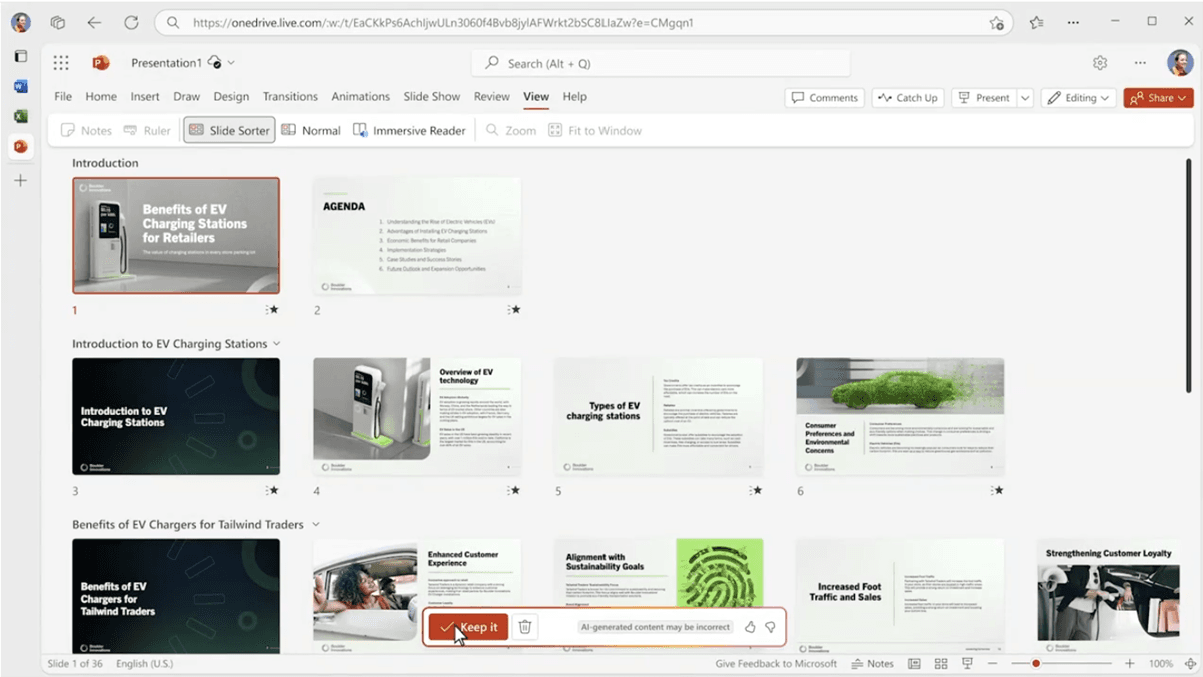
Microsoft’s Copilot Narrative Builder is an exciting new feature in PowerPoint, designed to revolutionize how presentations are created by offering a more streamlined and intelligent process. This feature, part of the Microsoft 365 Copilot suite, leverages the power of AI to help users build a strong foundation for their presentations, making it easier to organize ideas and create content that is cohesive and well-structured.
At its core, the Copilot Narrative Builder allows users to draft a high-level outline or “narrative” of their presentation before PowerPoint automatically generates the slides for them. Traditionally, building a presentation requires manually creating slides one by one, adding content, adjusting layouts, and ensuring consistency across the entire deck. This process can be time-consuming, especially when working on complex topics or large presentations that require a lot of research, planning, and referencing external materials.
With Copilot Narrative Builder, users can focus on outlining what should be included in the presentation without worrying about the actual slide creation until later. You start by working within a narrative drafting tool in PowerPoint, where you can define key themes, structure, and goals for your presentation. As you create this draft, you can describe the major points or sections of your presentation, and Copilot helps refine it by suggesting ways to organize and expand on your ideas.