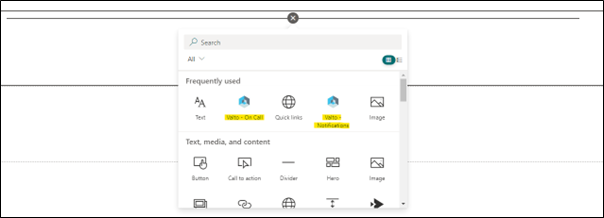
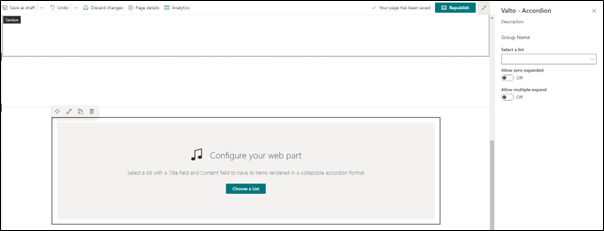
For those who work on editing SharePoint Pages, you will see that the below configuration route for a custom web part is identical to how you are used to configuring OOB web parts.
The only difference will be the options provided, as is the case (for example) with Hero Banner configuration options being different to Quick Links.
The use of standard controls means that your current page authors, champions and administrators are already learning skills to help them configure any custom SPFX applications, as they will have a level of familiarity if these are added.
It is important to note that as with any development the scale of the application will differ.
In my experience I have seen SPFX utilised to bridge gaps in the SharePoint platform through the creation of small web parts such as, notifications, accordions, and carousels.
However, I have also seen SPFX used to create full project tracking solutions and document auditing systems which have completely replaced third party tools.
Moreover, SPFX can be used to build and deploy applications into Microsoft Teams to extend those solution capabilities.
This will help tie its interface and your Intranet together seamlessly, which is becoming a lot more critical in the current Hybrid Working times.
Please also note that SPFX can be utilised within the SharePoint Classic UX if a move to the Modern UX is restricted.
This shows that the scale of SPFX and how it can extend SharePoint is only limited by time, resources, budget, and your imagination.