Valto — Keep ahead of tomorrow

News

Beating writers block with Microsoft Copilot

Explore the concept of the "Blank Page Problem" and how Copilot can help overcome this, offering creative solutions and inspiration to jumpstart ideas, while also posing new challenges for users.

Copilot
Published
7 January 2025
Beating writers block with Microsoft copilot

The Blank Prompt Problem

During my recent attendance to the Power Platform Community Conference a technical panel discussion took place, with one member of the panel mentioning “The Blank Prompt Problem”, this member was Chief Scientist and Technical Fellow at Microsoft, Jaime Teevan. (opens in a new tab)

This concept was interesting to me, so I thought I would write a blog post to highlight my thoughts.

What is the Blank Page Problem?

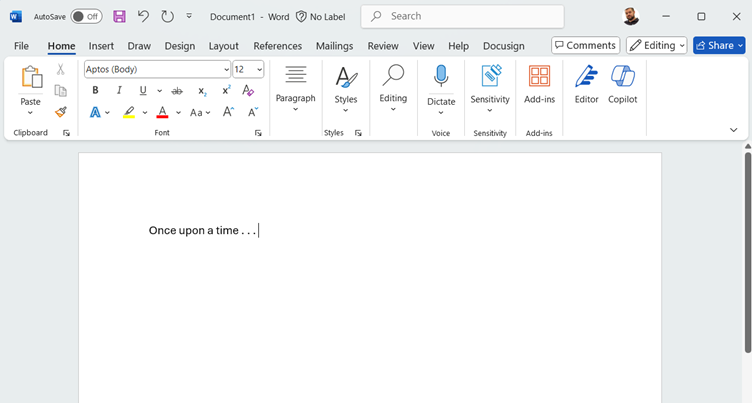
So the real problem is actually defined as an issue with having a blank page, that is the act of opening up a blank page in a notebook, a word document or even a blank canvas and just staring at it for hours or days in the hope that you can fill it with some wonderful insight or artwork.

Individuals have different methods to help them fill the page, perhaps they need to do some initial research, eat a specific food type, perform a specific activity or maybe listen to some music. Everyone has a different approach to help them become creative and avoid procrastination.

However, with artificial intelligence (AI) the blank page problem no longer exists

the blank page problem
Beating writers block with Microsoft copilot

How can Copilot help?

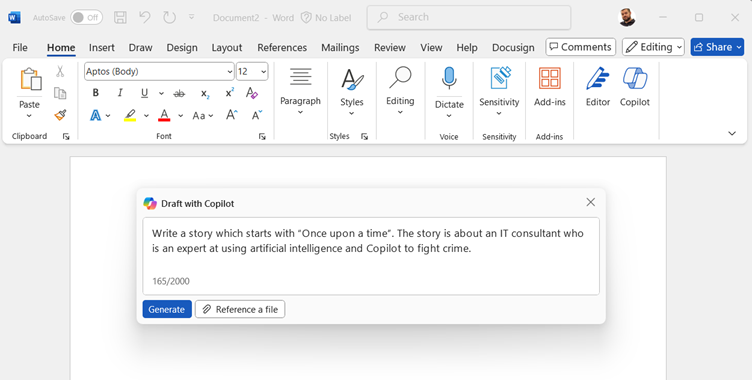
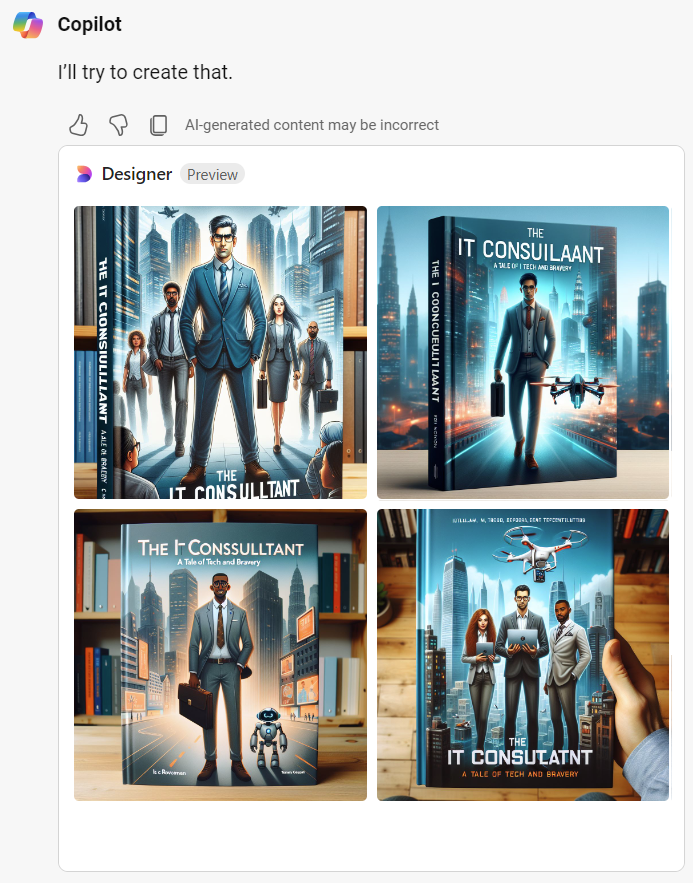
With the introduction of Copilot users are now able to fill in their blank page through the use of prompts, a simple prompt can help me get past my blank page issues that I had within the following screen: A short amount of text can be used to help generate a full page vs a blank page. We will soon see what Copilot generates for us, and we may not be completely happy with it, however I feel it is more in our nature to correct and adjust information versus starting from nothing, so perhaps this will help us break that blank page. Lets see our results: So Copilot generated me a couple of pages of text, so not quite a best-selling novel but certainly could help me with my idea generation. Perhaps these 2 pages can be adjusted, and then give me the confidence to generate the next 250 – 350 pages myself. At least I no longer have a blank page! This also works for other creative areas such as art. Let’s imagine I now want to create a book cover for my new story, we can once again ask Copilot to generate this imagery for us Once again we do not have the finished article, but we do have ideas and inspiration that would help us design our own cover or share our ideas with an official designer.

What is the blank prompt problem?

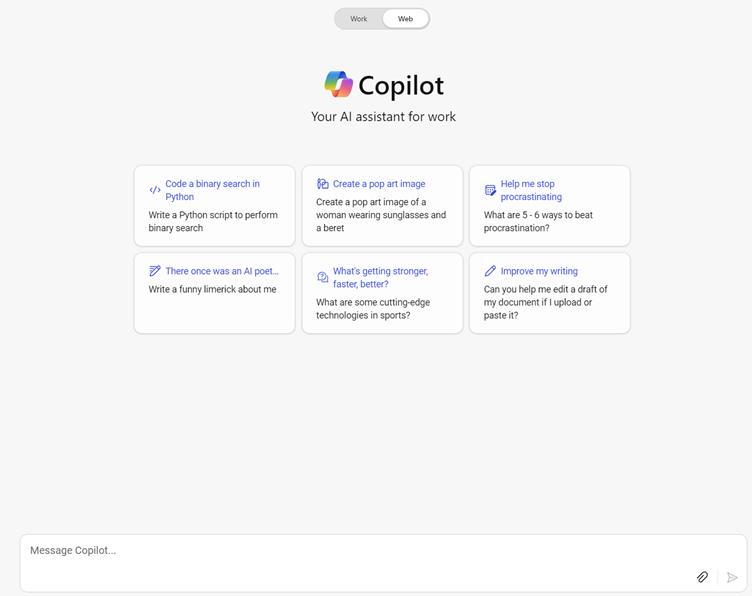
So where does the Blank Prompt Problem come into play? Well it is essentially the same issue. What happens when I sit and stare blanky at a blank page, open up Copilot and then sit and stare at the blank prompt box, I still get no further.

Therefore, Copilot has resolved one issue but essentially provided another. Or we could say that it has provided the same issue, but in a slightly different form.

In the screen above you can see some example prompts to be used, and additional prompts will also appear as you speak with Copilot. I believe these are in place to help users get started and to avoid the issues with The Blank Prompt Problem.

copilot blank prompt problem

How to Fix The Blank Prompt Problem?

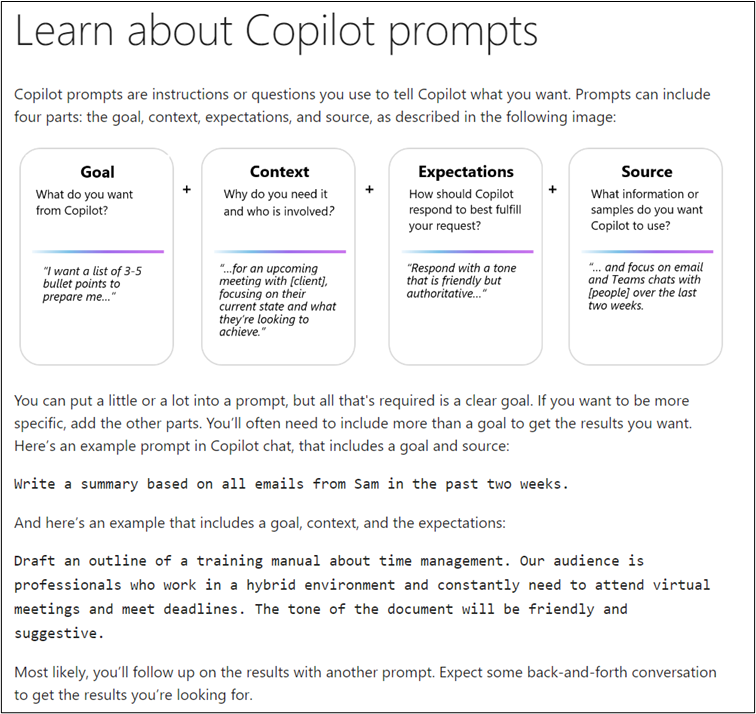
Similar fixes to The Blank Page Problem can be used when also staring at the Copilot prompt dialog window, including tackling tasks in smaller chunks, speaking your problem out loud, speaking to a friend or colleague or zooming out and looking at the bigger picture first before jumping into the granular detail. However, one of the key fixes I believe is through training and showcasing The Art of the Possible when working with Copilot and AI. Typically users do not work with a system as they are afraid to make mistakes, or they do not believe there is any benefit to be received. It is for these reasons why users need to be shown what can be done, and handheld for the first few times doing it to improve their confidence. A great tool that is available from Microsoft and should be shared within your organisation is the Copilot Lab which provides lots of useful training videos and articles to help users work with the various AI applications that Microsoft provide. As an example, the lab provides details and examples regarding how to create useful prompts, therefore users who understand this are much more likely to be able to enter context in the prompt window. Furthermore, selecting champions within your organisation can help support from within the various teams. This can be enhanced through the creation of a prompt book that allows these champions and standard users to share their prompts and their results so that others can try using them and experience the same functionality. The Power Platform community are already doing this also.

Beating writers block with Microsoft Copilot – Our Expert Says

I personally found the mention of the Blank Page being fixed and the Blank Prompt being born extremely thought provoking, and an interesting way of thinking about how AI has changed (or is aiming to change) our ways of working.

Does Copilot improve creativity, or is it reducing this?

How will AI need to advance to solve the Blank Prompt Problem also?

Will AI be able to fill the Blank Prompt and the Blank Page with more limited user input?

I have enjoyed being part of the journey through a new AI revolution and seeing all the changes that have been made in such a short space of time throughout Copilot Wave 1 and Wave 2, and definitely looking forward to what comes next.

Trusted by Leading Brands

“We work with organisations across many sectors of different shapes and sizes from 10 to 100,000 employees.”

Contact Form

Contact our team today!

using copilot to generate creative images
learn about copilot prompts

Talk to our team

Contact Us

Topics
Share this

Related reading

A day in the life of a copilot user
NewsCopilot

A Day in the Life of a Copilot User

Discover how our consultancy team uses Microsoft Copilot across Outlook, Teams, Excel, Word and more to streamline workflows, boost productivity, and deliver high-quality client engagements.

7 May 2025