

NewsMicrosoft 365
How Microsoft AI Is Evolving in 2026
Our best practices and tips for designing SharePoint Department Sites. Training, development and support for Microsoft services.
20 November 2025

News
Discover the latest Microsoft Copilot features announced at Ignite! Learn how Copilot Actions, Outlook, and Teams enhancements can simplify tasks, streamline communication, and boost collaboration.
This year’s Microsoft Ignite of 2024 has brought exciting updates to Microsoft 365 applications, with a clear focus on enhancing productivity and collaboration through Microsoft Copilot.
The Valto team headed over to Chicago in order to hear first hand the exciting new announcements relating to Microsoft Copilot.
We wanted to share with you our top 3 favourite productivity announcements that will transform the way you work!
Here are some of the latest features that have been announced during the event:
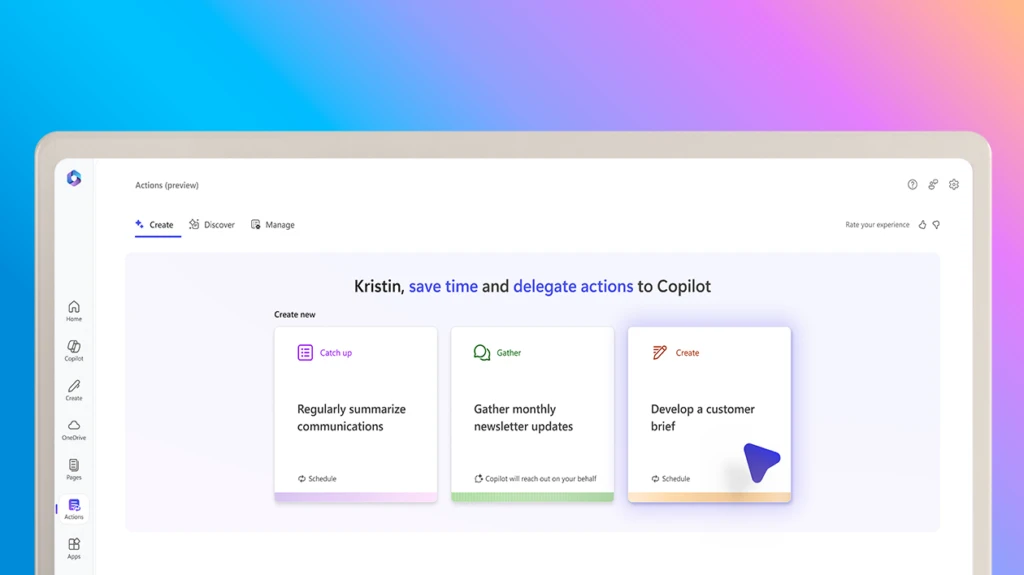
Copilot Actions
Managing repetitive tasks can take a toll on your productivity, but Copilot Actions makes this easier than ever. At the heart of Copilot is the ability to save you time on the not so interesting tasks so you can focus on real value add work.
With simple prompts, you can delegate routine tasks to Copilot, freeing up your time to focus on what really matters.
For instance, you can ask it to create an action to gather team inputs for your monthly newsletter.
This will result in time savings and will also make sure that you are not missing important details when trying to keep on top of all of your tasks.
Delegated actions could include scheduling such this as regularly summarising communications from a specific area.
It might be asking other to complete a task by a specific deadline, and following up with chasers.
You might wish to create a new document from existing files automatically. For example this might be consolidating all of the key updates from departments into a monthly board pack for the end of month review.
By offloading repetitive tasks, you can focus on what truly matters.
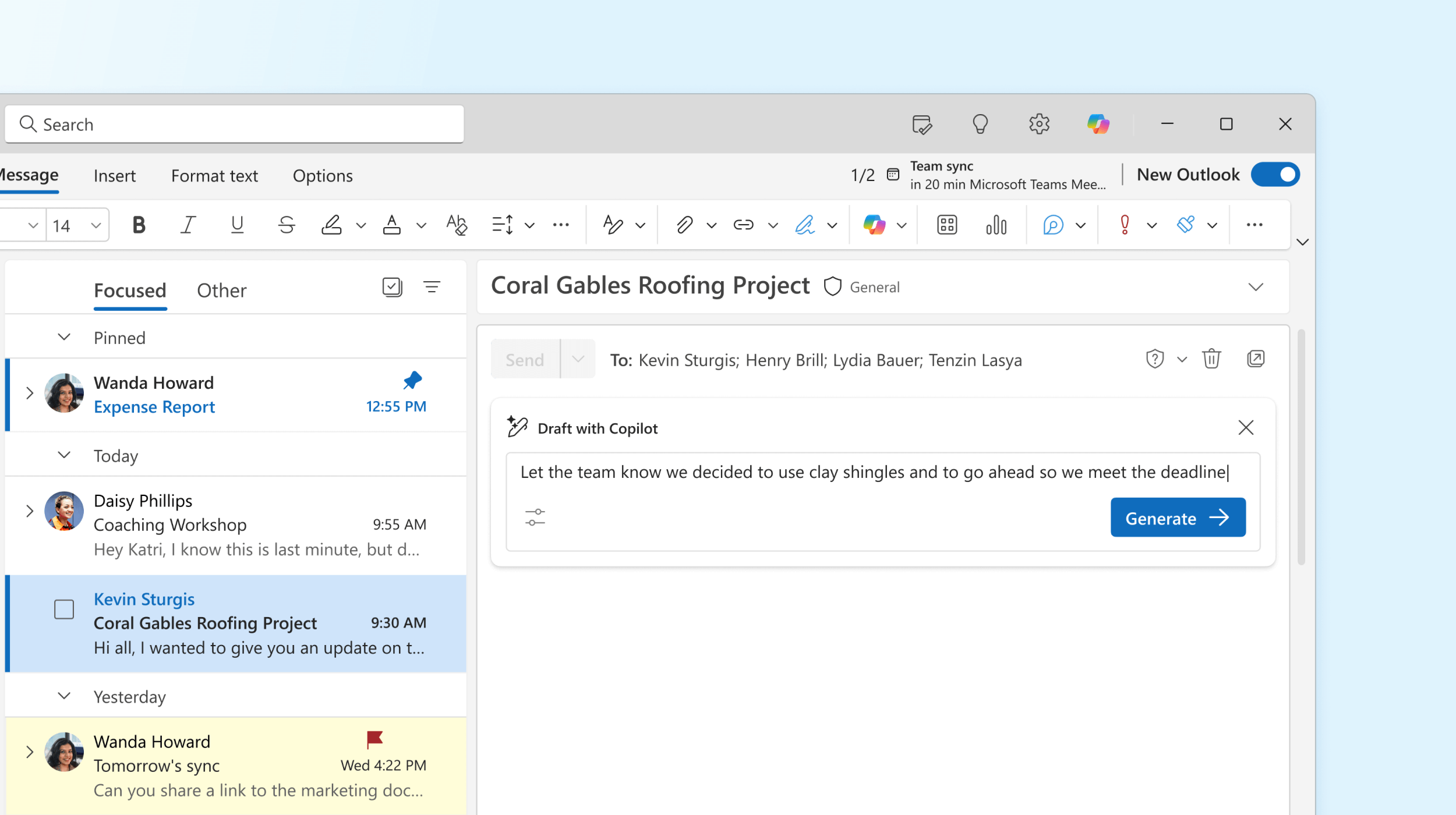
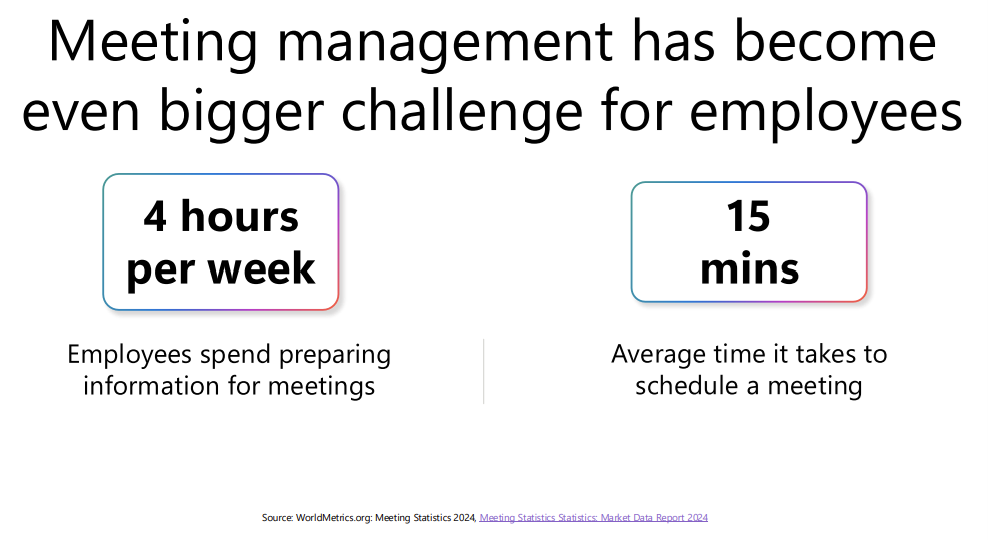
Email management is a daily challenge for many professionals, and Copilot in Outlook is here to help. A recent study by WorldMetrics.org in 2024 has shown that meeting management has become even an even bigger challenge for employees. With an average of 4 hours per week being spent by employees preparing information for meetings. A further average of 15 minutes per meeting to be scheduled in, once you have factored in looking in colleagues’ calendars to find availability. It was announced at Microsoft Ignite 2024 that you will now be able to use Microsoft Copilot to book meetings with simple prompts such as “Please find the next available slot for myself and Joe blogs to schedule a meeting”. Copilot in Outlook can: Prioritise your inbox, ensuring you never miss an important message. This is a fantastic AI feature that learns who you are communicating with and what projects you are collaborating on. It leverages Microsoft Graph API to know who your line manager is and who reports to you. That way it can have much better insights about your mailbox and what emails you are likely going to want to see and action first. Draft agendas for meetings, keeping you prepared and organised. Copilot is fantastic for unlocking writes block. It provides a 1st draft of almost anything to give you the building blocks to finish and polish it before sending to colleagues. Now with Copilot for Outlook you can draft agendas for meetings to ensure that everyone is clear what the meeting will be about, saving all meeting attendees time in the long run. Schedule 1:1s and focus time with your teammates effortlessly. This is the big game changer in our books when it comes to Copilot for Outlook. We have a project management team that spends hours every single day trying to align our employees calendars to ensure we have the right people in the right meetings. Now with Copilot for Outlook they are going to save all of this time as they will be able to use Copilot to quickly schedule meetings based on multiple calendars. You can also use Copilot for Outlook to schedule focus time or 1:1 with your line manager by using simple prompts like “please book a meeting with my line manager”. These features simplify communication and scheduling, enabling you to navigate your inbox more effectively while staying on top of your commitments.
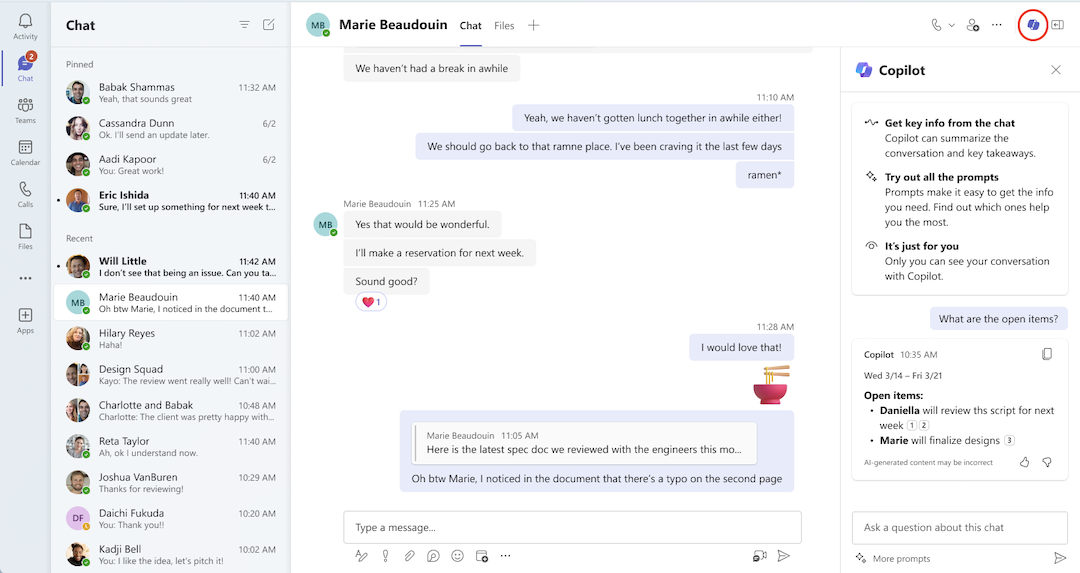
Collaboration in Microsoft Teams just got way smarter with new AI capabilities brought to you by Microsoft Copilot.
The updates to Copilot in Teams include:
We are so excited by these announcements from Microsoft Ignite 2024. We cannot wait to see how these enhancements allow Teams users to stay aligned and informed, regardless of their location or time zone.
Microsoft Copilot is designed to save countless hours by streamlining administrative tasks and delivering actionable insights. Valto is already reaping the benefits, and we can help you achieve the same level of productivity and efficiency.
Book in your free Copilot consultation below.
CEO , Hugh Valentine
“We work with organisations across many sectors of different shapes and sizes from 10 to 100,000 employees.”
Contact our team today!
Our best practices and tips for designing SharePoint Department Sites. Training, development and support for Microsoft services.
20 November 2025

Our best practices and tips for designing SharePoint Department Sites. Training, development and support for Microsoft services.
8 October 2025

Explore how Microsoft Copilot supports IT and Marketing teams with real-world scenarios, helping automate tasks, analyse data, create content, and accelerate project delivery.
7 May 2025