Valto — Keep ahead of tomorrow

News

Copilot in SharePoint Explained

In today's digital landscape, engaging your audience and achieving your business objectives requires creating compelling content. But, managing and creating content on platforms like SharePoint can be tedious and complex, which is why Microsoft has introduced Copilot for SharePoint - a revolutionary tool that simplifies content creation.

SharePoint
Published
4 May 2023
copilot for sharepoint

Copilot in SharePoint Explained!

In this video we will share with you Microsofts latest announcement about AI automation of SharePoint with Copilot.

What is Microsoft Copilot?

Microsoft Copilot is a revolutionary AI-powered virtual assistant that streamlines workflows across the entire Microsoft 365 suite of applications. This cutting-edge technology uses natural language processing to enable users to interact with the tool through a chat interface.

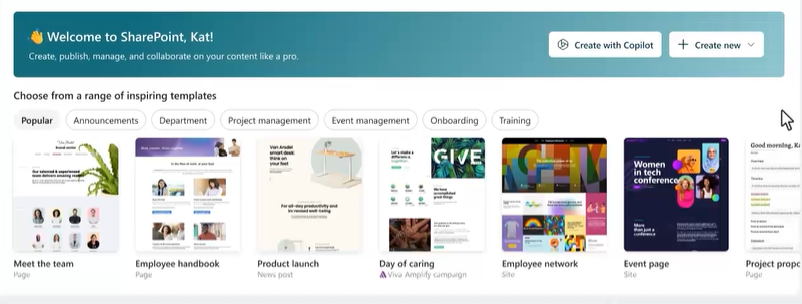
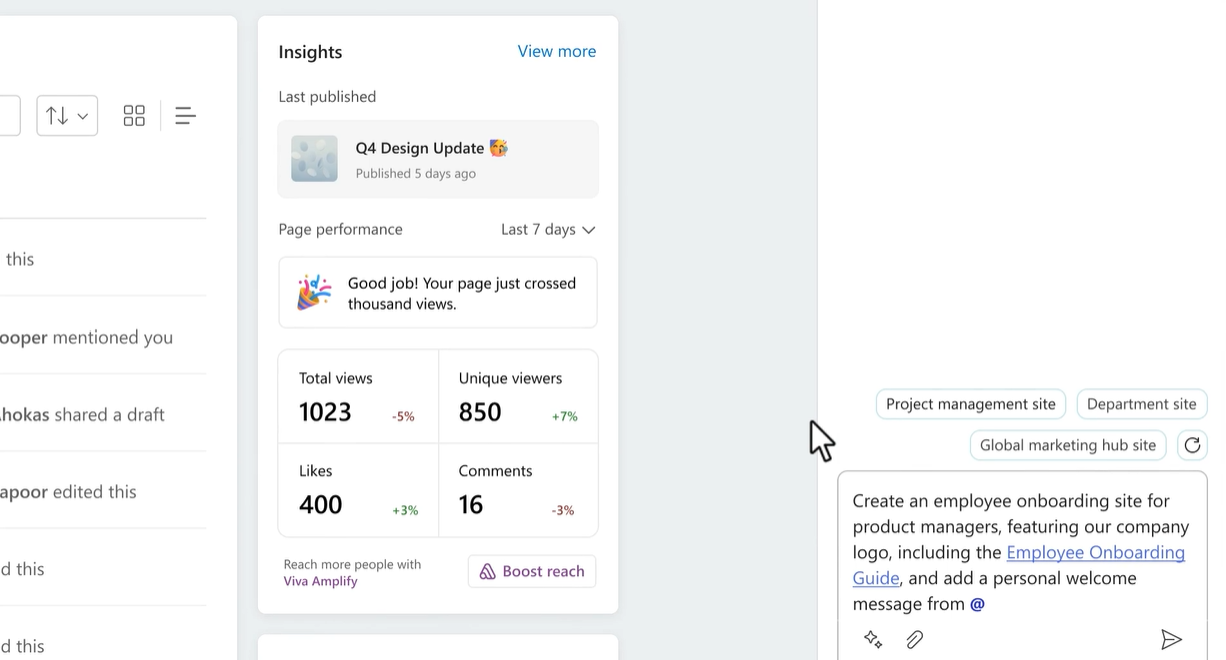
A picture of how copilot will interface to create a sharepoint site with ai
copilot for sharepoint

What is Copilot role with SharePoint?

In today's digital world, creating compelling content is essential for engaging with your audience and achieving your business objectives. But creating and managing content on a platform like SharePoint can be complex and time-consuming, which is why Microsoft has introduced a revolutionary new tool: Copilot for SharePoint. With Copilot for SharePoint, you can now create SharePoint sites and pages automatically using natural language and AI. This tool combines the power of Large Language Models (LLMs) with your organization's data in the Microsoft Graph to help you describe your desired site or page. Copilot then creates a starter site for you, imports necessary information from across your organization, and automatically aligns it to your organization's brand.

AI Content Creation

Not only does Copilot make creating SharePoint sites easier and faster, but it also empowers users to refine and edit their content in real-time. Copilot helps you to configure your site and iterate on navigation and look & feel settings until you are satisfied with the final result.

One of the most significant benefits of Copilot for SharePoint is its ability to turn your existing content into stunning SharePoint pages. Copilot acts as your web design partner and turns your document or presentation into a visually appealing page that utilizes all the new web design visuals that Microsoft has introduced. Copilot can even help you rewrite passages of text on the page to improve engagement with your readers.

Copilot is a game-changer!

Overall, Copilot for SharePoint is a game-changer for content creation on SharePoint. It simplifies the process and empowers users to create more compelling and engaging sites and pages, without requiring extensive technical expertise. Whether you’re a content creator, site administrator, or business owner, Copilot for SharePoint is a tool you won’t want to miss.

So, if you’re looking to streamline your content creation process and create visually stunning SharePoint sites and pages, try out Copilot for SharePoint today and see how it can revolutionize the way you create and manage your content on SharePoint.

Image showing ai human language being used to create content in a SharePoint site

SharePoint – Next Steps

I hope you found this article useful, if you are interested in getting some assistance with SharePoint Online or PowerApps, please feel free to contact me with any questions using our contact us form.

You might also be interested to read Automate document labeling with SharePoint Syntex AI

Author

Dougie Wood

Solutions Architect

an example of a SharePoint site that was created using copilot in SharePoint
a titled on a page

Talk to our team

Share this

Related reading

NewsSharePoint

Mastering Document Control with SharePoint

Struggling with document versioning, policy visibility or outdated files? Learn how Valto’s SharePoint-based Controlled Documents Solution solves the most common document control challenges.

7 May 2025

Atlassian Server is end of life
NewsSharePoint

Atlassian Server is End of Life

Is your organisation still using Confluence on an unsupported version? Discover the benefits of migrating to SharePoint Online, including better security, cost savings, and seamless integration with Office 365.

22 January 2025