


News
Creating a Dynamic Company News Hub in SharePoint
How to build a Company News hub in SharePoint for your organisation’s intranet. Training, tips and more from our Microsoft specialists.
- Published
- 30 October 2024

Creating a Dynamic Company News hub in SharePoint
Creating a dynamic Company News hub in SharePoint can significantly enhance and improve internal communication and keep employees informed about the latest developments within your organisation. SharePoint offers a versatile platform that allows businesses to curate and disseminate news effectively.
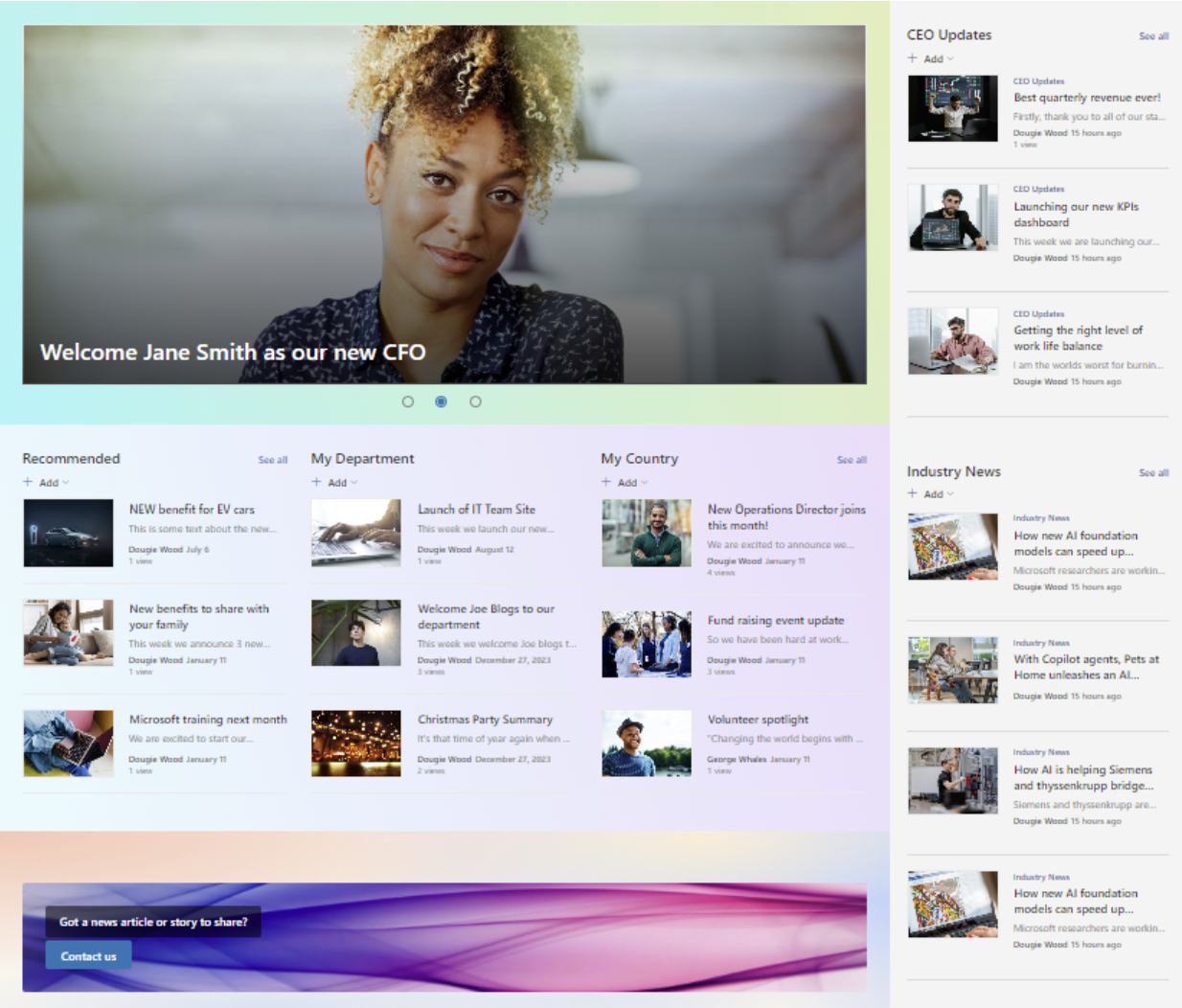
To begin, it’s essential to set up a dedicated SharePoint hub site for your Company News hub. This site should be visually appealing and easy to navigate, ensuring that employees can quickly find relevant information. Using web parts such as News, Highlighted Content, and Quick Links will help showcase important updates prominently.
We’ve put together a quick guide to building an engaging, dynamic hub that your team will actually want to get involved with!
What is a SharePoint Company News hub?
The Company News hub in SharePoint is a powerful tool for keeping your organisation informed and connected. It serves as a centralised platform where important updates, announcements, and company-wide news can be easily shared across departments and teams. With the ability to customise the hub with personalised news feeds, users can receive relevant content tailored to their roles or interests. This is known as the audience targeting feature, and is particularly useful for enterprise companies to filter news by geographical division or different country departments The News hub supports multimedia content, allowing for richer communication through videos, images, and links, creating an engaging experience for employees. Integrated seamlessly with Microsoft 365, the hub ensures that crucial information is always accessible and up to date, enhancing collaboration and organisational transparency.
Why a Company News hub matters
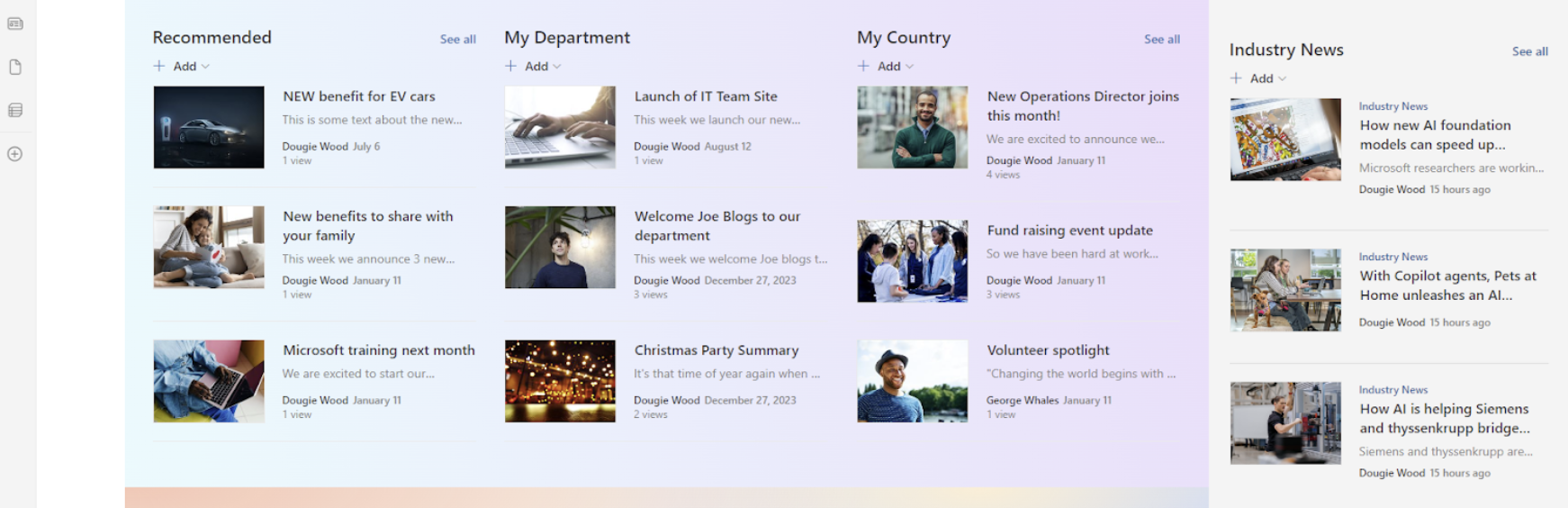
A Company News hub in SharePoint provides a centralised platform where employees can access important updates, announcements, and news in one place. SharePoint hub sites roll up news from multiple other sites – for example, department, project, team or topic sites. That way you can make the most of important news like industry updates, employee benefits, company announcements or statements from the CEO, for example.
By creating a dynamic news hub, businesses can streamline communication, ensure that everyone stays up to date, and foster a sense of community within the organisation. Whether it’s sharing company milestones, policy changes, or team achievements, a well-organised news hub helps improve transparency, boost engagement, and keep your workforce connected.
Setting Up Your SharePoint News Hub
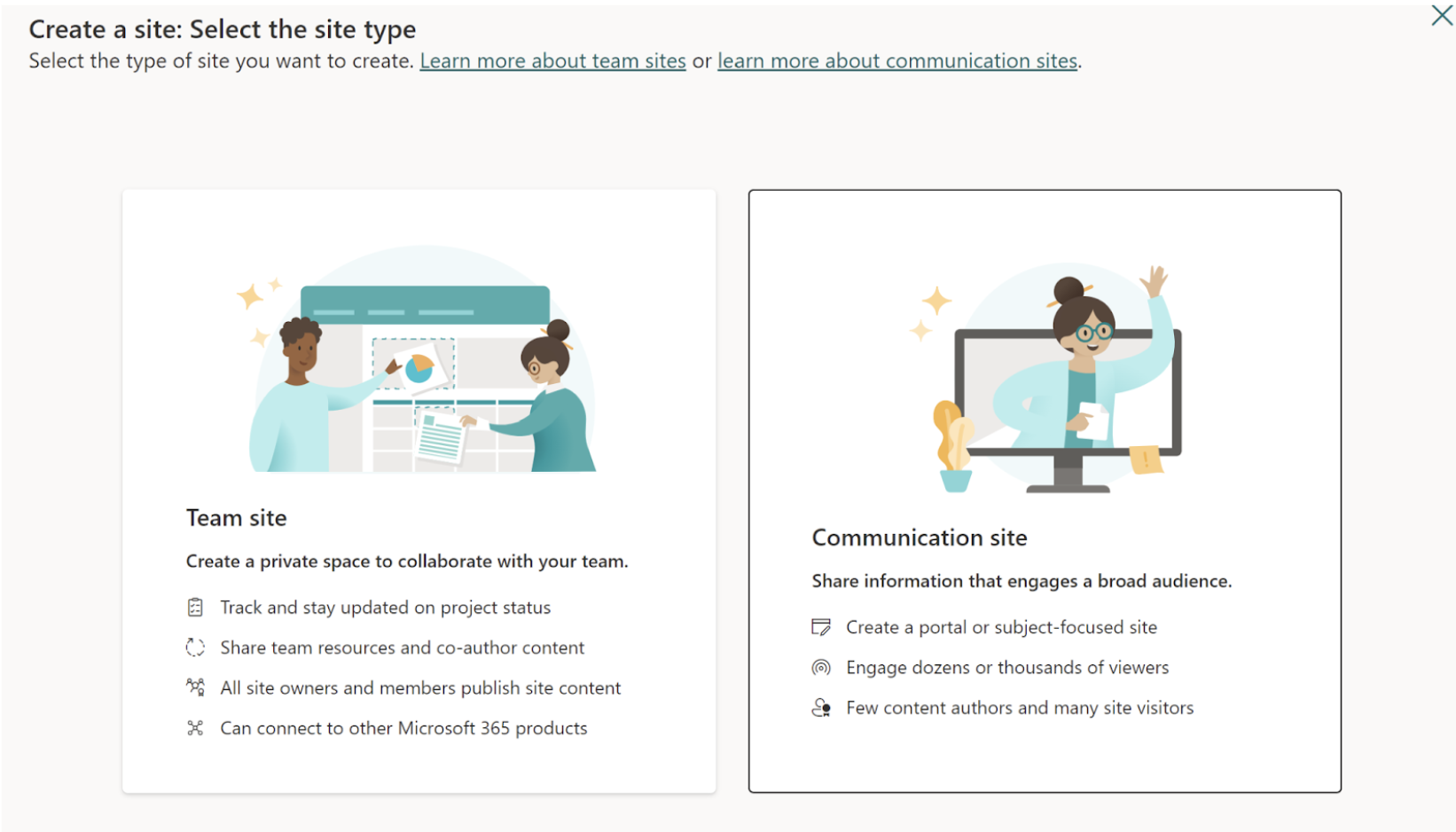
To build a Company News hub in SharePoint, start by creating a modern communication site, which offers a flexible and responsive design. You can begin by selecting the "Communication Site" template when creating a new site in SharePoint. From there, customise the layout with the easy drag-and-drop functionality, choosing from different web parts like the News Web Part, Hero Web Part, and Quick Links to make the content dynamic and visually appealing. The News Web Part allows you to display recent posts prominently, while the Hero Web Part can showcase key stories or announcements with large, eye-catching visuals. You can further personalise the hub with your company’s logo, colour scheme, and fonts to align with your branding. Additionally, SharePoint’s built-in audience targeting allows you to show different news content to specific groups of users, making it easier to deliver relevant updates to each department or team. After setting up the structure, you can configure permissions for contributors, allowing designated employees to create and publish news posts with approval workflows if needed. Finally, you can integrate Yammer for live discussions or use Microsoft Stream to embed videos, creating a more interactive and engaging news experience. Our team of SharePoint developers can help you get started and streamline your News hub site, helping create as many personalised elements as possible.
Personalise Content
One of the most powerful features of a SharePoint Company News hub is its ability to deliver personalised content to your employees. That means you can tailor the news per team, or even office location to make sure everything is always relevant. This not only helps your team feel recognised and valuable, but ensures more time is spent only looking at important information.
By using audience targeting, you can ensure that each team member sees news that is relevant to their department, role, or location. This helps to reduce information overload while increasing the relevance and impact of your communications. Set up dynamic content based on user profiles to make sure that key updates reach the right people, enhancing employee engagement and streamlining internal communications.
Create An Engaging Design
An engaging user experience is crucial for driving adoption and encouraging your team to interact with your Company News hub. We’ve seen these sites work a treat for growing employee engagement; your team can submit news articles and engage with posts via comments or likes. It’s also a great way to implement feedback forms or streamline updates for your comms team.
Focus on creating a clean and visually appealing layout that makes content easy to find and digest. Incorporating multimedia elements like images, videos, and infographics can make your news more dynamic and engaging.
Organise the hub with clear sections and categories, making it intuitive for employees to navigate and quickly access the information they need.

Integrate with Microsoft 365
Integrating your SharePoint News hub with Microsoft Office 365 tools like Teams, Outlook, and Yammer allows for seamless communication across the organisation.
By connecting these platforms, you can extend the reach of your news content, ensuring important updates are seen by employees wherever they work. For instance, news posts can be shared directly in Teams channels, embedded in Outlook emails, or discussed in Yammer communities, promoting collaboration and engagement with key company messages.
Interactive Features
Engagement is key to a successful Company News hub, and SharePoint offers several interactive features to help.
Enabling comments and reactions on news posts allows employees to interact with the content, providing feedback and encouraging discussion. You can also incorporate polls and feedback forms to gather employee opinions on important topics directly within the news hub. These interactive elements not only boost engagement but also make the news hub a two-way communication tool, fostering a more connected company culture.
Work With Valto on Your SharePoint Hub Site
We offer a complete suite of SharePoint services (and more across the Microsoft range), so we can help set up a Company News site for your organisation. We can also provide training for your team, or even troubleshoot any issues as you continue to build your company intranet.
Get in touch with our Valto team of SharePoint specialists for help with building a Company News hub for your company.
Trusted by Leading Brands
“We work with organisations across many sectors of different shapes and sizes from 10 to 100,000 employees.”
Contact Form
Contact our team today!
Talk to our team
Contact Us
Related reading

EventAI & Automation
What’s next? How data, automation & AI are reshaping business
17 November 2026 · 11:00 · 20 Stories, Manchester

NewsAI & Automation
Valto and Holstein UK launch major multi-year digital transformation programme
New partnership will modernise core systems and create a connected, data-driven platform powered by Microsoft technologies.
6 October 2026