

NewsOffice365
New Microsoft AI tools just announced at Microsoft Build 2025
All NEW Microsoft AI tools announced at Microsoft Build 2025 . Discover Microsoft CEO's AI vision to scale businesses with AI Chatbot Agents.
23 May 2025

News
Learn from the Microsoft tenant migration experts at Valto and download your free O365 Tenant to Tenant Migration checklist.
Please ensure you enter your correct email address and we will email you a copy O365 Tenant to Tenant Migration checklist.
This will give you a high level walk through of our typical process to get you ready for a Microsoft 365 tenant to tenant migration.
You can also use the contact form below to book your free consultation to discuss how we can ensure a 100% successful migration.
There are a lot of different use cases that we have seen for migrating a tenant to another tenant. Including
However, we have seen a lot of very different reasons, but whatever your reason the process is always follows a very similar path.
So, if you’re looking at migrating your Microsoft 365 tenancy, we have created you an O365 Tenant to Tenant migration checklist to give you a guide on what you should be doing in preparation.
We also off a FREE Tenant to Tenant Migration Consultation with one of our expert Microsoft 365 engineers. This is typically an hour or two discussions on what you are trying to achieve, free advice and a no obligation quote for areas you may require additional assistance.
Starting off at number one, we’re talking about defining the scope. Now Valto always start off by running a series of workshops with our customers to understand what it is you’re trying to migrate.
You could start this process yourself, just make sure that you are including a representative from each of the key areas of your organization.
Typically, the scope of the migration would be to consider moving mailboxes, SharePoint sites, OneDrive and Microsoft Teams.
However, there’s also a whole host of other things to consider when it comes to defining the scope. Had you considered Microsoft Power Apps, Power Automate, 3rd party applications, shared calendars and other things you might not yet have considered that needs to be part of that migration process.
The next step would be to gather some information before you start doing any further planning.
You need to really dig into how employees in your source tenant are working. Find out about your current setup, what typical users you’ve got, what usage of Microsoft 365 apps are they using.
How much storage space is being used in SharePoint, OneDrive and Microsoft Teams. Document all your findings in a spreadsheet to make it easier to determine areas that might make the migration more complex. Is everything truly required to be migrated?
If you are merging your source tenant into an already heavily populated tenant, you should run a similar exercise within the destination tenant.
As you want to ensure you do not end up with duplications or leaving users uncertain where to find information in the new structure.
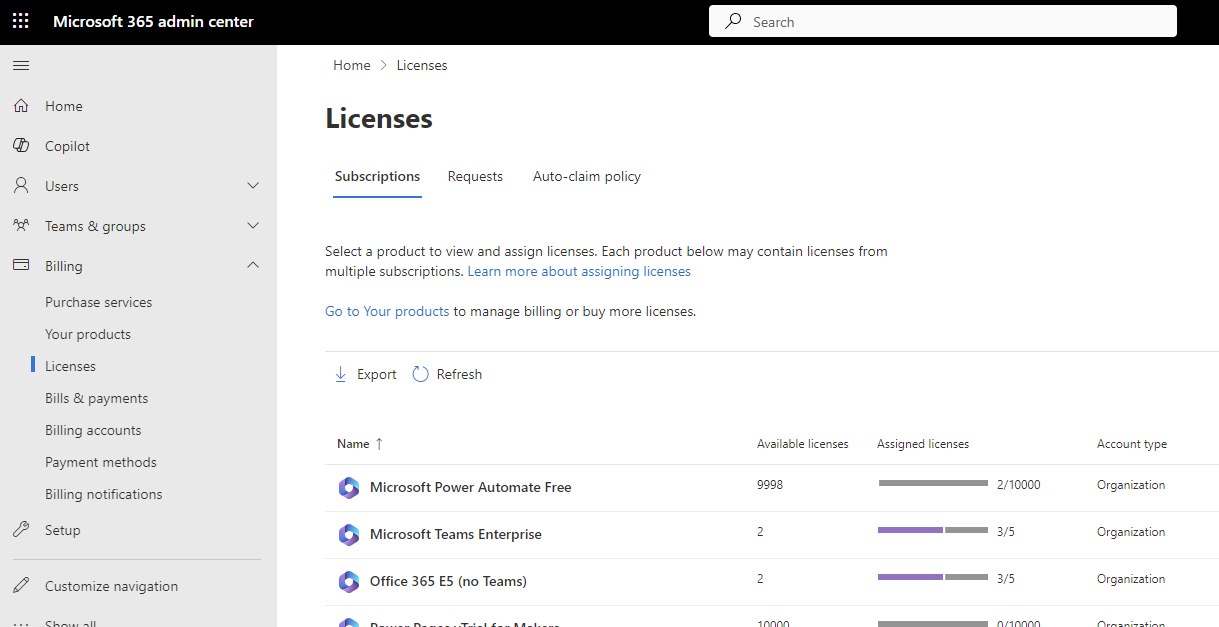
Next you should be considering what Microsoft 365 licenses are you using? Both in the original source tenant but also in the destination tenant.
Now, this is a fantastic time to do an audit of all the licenses to see which licenses you will actually need in your next tenant. Often Microsoft licenses accumulate over time and with a thorough audit you will likely discover wastage or optimisations that can be made to save you money.
So, this is not just a pre-requisite of the migration, it’s a cost saving exercise.
Now Valto also offer a FREE Microsoft 365 license audit to save you money. We can provide you a report that identifies ways you could optimise your licenses, and we can even supply and apply them to your users. Depending on the volume of licenses, we can even beat the retail price you may have been previously paying.
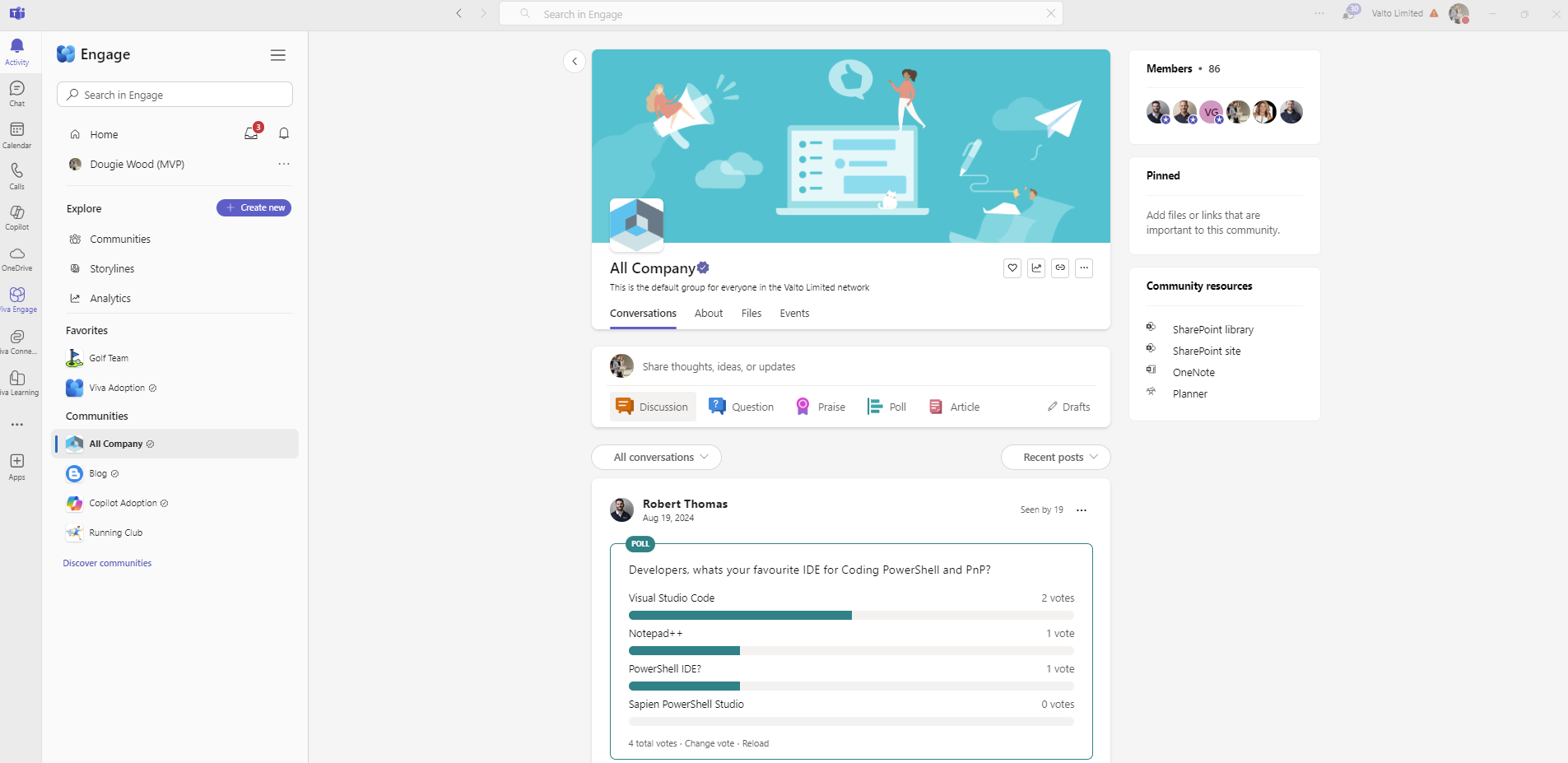
After that, start considering your communication planning. Now this can be a whole series of different types of communications for different audiences. But the goal is to ensure you have identified all the potential stakeholders and what impact this will have on their working life on a day-to-day basis. A sample of the typical audiences to consider: This is just a small sample of the audience to consider. During the investigation workshop, we would help you identify exactly what should go into your communications planning.
This is when you should be considering who has access to what areas. To make sure everything will work the same when it goes over to the new tenant. This audit is typically split into multiple steps.
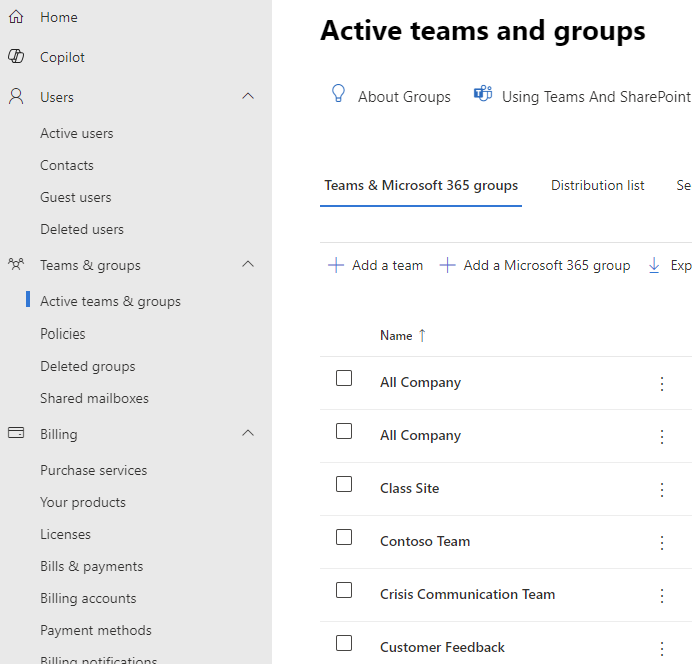
You’ve got Microsoft 365 admin roles for things like global admin, exchange admins, SharePoint admins and so on. They each have different roles to play within your Microsoft 365 tenant. You must consider if they still require the same level of access once migrated to your new tenant.
Also, you’ve got things like SharePoint permissions across not just your intranet but also within SharePoint Team sites generated from Microsoft Teams.
So, who has access? Do the same people still need access to those areas again post migration? This is a fantastic opportunity to do a bit of an audit, and you might find there’s some people that might have left that you need replace.
Take this opportunity to revie all your SharePoint sites. What sites are using up all your storage capacity? Can anything be removed or archived so that it does not use up storage capacity in your new tenant unnecessarily.
Some tenant-to-tenant migrations we have worked on are what I refer to as a “copy and paste” or “lift and shift” migration. This means to literally lift everything up from a source tenant and move it into a totally different tenant. Without any cleansing, review or archiving.
This is not very often scenario and is typically only done when there is some deadline that cannot be moved to achieve the migration.
However, this approach does not allow you to learn from the kind of mistakes, the pitfalls, that have organically grown out of the previous tenant. Such as the areas that documents just getting dumped and not really being properly, categorized and looked at.
Ideally, you should treat this migration as a chance for a fresh start, to look at what has been working and what has not been working, to create a fresh and optimised structure.
So, by looking for the content owners you can engage with them to find out what the best way would be moving forward to structure your document management, processes, apps etc.
The next step listed in the O365 Tenant to Tenant Migration checklist is configuring your new or existing destination Microsoft 365 tenant that you’re going to be migrating to.
This setup often will include adding in domains and a lot of considerations around DNS for setting up the Mailboxes and things like that.
It is worth speaking to a Microsoft Partner such as www.Valto.co.uk to ensure you have all of your tenant settings properly configured in preparation for your migration.
You also want to be considering creating admin accounts that are going to be used for the actual migration.
So, depending on what you’re migrating and how much you’re migrating, will depend on the different pathways that you go for that migration.
But typically, you will always need an admin account, like a service account, which is going to act as the physical account, which is moving your documents, your mailboxes from point A To point B.
These system accounts that are going to be used for the migration will need to have the relevant admin roles assigned to them. For example, the SharePoint service account for migrating documents will need the SharePoint admin role.
I would be considering backups If you don’t currently have a Microsoft 365 backup tool, then there’s a range of backup tools that we can help recommend to you dependent on your requirements.
But you do need to make sure you’ve got a backup in place as migrations are not risk free. In fact, a step that we have not included in this article but is vital is a roll back plan.
A key pre-requisite of the roll back plan is having up to date backups available to call on if the worst was to happen to the data during the transition from one Microsoft 365 tenant to the other.
Then we’re getting closer to our migration, we want to start assessing the different migration tools which are available to us.
This is where we can choose tools that are going to help us transfer data quickly and safely. A tenant-to-tenant migration is not just a point and click exercise, you need to think of it as a collection of different types of migrations. So, it might require multiple tools for the different types of migrations.
Deciding the best tool for the job will be based on fitting your specific requirements as I say, there’s a whole host of different products out there and it can be quite a large task to review all the different tools on the market.
However, if you speak to Valto, we can help choose and guide you to the best migration tool that’s going to fit your specific migration requirements. Based on are years of experience we know which tools are the best value and what you will need depending on how much data you have, how quickly you need to move and the budget you have allocated.
Finally, engage a Microsoft partner. This is a massive undertaking and there is a lot that could go wrong along the way. You will need a safe pair of hands (or realistically an entire team of experts in very niche areas of Microsoft 365) to safely migrate your tenant.
Did I mention Valto are an award-winning, top tier Microsoft partner with the UKs largest tenant-to-tenant migration team.
Valto can guide you through the entire process from start to finish, to ensure success and make your life that much easier.
Book your free consultation now using the contact form below.
“We work with organisations across many sectors of different shapes and sizes from 10 to 100,000 employees.”
Contact our team today!
All NEW Microsoft AI tools announced at Microsoft Build 2025 . Discover Microsoft CEO's AI vision to scale businesses with AI Chatbot Agents.
23 May 2025


17 November 2026 · 11:00 · 20 Stories, Manchester