Valto — Keep ahead of tomorrow

News

How to prepare for a SharePoint Project

Discover how Microsoft Copilot can assist with the preparation process for a successful SharePoint Intranet project, from defining business goals to content analysis and user engagement.

CopilotSharePoint
Published
6 January 2025
How to Prepare for a SharePoint Project

Using Microsoft Copilot to prepare for a SharePoint Intranet Project

A common saying is that “by failing to prepare, you are preparing to fail” and this is true of any development project, specifically that of the delivery of a SharePoint Intranet.

Hearing this quote mentioned in a recent Valto Workshop led me to consider the key areas of preparation to help turn a SharePoint Intranet project into a success.

Furthermore, as artificial intelligence (AI) and Microsoft Copilot are such big topics right now, I thought I would tie this in with some of my preparations.

It would of course be remiss for me to say that the first and most critical preparation task is to locate a trustworthy partner with a record of high-quality Intranet deliveries.

This is of course where Valto can provide their knowledge and expertise in all aspects of Microsoft 365 delivery, configuration and security.

However, there is also lots of activities that can take place internally to ensure that your organisation is prepared to engage with us to help develop and launch a SharePoint Intranet. These have been shared below.

Using Canvas Apps to Create Business Applications
How to Prepare for a SharePoint Project

Business Goals, Objectives and Stakeholders

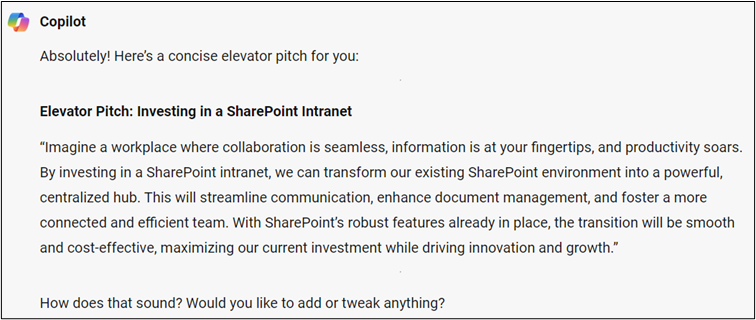
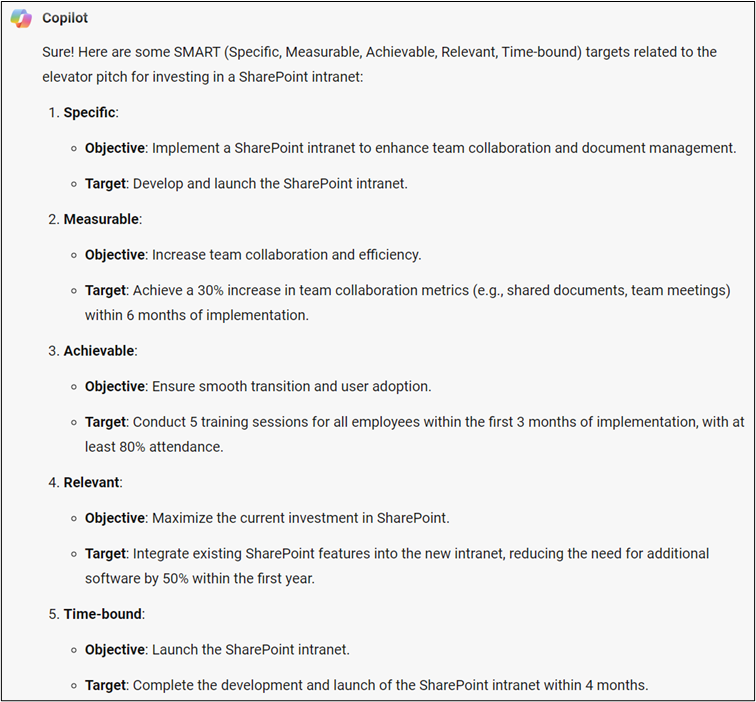
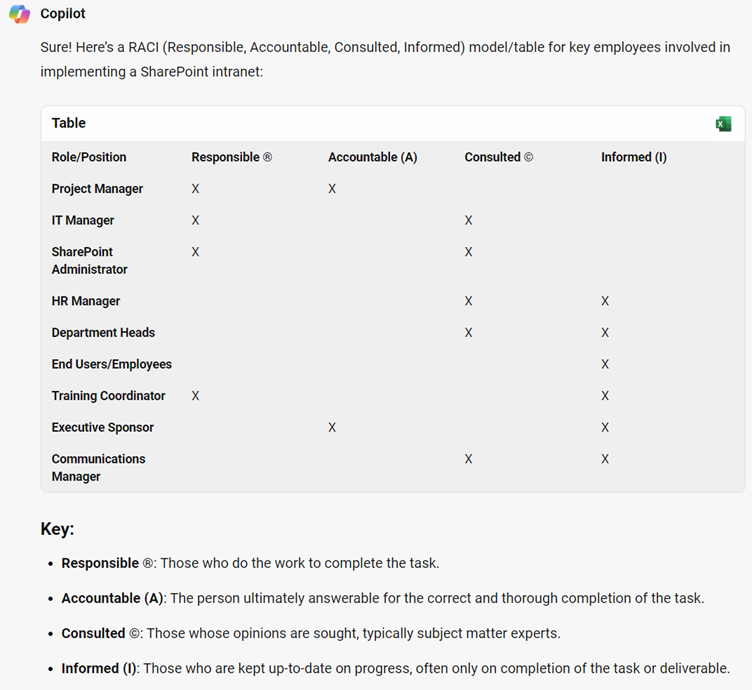
It is key for a business to understand why they are going to build an Intranet, what is its purpose? And what do you aim for it to achieve within your organisation? Unfortunately, building an Intranet just because everyone else is doing it is not good enough. An approach I like to take is to initially think about an elevator pitch for the Intranet. Imagine that you get on an elevator with your Managing Director, and you have approximately 5 floors to provide him a good enough reason to invest in an Intranet. What would you say? Here is an example provide by Microsoft Copilot: “Imagine a workplace where collaboration is seamless, information is at your fingertips, and productivity soars. By investing in a SharePoint intranet, we can transform our existing SharePoint environment into a powerful, centralized hub. This will streamline communication, enhance document management, and foster a more connected and efficient team. With SharePoint’s robust features already in place, the transition will be smooth and cost-effective, maximizing our current investment while driving innovation and growth.” Now that we have our pitch, we can begin to expand on it by creating goals and objectives. Consideration should be taken to making these SMART, so that they are Specific, Measurable, Actionable, Relevant and Time-Bound. So, I asked Copilot to come up with some SMART targets relating to the pitch it provided me above, here they are: • Increase team collaboration and efficiency. Achieve a 30% increase in team collaboration metrics (e.g., shared documents, team meetings) within 6 months of implementation. • Ensure smooth transition and user adoption. Conduct 5 training sessions for all employees within the first 3 months of implementation, with at least 80% attendance. • Maximize the current investment in SharePoint. Integrate existing SharePoint features into the new intranet, reducing the need for additional software by 50% within the first year. • Launch the SharePoint intranet. Complete the development and launch of the SharePoint intranet within 4 months. Finally, now that I have my pitch, objectives and targets I can start to think about the key stakeholders that I need to be aligned to each of them e.g. HR and IT representatives. A typical model which is used is RACI (Responsible, Accountable, Consulted and Informed), and guess what, Copilot can produce this for me to which can easily be editted in Excel:

User Analysis, Surveys and Personas

The most important piece of a SharePoint Intranet is its users, without them being adopted then the project has failed. No matter how great the Intranet looks and how many awards it would win, it is nothing without engagement.

Therefore, analysis of your users is critical in preparing for the Intranet as it defines what should be built and how it should function, which may differ from your own thoughts e.g. do users want something that is quick? Colourful? Image rich? Easy to use? Etc…

Typically, this information would be captured through interviews with individual users (usually senior management) in your organisation, or groups of users within focus groups.

This can also be gathered through the use of surveys, of which can be generated within Microsoft Forms and posted on Microsoft Teams.

So, can Copilot assist me with my questions? Of course it can:

I can then take this one step further and actually use Copilot to answer these questions in the guise of a different persona which I set. Let’s try this now:


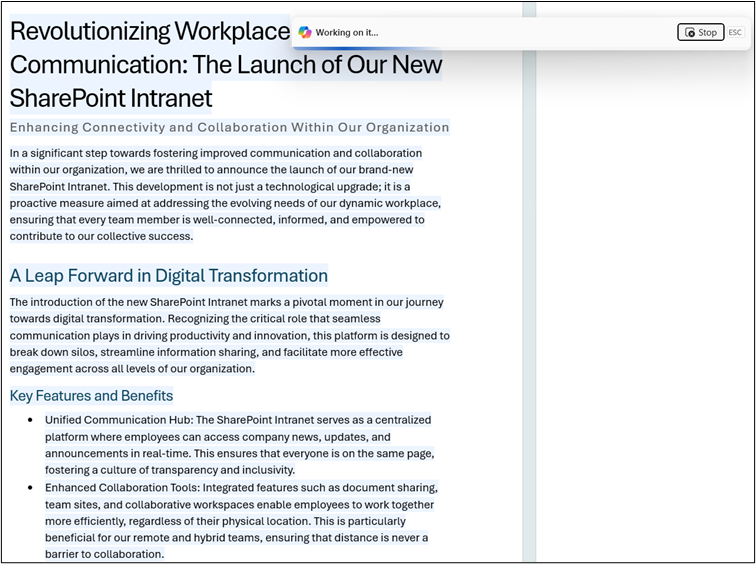
SharePoint Pitch written with Copilot
using copilot to create an article

Content Analysis and Planning

Some organisations are moving away from outdated versions of SharePoint or other Intranet solutions that are no longer fit for purpose. Therefore, analysis of the data that is stored on these systems and reviewing what is accesses most frequently will help you define what is important to be kept and moved across the new system. However, it is important to note that anything that is being kept should still be reviewed for due-diligence and updated so that it is modernised, as no users want to come to a new Intranet and read the same information as what they previously had access to, especially if it is outdated. Copilot can assist in analysing the data that you have. In the example below I have analysed a dummy set of data relating to pages in my existing Intranet the number of users accessing the page and the length of time they spend on them. Using Copilot allows me to question this data and create insights: Copilot in Microsoft Word can also assist in creating content. As an example, I can ask for it to summarise a document so that I have information that I can add to a page: I can also ask Copilot to make improvement suggestions which would be useful for documents you upload into your new Intranet or text that you would like to adjust before copying onto a page: Finally, you could also use Copilot or Copilot in Word to create content for you:

Using Microsoft Copilot to prepare for a SharePoint Intranet Project – Our Expert Says

In Summary, to ensure that the design, development and delivery of a SharePoint Intranet is successful then time is required up front in preparation.

However, the use of tools, such as, Microsoft Copilot can be used to reduce the time that this takes and help guide you in generating the information that you require.

However, please note that some aspects of preparation will not yet be delivered by AI. As an example, ensuring that users are bought into the new Intranet thorugh demonstrating “The Art of the Possible”, identifying champions and providing training will still require human interaction.

This is also true of ensuring that you receive management buy-in and that they assist in your communication plans and promotion of the new system.

Trusted by Leading Brands

“We work with organisations across many sectors of different shapes and sizes from 10 to 100,000 employees.”

Contact Form

Contact our team today!

Talk to our team

Contact Us

Share this

Related reading