


News
How to Setup Viva Engage for Effortless Engagement
Learn how to setup Viva Engage from our team of Microsoft Viva Engage consultants. Learn the key components of a Viva Engage community.
Viva
- Published
- 30 December 2024
How to Setup Viva Engage for Effortless Engagement
We are going to give you practical steps on how to setup Viva Engage. Including training you on the fundamental components of Microsoft Viva Engage.
Breaking this into three core areas, with several sub-areas to consider as well. Keep in mind that Valto are adoption specialists for Microsoft 365 solutions including Viva.
If you need a Microsoft Viva Engage consultant to guide you through the process of how to setup Viva Engage. We offer a 1 hour Microsoft Viva Engage Consultancy completely for free.
Viva Engage Licenses
First, let’s talk about licenses, as this is the starting point for Viva Engage. Viva Engage isn’t drastically expensive, costing roughly £1.64 per user per month. This may vary slightly depending on the currency. It’s an annual commitment and gives you access to premium community knowledge and leadership experiences, company-branded employee apps, and centralized campaign management for communications.
Viva Engage can also be found in the Microsoft Viva Suite, which is more expensive at £9.90 per user per month, but includes more Viva products. If you have questions, you can reach out for a free consultation. We can help you choose the best license for your needs, and if you’re purchasing in large volumes, there’s a good chance we can beat the retail price.
You should be aware that the Microsoft Viva Engage pricing might change from time to time. You can access the latest Viva license costs by clicking here.
What are Microsoft Viva Engage Communities?
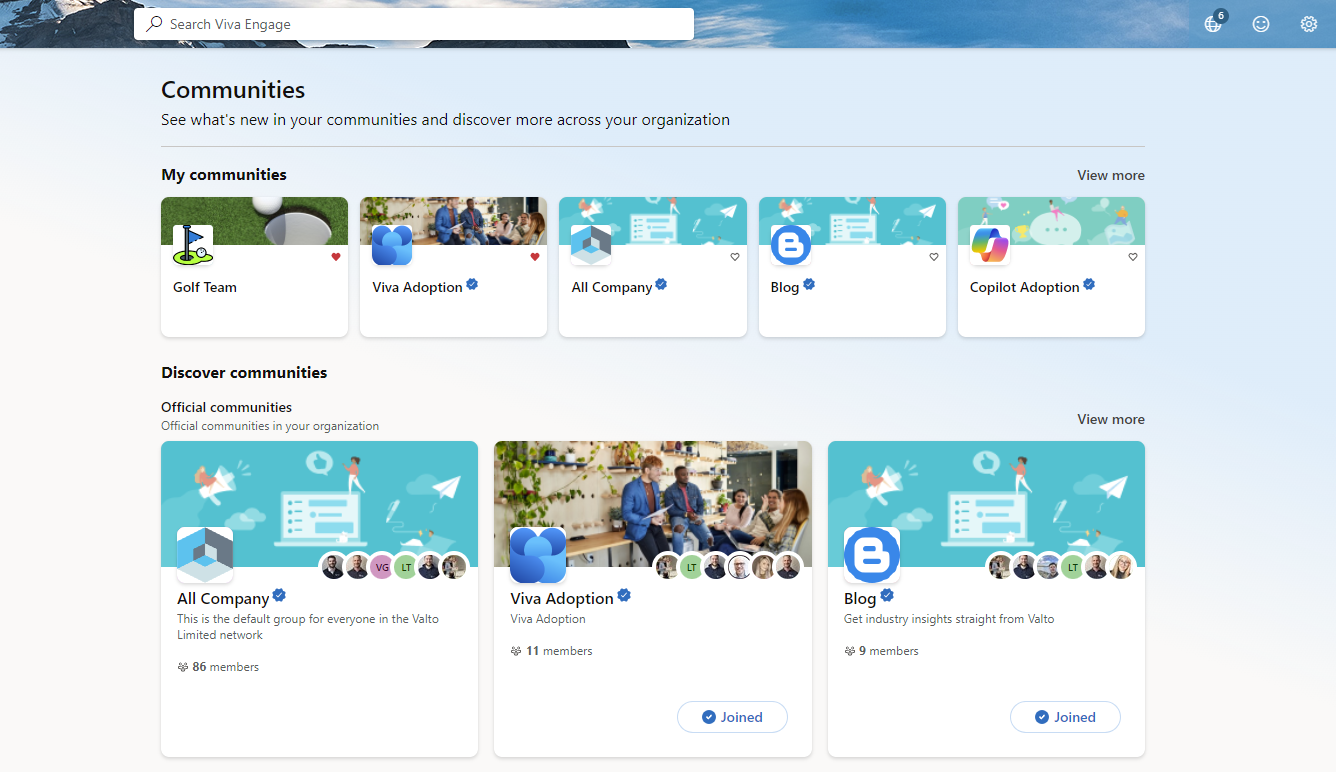
This brings me to my second point: communities. Communities can be set up for various purposes, and there are two types: official and unofficial. Official communities are created by the organization, while unofficial ones can be created by anyone.
When setting up, think about the types of communities you expect to create. Start with official communities, such as an “All Company” community where everyone is a member. You might also have a communications community for softer information, like blog articles and useful guides. Additionally, consider creating communities specifically for adoption.
Unofficial communities can be for interests like sports groups, book clubs, or hobbies. Official communities are marked as such, like verified accounts on platforms like X or Instagram, and represent the organization’s official voice. In contrast, unofficial communities, like a running club or golf team, are not directly affiliated with the company.
Types of content within Microsoft Viva Engage
When you are considering how to setup Viva Engage you need to be aware of the different types of content that users can post within it.
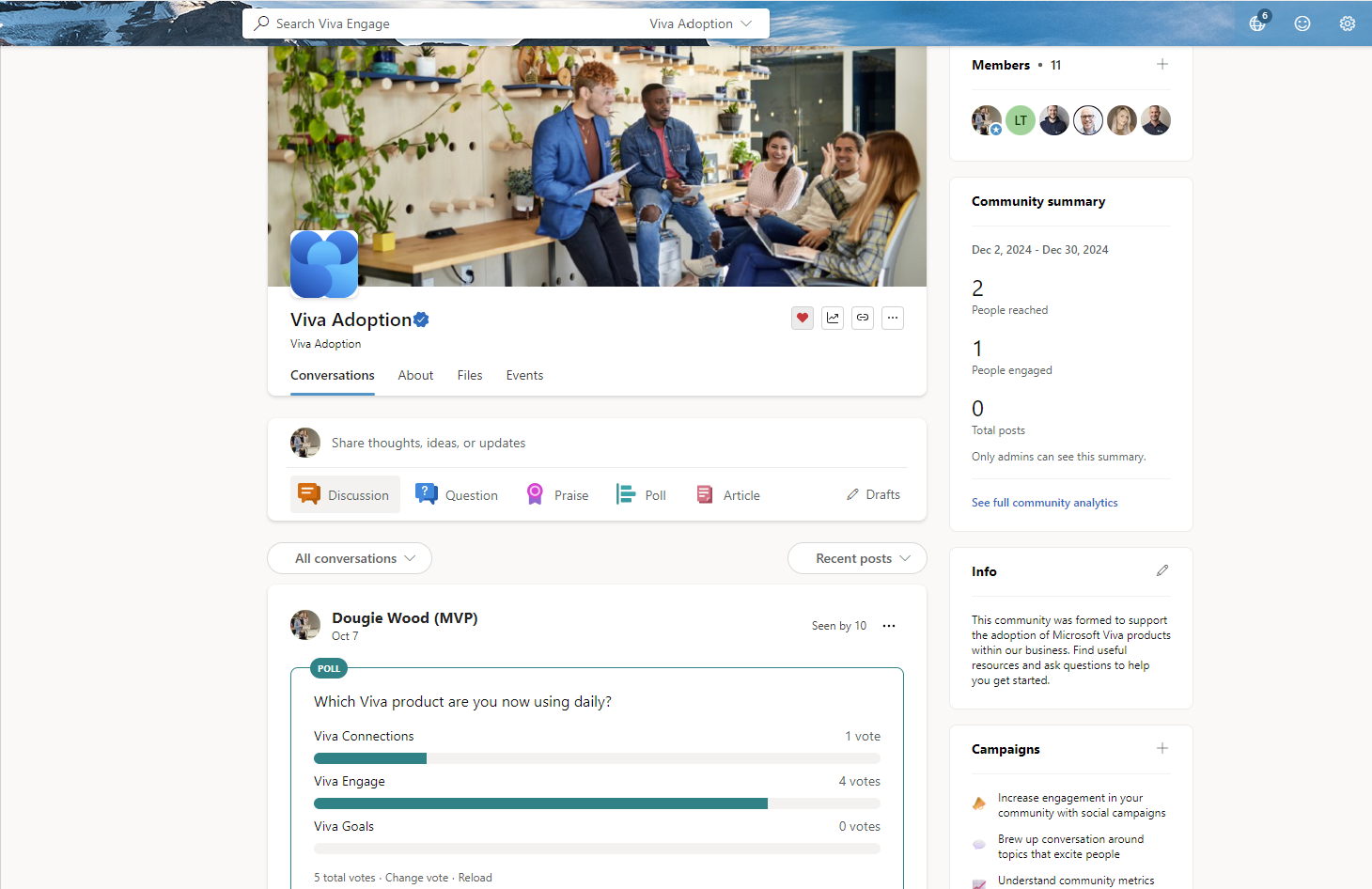
Communities are fantastic for bringing people together. Here, we have a conversation thread, also known as storylines in Viva Engage, where discussions happen. Conversations are broken into four types:
- Discussions: Share thoughts, ideas, or updates. Encourage employee engagement by sharing social content and activities.
- Questions: Like Reddit, users can post questions, upvote responses, and mark the best answers. This can be a great way to share knowledge internally, building an internal knowledge base of questions that have had previous answers. This speeds up other colleagues finding answers to the same questions that come up in the future.
- Praise: Provide recognition to a colleague or team member. This is a fantastic way to boost employee satisfaction by encouraging employees to provide praise to each other. This gets them recognition from their colleagues and often shines a light on great efforts that would have otherwise gone unnoticed.
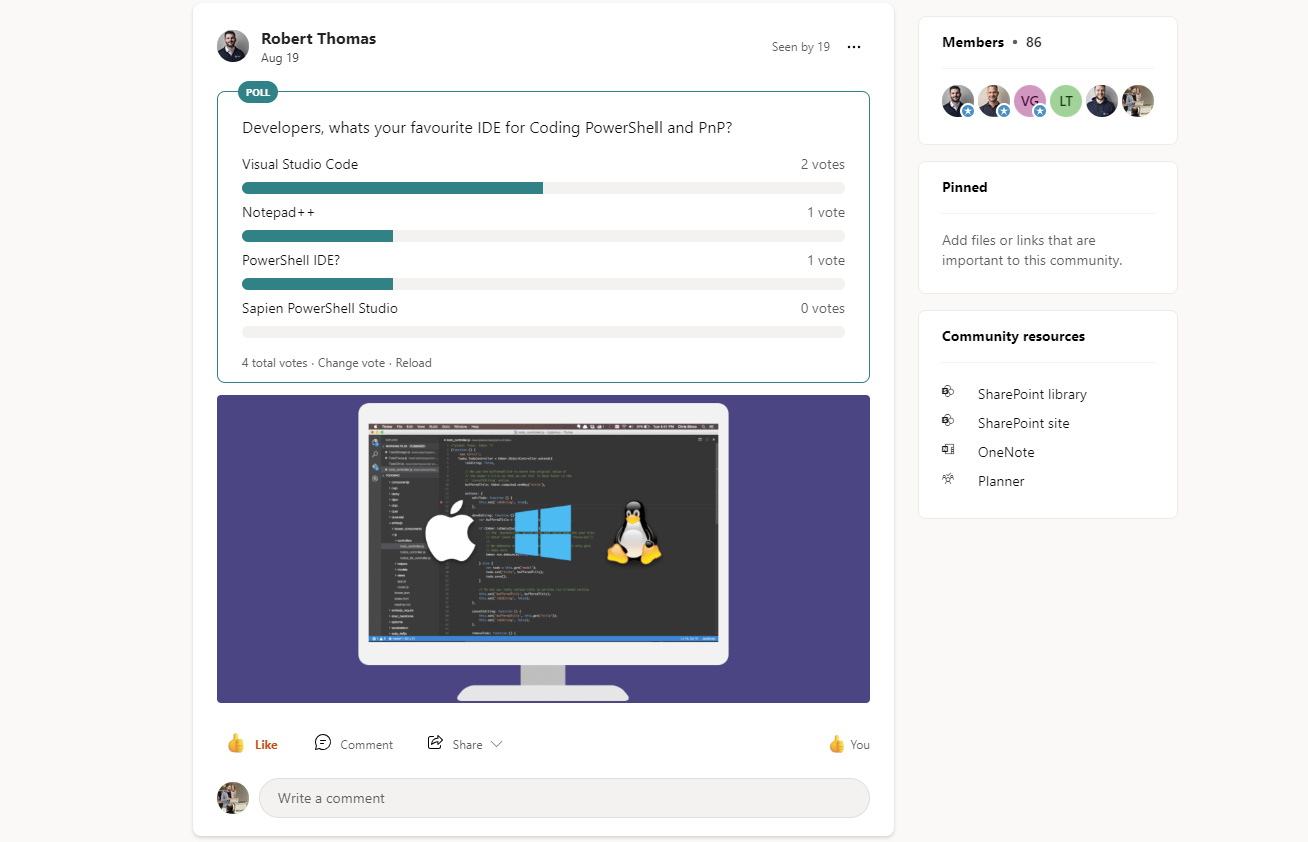
- Polls: Conduct surveys or gather opinions with responses displayed in charts. Polls are a brilliant way to get a quick pulse from communities or the entire organization on key topics of current interest that can quickly help inform decisions.
How to setup Viva Engage Communities?
The community page displays members at the top and an info section with a bio describing the community’s purpose. On the right, the pinned section allows you to add files or links, like quick links. Each community includes a SharePoint library for file storage, a OneNote for notes, and a Planner for task management. This setup is great for collaboration and managing tasks.
To manage communities effectively, assign superusers or leaders to drive engagement in both official and unofficial groups. For example, assign leaders to sports groups, book clubs, or any other interest-based communities. These are particularly valuable in hybrid or remote work settings for fostering social connections.
Microsoft Viva Engage Adoption Strategies
Finally, let’s discuss adoption. Beyond an overarching strategy, think about training for your organization. Valto are adoption and change management specialists recognized by Microsoft as a solutions partner for modern work. We help organizations adopt tools like Viva Engage and ensure they get the best return on investment. We offer workshops to understand your requirements and build a tailored adoption strategy. This includes creating an adoption community where you can share resources, materials, and links. You can also use features like Planner to manage tasks for the adoption rollout. As part of the strategy, we recommend identifying superusers in each department to test the platform and provide feedback. These users can explore how communities might replace tools like Slack or Teams. We also offer bespoke Microsoft Viva Engage training packages for teams, departments or the entire organization. This could include “train the trainer” style sessions to enable your learning and development team to provide internal content. All the training sessions we provide are recorded and uploaded into your Microsoft 365 so that videos can be rewatched later. We always recommend that you start as you mean to go on when it comes to adopting a new technology. Often referred to as “drinking your own champagne”, you should create a Microsoft Viva Engage adoption community within Viva Engage. Bring your key stakeholders, super users and trainers into this community from day 1. Allowing them to learn first hand how to use the product and share their knowledge with others.
Microsoft Viva Engage Consultancy
If you need support rolling out Viva Engage, we do offer Microsoft Viva Engage consultancy so contact us via the contact form on this page and you will be able to book a free consultation with a Microsoft Viva Engage consultant.
We offer a free one-hour consultation and fixed-price deployments, along with training packages.
How to setup Viva Engage – Our Expert Says
Setting up Microsoft Viva Engage is an essential step for any organization using Microsoft 365 and looking to enhance its employee engagement.
By leveraging Viva Engage, you can create a dynamic and engaging environment that fosters knowledge sharing and connectivity across the entire company.
At Valto we are expert Microsoft Viva Engage Consultants that can ensure you properly implement Viva Engage to achieve your employee engagement goals.
We offer a 1 hour consultation Microsoft Viva Consulting call free of charge to get you started. I look forward to hearing from you.
Trusted by Leading Brands
“We work with organisations across many sectors of different shapes and sizes from 10 to 100,000 employees.”
Contact Form
Contact our team today!
Talk to our team
Book FREE Consultation
Topics
Related reading

EventAI & Automation
What’s next? How data, automation & AI are reshaping business
17 November 2026 · 11:00 · 20 Stories, Manchester

NewsAI & Automation
Valto and Holstein UK launch major multi-year digital transformation programme
New partnership will modernise core systems and create a connected, data-driven platform powered by Microsoft technologies.
6 October 2026