

News
Microsoft Ignite – Key Announcements 2022
Microsoft Ignite is a showcase of the best of what’s next for Microsoft and its partners, technical decision-makers and information technology implementers. The products and updates unveiled during Microsoft Ignite are designed to help customers, partners and developers get the full value of Microsoft’s technologies. In this blog, we will outline the key announcements for the 2022 event.
- Published
- 28 October 2022
What is Microsoft Ignite?
Microsoft Ignite is a showcase of the best of what’s next for Microsoft and its partners, technical decision-makers and information technology implementers. The products and updates unveiled during Microsoft Ignite are designed to help customers, partners and developers get the full value of Microsoft’s technologies. In this blog, we will outline the key announcements for the 2022 event.
Viva Learning
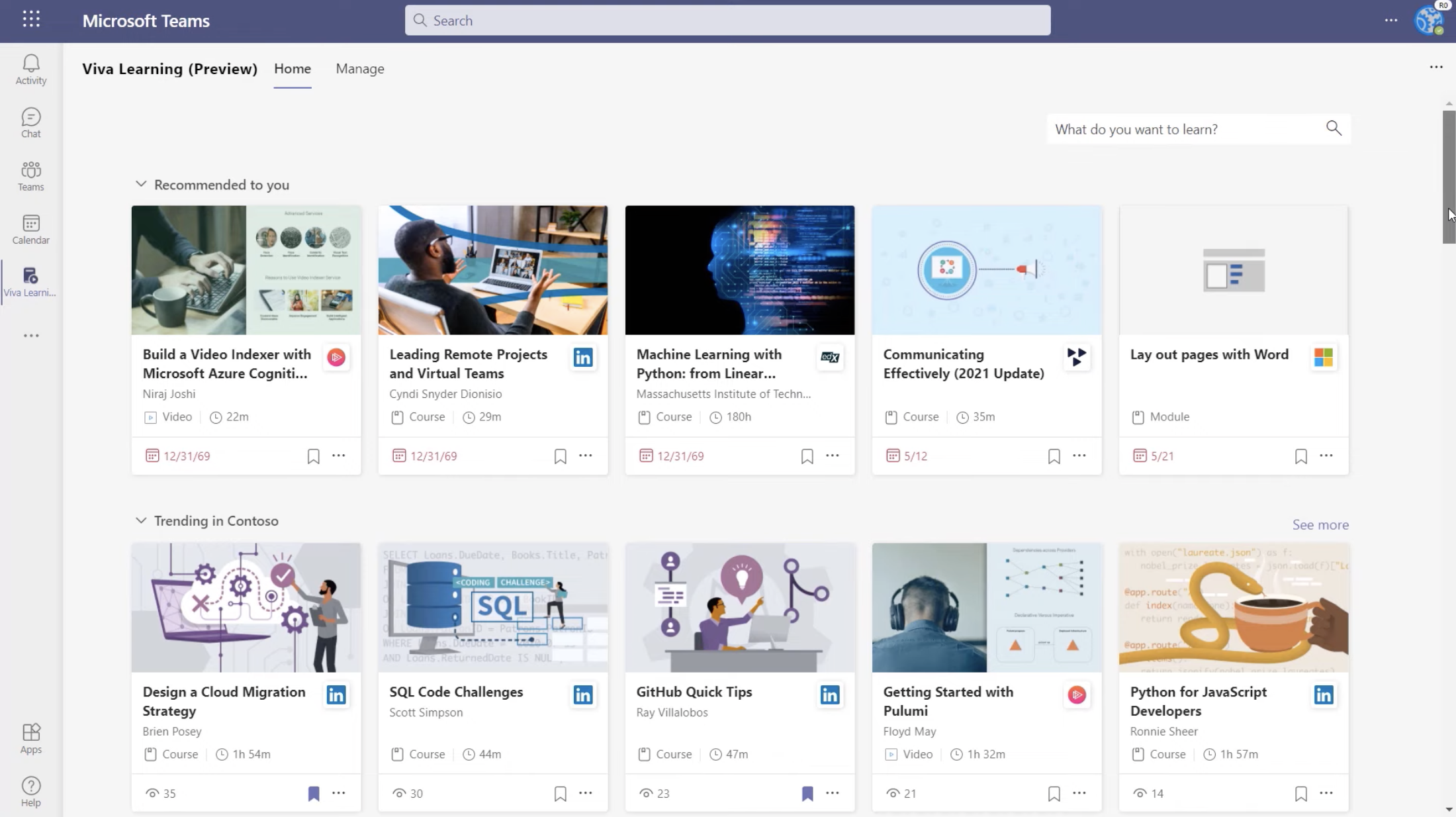
There are several new features that are being added to Microsoft Viva learning, including:
Learning Paths
Learning paths can be created around essentially any topic. They allow admins and managers to create a series of training resources that will be available to their employees as a learning path. These learning paths will be able to be discovered, recommended, and shared all within Microsoft Viva.
Learning Collections
Learning collections allows individual users to create their own personalised collection of learning and training content that are aligned to their personal needs and interests. These can either be made private or can be made discoverable within Microsoft Viva depending on personal preference.
Permissions
Permissions will make sure that admins and managers can configure what content and resources individuals within their organisation are able to access.
Focus mode
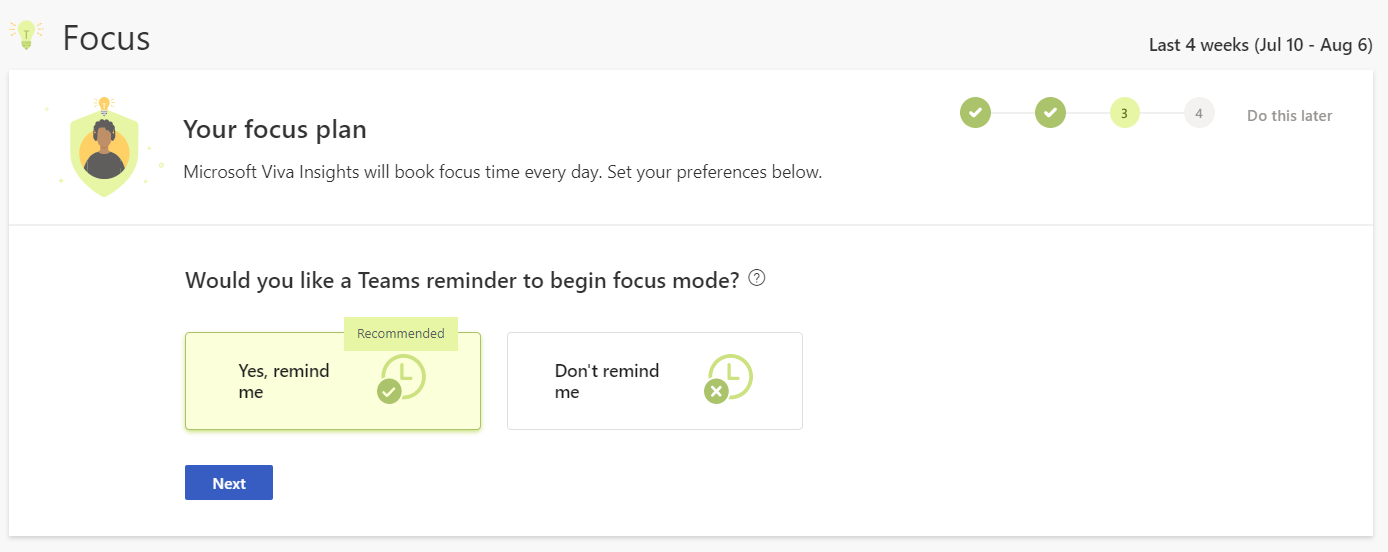
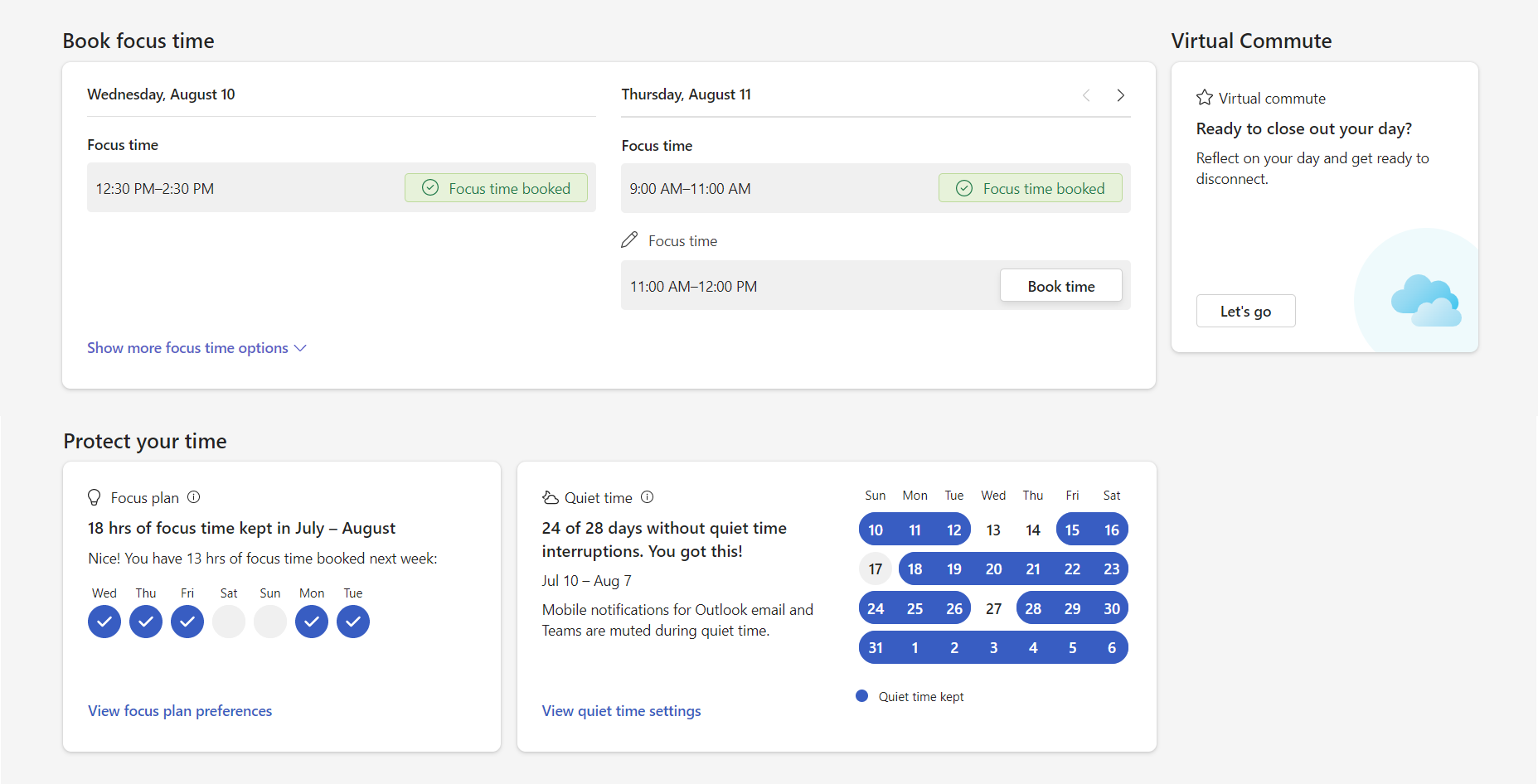
Microsoft have also introduced focus mode to Microsoft Viva. This breaks up time spent on a project into bursts of productivity, and times breaks. Microsoft users will receive a notification to enter quiet time, where they will be given the option to set timers so that they can work on a project or task for a specific amount of time. This helps employee productivity, and ensures employees are taking care of their well-being with the option to click into a curated set of mindfulness exercises from Headspace.
Quiet time
Quiet time settings helps to ensure employees are not being overworked or burnt out. User and IT admins are able to set quiet time and silence any notifications from outlook and Teams outside of working hours. IT admins are also able to create organisation-wide policies that silence after hours notifications, as well as limit the use of work related apps.
Microsoft Places
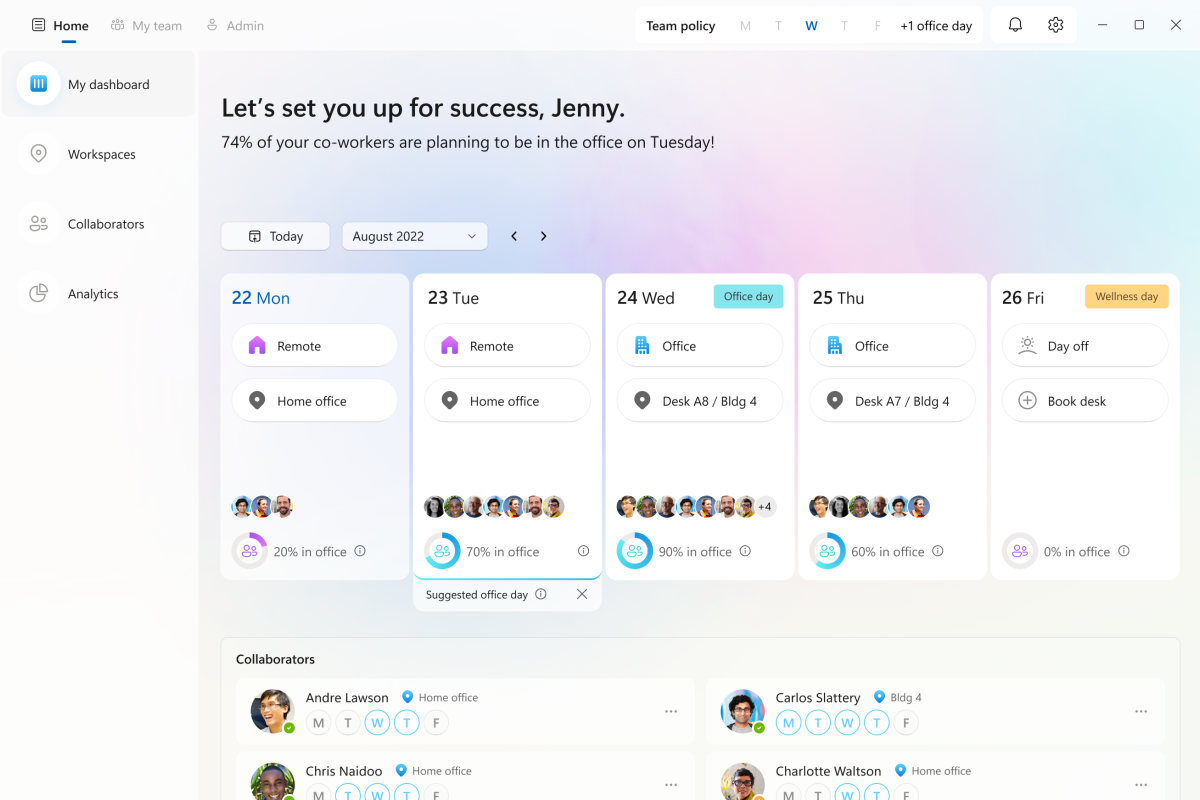
Microsoft Places is a new app that will use intelligence to optimize where work will happen in hybrid working environments. Features of this app will include a dashboard that will specify which days employees will be working from the office, and a presence that will indicate their physical location, whether that be in the office, remote, or mobile. Additionally, the Places app will provide the ability to see the workspaces other employees have booked, and will provide insights on space usage so managers can plan ahead. There will also be an option to gain insight and guidance for employees commuting to the office / work engagements, including the ability to schedule travel time. Information regarding hybrid policies will also be kept within this app to ensure the implementation of best practices.
Video clips
The ability to create and send video clips is now available in Teams. Simply record, send, view, and respond from either desktop or mobile. The recipient of the video clip can play the video within the Teams chat, and can choose to respond by either a chat message or a video clip of their own.
Suggested replies
Suggested replies are already currently available in one-on-one chats, and will now be available for group chats also. Suggested replies use machine learning to create responses to the conversation. This will save time typing out routine responses, and allows users to respond with one click.
Schedule send
This allows users to specify a date and time they would like their Microsoft Teams message to be sent. This is useful for when you are working out of normal office hours, or in different time zones.
Mention @everyone
This feature allows you to tag everyone in a group chat instead of tagging every single person individually. This ensures everyone is notified of your message with minimal hassle.
Microsoft Teams and Dynamics 365
Microsoft Teams chat will be embedded into Dynamics 365, meaning that you are able to communicate with stakeholders directly from within Dynamics 365. This allows you to link chats to Dynamics 365 records, including sales opportunities. This is also much more efficient when communicating with team members from different departments, supervisors, or customer service on specific cases.
Power Platform
Microsoft have introduced a new way to automate in Power Platform using natural language, enabling users to describe exactly what they wish to automate. Once a user selects a suggested flow, they will set up the appropriate connecters, and then finalise within the flow designer. Additionally, a new option will be available within the create page for Power Automate, to create a cloud flow by simply just describing the flow, selecting connects, and finalising.
About Valto The UK Microsoft IT Partner
Valto are here to help you with all your Microsoft 365 projects.
Valto are Microsoft 365 Specialists who provide a full range of services for the platform. This includes Microsoft Support, Training, Adoption, Consultancy and Migration. Learn more about the Valto story or Contact Us, our number is 03335 779 009.
Jade Buckley
Junior Marketing Specialist
Frequently asked questions
Microsoft Ignite is a showcase of the best of what’s next for Microsoft and its partners, technical decision-makers and information technology implementers.
There are several new features that are being added to Microsoft Viva learning, including Learning Paths, Learning Collections, and Permissions.
This breaks up time spent on a project into bursts of productivity, and times breaks.
Microsoft users will receive a notification to enter quiet time, where they will be given the option to set timers so that they can work on a project or task for a specific amount of time.
User and IT admins are able to set quiet time and silence any notifications from outlook and Teams outside of working hours. This silences all notifications.
Microsoft Places is an app that provides the ability to see the workspaces other employees have booked, and provides insights on space usage so managers can plan ahead.
There are a few new features of Microsoft Teams including Video clips, Suggested replies, Scheduled send, mention @everyone.
Talk to our team
Related reading

EventAI & Automation
What’s next? How data, automation & AI are reshaping business
17 November 2026 · 11:00 · 20 Stories, Manchester

NewsAI & Automation
Valto and Holstein UK launch major multi-year digital transformation programme
New partnership will modernise core systems and create a connected, data-driven platform powered by Microsoft technologies.
6 October 2026