Our solution is built using only Microsoft 365 products. This makes it quick and simple to deploy to your Office 365 environment. We do not use any custom code such as JavaScript or C# that could potentially break when there is an update to Office 365.
All of our solutions are built with the Power Platform and using products that are included in the Office 365. This means you can fully utilise your existing licenses.
We use the following technologies to deliver you this quality product:
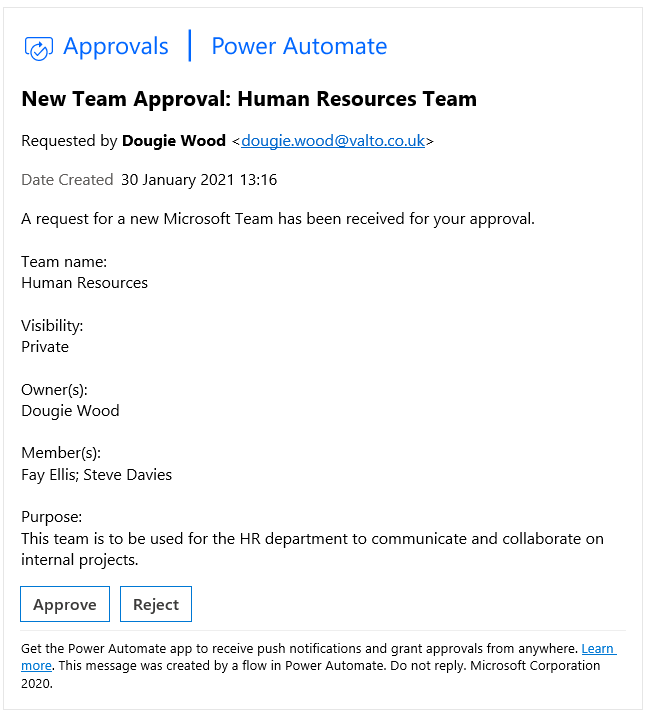
The approval workflow is issued by Microsoft Power Automate. You can see an example of what the email could look in the screenshot next to this text.
This is completely up to you how you would like it to be configured. Typically it would be your IT department, but it can be set to any group of employees within your business.
Yes, in an ideal world this solution would be deployed before you started using Microsoft Teams to ensure that no issues arise. However, this is a luxury of hindsight and typically this system will be rolled out to re-gain control over the situation.
We can use an existing Azure Active Directory Group, Office 365 Group that you already use or we can create a brand new Azure AD group for you. Then once we have locked down the creation to this group, show you how to add new members into the group.

 Dougie Wood