SharePoint started early trends, but it came before the software-as-a-service revolution. This fundamentally changed how software was perceived and ultimately gave the end user control over their IT solution. Today’s alternatives to SharePoint can make it appear overly complex and intimidating without assistance and expert training from a team like Valto.
For many years, Microsoft has been working on developing an online version of Sharepoint that meets the standards of modern solutions in an effort to shed its legacy. However, traces of its non- cloud ancestors can still be found. It is still obscured by technical jargon. Sharepoint consultants, certificates, and specialists are still full-fledged industries.
HyperOffice (opens in a new tab) is an example of a well-known cloud-based intranet platform. Implementing HyperOffice takes less time than Sharepoint, which can take several months. Anyone with even a rudimentary understanding of online apps can create a fully customised intranet page by simply dragging and dropping pieces. WordPress is another popular intranet portal.
SharePoint has a host of benefits that other intranet platforms do not provide. If you run Microsoft 365, you will be able to integrate all your other Office applications. You can create links from SharePoint folders to your OneDrive folders for easy access to files you regularly use. With Power automate you can create flows to automate once time consuming manual processes and you use a single sign-in so there aren’t lots of different account details and passwords to remember.
SharePoint promotes collaborative work. You can link to folders and files in Teams, and it allows multiple users to have the same document open at the same time so that you can work on something at the same time from different locations.
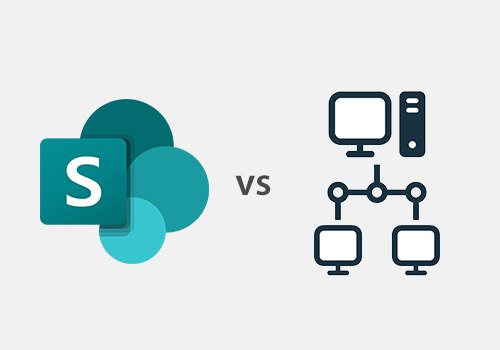
SharePoint is available as an online platform or hosted on- premises. The hosted, offline version is self-hosted by your company. Backups and updates will need to be maintained by in-house IT support within your local environment, whereas with the cloud version of SharePoint, Microsoft deal with all this for you. With the offline version of SharePoint, you will also need to be accountable for your data security.
There are different costs associated with both versions of SharePoint. The online version of SharePoint is included in your monthly Microsoft 365 licence plans, whereas SharePoint on-premise will require hardware and hardware maintenance as well as the cost of licences.
SharePoint online has the advantage of automatically receiving Microsoft updates and new feature roll outs. With an offline version, your IT department will need to install updates as and when required.