Valto spend a lot of time rescuing poor Microsoft 365 File migrations across SharePoint Online and Microsoft Teams. This blog post aims to explore the common issues and how they can be resolved.
The number one issue that we see is that the overall objective for the project is to simply migrate the data in its current format to Microsoft 365 and mimic a file server. The main issue with this is it’s not taking advantage of any of the new functionality available in Microsoft 365 and not providing any major benefits over a traditional file server.
Often users are looking to sync data that they require via windows explorer or offline and want to sync everything available to them like the traditional network drive, but this can cause issues with the limits of the syncing tool (100,000 max sync items) and users need to be trained around selective syncing.
The biggest compliant we see in traditional file servers is permissions. Often IT departments are given the challenge of defining permissions where departments can access a specific folder which is then complicated further by that department needing to control specific folders to certain individuals within the team or even more complex users outside of the team.
For example, if Finance has a department share everyone in the team accesses with certain restricted folders such as Payroll and Management accounts can be fairly easy to manage but can quickly grow out of control if there are many of these folders and sharing also needs to be granted to people outside of the team like management or directors.
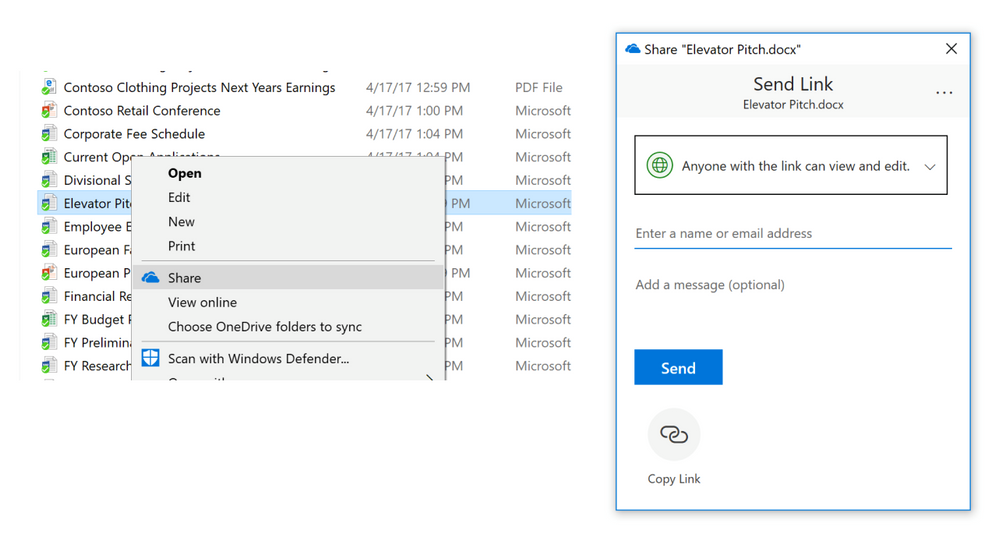
With SharePoint Sharing this can be vastly simplified with users having the ability to share files and folders on an ad-hoc level without needing to involve IT.