
NewsOffice365
New Microsoft AI tools just announced at Microsoft Build 2025
All NEW Microsoft AI tools announced at Microsoft Build 2025 . Discover Microsoft CEO's AI vision to scale businesses with AI Chatbot Agents.
23 May 2025

News
At the beginning of 2017 Microsoft launched a basic tool for managing employee shift rotas workforce management in Office365. This product was originally called StaffHub (Now know as Shift within Microsoft Teams) and it is one of many products inside of Office365 (Now Microsoft 365).
Easily manage your employees rota
Employee log in via an app on their phone, tablet or computer
Provide a centralised area for all of your business applications, useful documents and links
View the locations of employee sign ins
Such as quickly create rota based on previously used rota, managing tasks, notifications and instant messaging
At the beginning of 2017 Microsoft launched a basic tool for managing employee shift rotas workforce management in Office365. This product was originally called StaffHub (Now know as Shift within Microsoft Teams) and it is one of many products inside of Office365 (Now Microsoft 365). Microsoft StaffHub was retired in June 30 2020 and is part of Microsoft Teams. Since the release Microsoft have provided continuous updates based on end user feedback. It is now a polished product with a simplistic sleek user interface. This application is aimed at businesses providing frontline services that require their employees to have shift patterns to ensure a consistent level of service to their customers. These types of businesses may be retail stores, manufacturing, social care, hotels etc. Workforce Management could also be used for recruitment and similar placement agencies to post available shifts of their clients. This allows employees to flexibly choose available shifts or stipulate when they would be unavailable to work.
Shifts (Was StaffHub) makes it easy for Rota Managers to create and maintain shift rotas for their allocated team. Rota Managers can split their team into different categories for example a hotel may choose to group their employees by department: Catering, Reception, House Keeping etc.
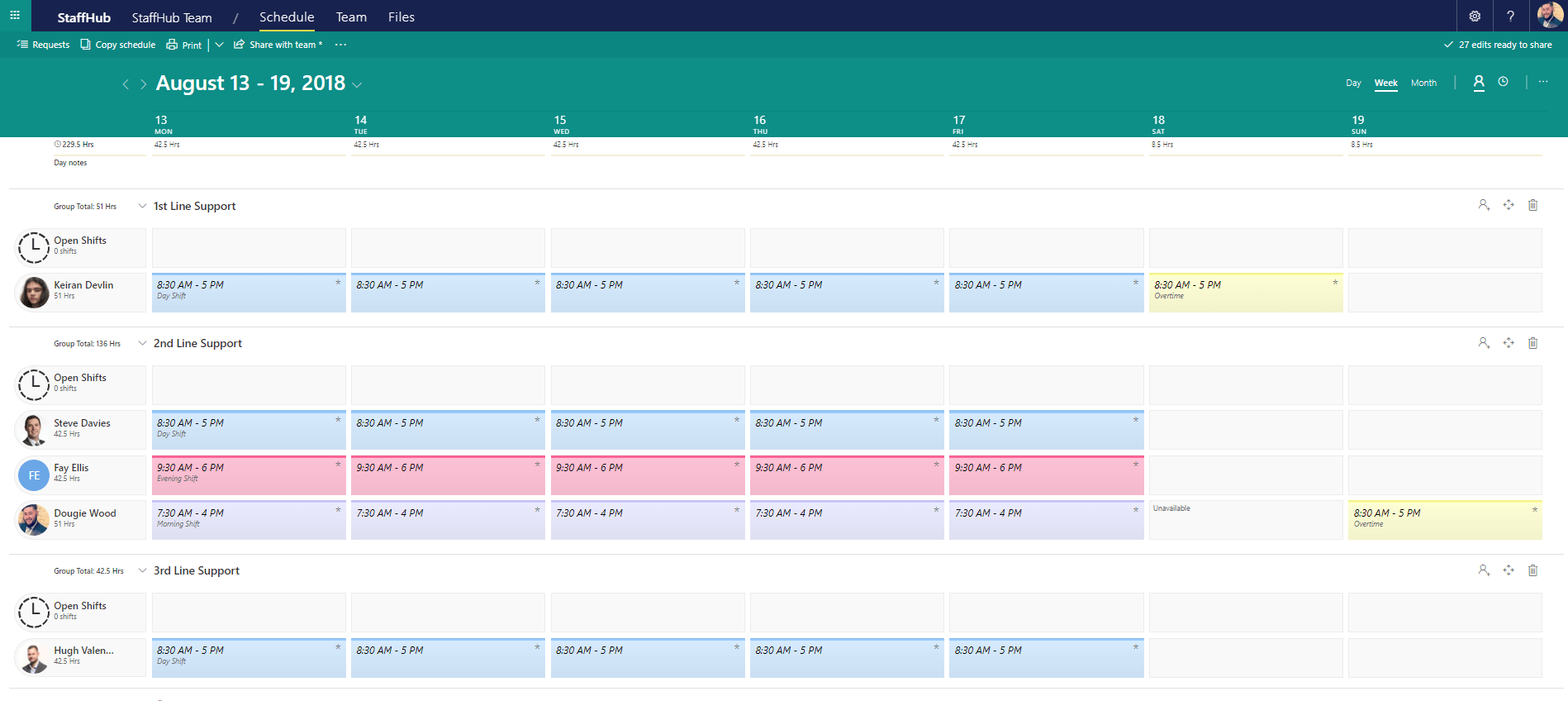
In the example below, we have grouped our employees by the tier of technical support service provided:
Rota Managers would access StaffHub via a web browser to build out shift patterns for their team.
As majority of businesses will keep to a similar shift pattern and alternator only by exception Shifts allows Rota Managers to create favourite shifts as well as easy copying a Rota between weeks or months as shown below:
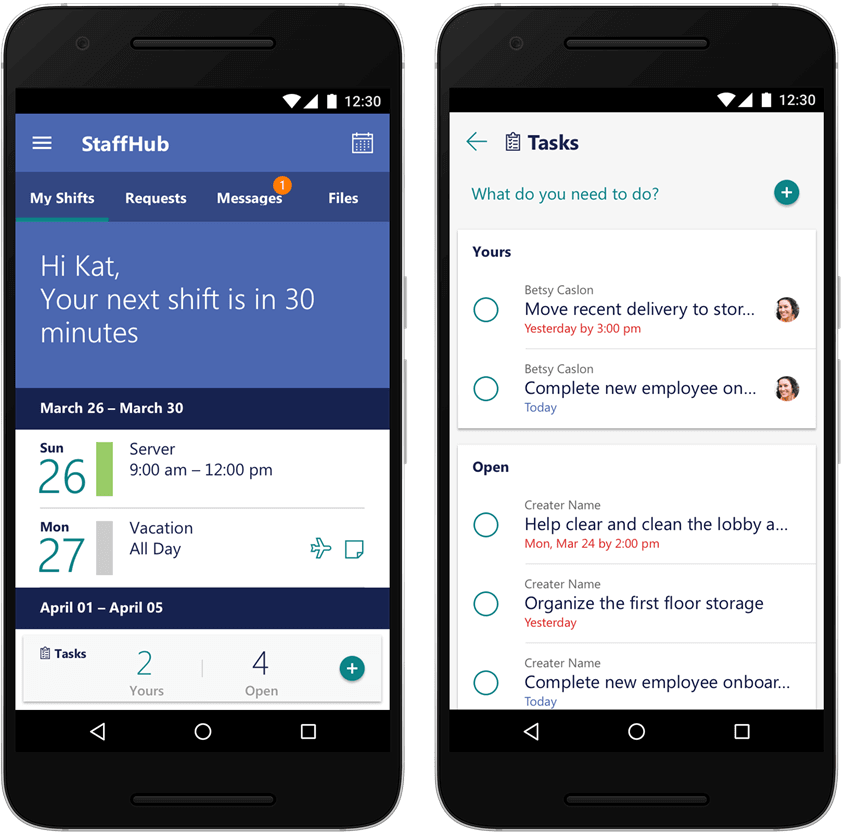
StaffHub has a mobile application available to IOS, Android and Windows phones that makes accessing rotas simple for employees. They can open the app on their phone to see information about their upcoming shifts:
As well as search for available shifts, request to swap or give their shift to another employee:
All Shift switching or requesting time off requires manager approval which is follows a visible approval stages:
You may wish to use Shifts (Was StaffHub) as your employees one stop shop for all their business applications such as holiday requests, Expense claims, Email because it makes the lives of employees easier.
This is possible by providing an area to link to your business applications from inside the Microsoft Teams app.
Not only does Shifts provide shift rota functionality it also provides a central location for your employees to be able to access useful documents that have been uploaded by their manager.
This could be useful for employee handbooks, design specifications of a project, navigation instructions to a difficult to find location or your organisations policy’s and procedures.
Your employees can clock in and out via Shifts in the Microsoft Teams app. This means you can accurately track what time they started and finished work. It will also allow employees to log any breaks they have taken throughout the day to ensure they are compliant with your break pattern policy.
An option feature which is disabled by default, but you may choose to enable is “Geolocation”. This means your business can track the locations of your employees to check if they are working where they say they are.
Employees and Managers can create and assign tasks to their Team members. This is a great way to make sure that during an employees next shift key tasks are completed. The app has a simplistic user interface, Therefore making it easy for employees to tick off when a task is complete.
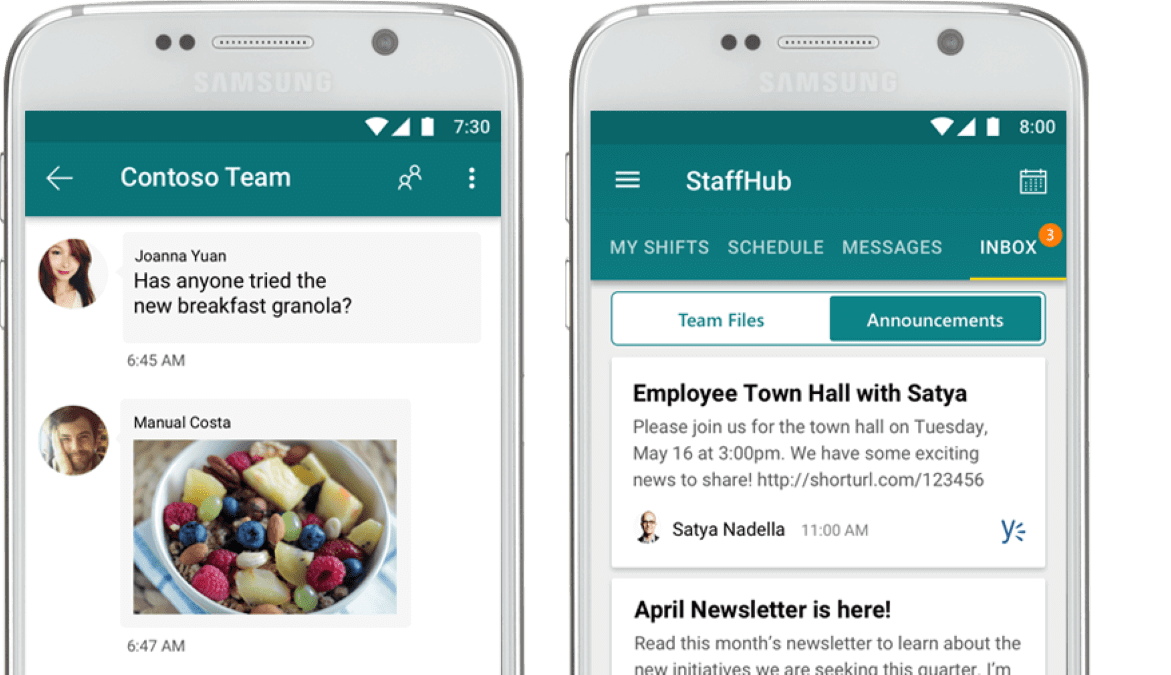
Shifts allows employees to direct message individuals or entire teams through its integration with Microsoft Teams.
This is great for asking questions or sharing important information quickly to the rest of the Team.
“Announcements” can easily be published on a newsfeed for the Staff.
This is useful for publishing key updates such as newsletters or promoting events easily to the entire organisation.
If your business is interested in Shifts (was StaffHub) or any other business solutions feel free to contact us today.
At Valto, we’re committed to helping our clients get the most out of Office365 & SharePoint. If you’d like a FREE demonstration of any of the Office365 products please get in touch.
All NEW Microsoft AI tools announced at Microsoft Build 2025 . Discover Microsoft CEO's AI vision to scale businesses with AI Chatbot Agents.
23 May 2025


17 November 2026 · 11:00 · 20 Stories, Manchester