Valto — Keep ahead of tomorrow

News

Streamline Your Case Management with SharePoint

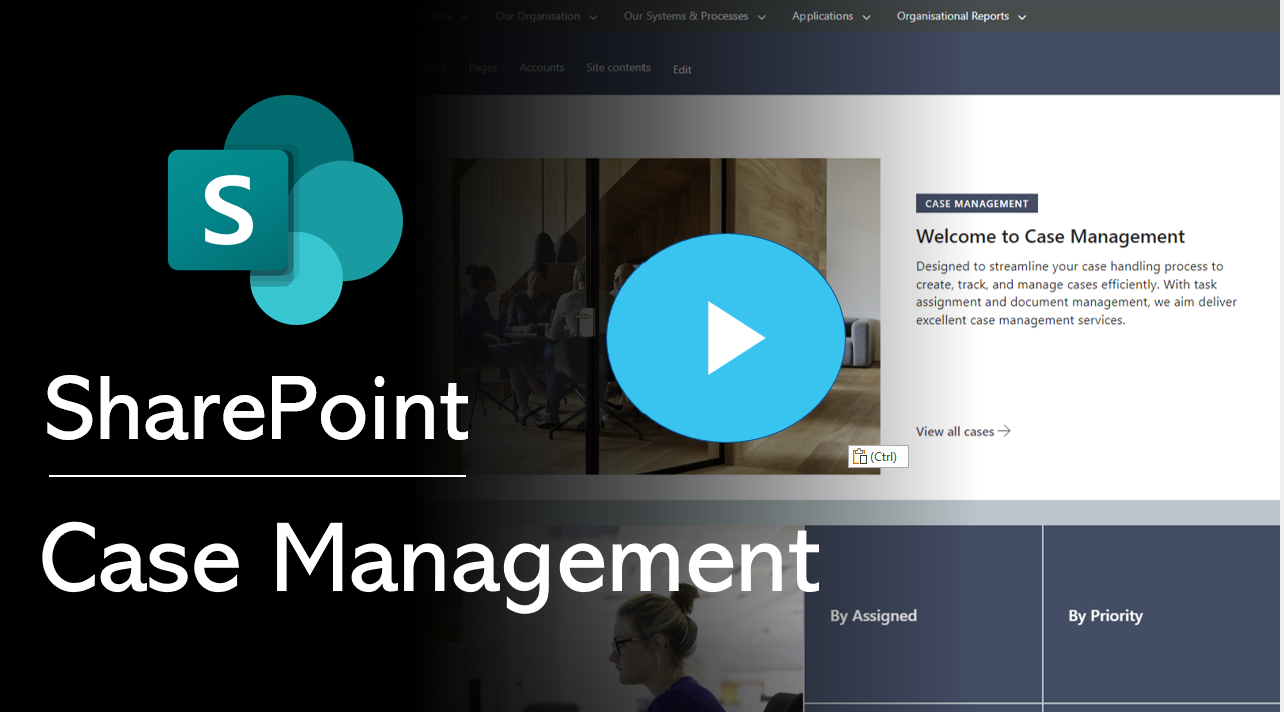
In this article we will delve into the key components of a SharePoint case management system and demonstrate a mock-up through an informative video. If you're seeking a robust system tailored to your needs, don't hesitate to reach out to us today.

SharePoint
Published
29 June 2023
Streamline your Case Management with SharePoint

Streamline Your Case Management with a Powerful SharePoint Solution

In this article we will demonstrate how SharePoint Online can provide an excellent case management system.

Valtos pre-built SharePoint Case Management System – Book a Free Demo!

Having an effective case management is crucial for legal firms and organizations dealing with complex projects. At Valto, we understand the unique requirements of case management systems, having successfully developed numerous solutions for our clients.

In this article, we will delve into the key components of a SharePoint case management system and demonstrate a mock-up through an informative video. If you’re seeking a robust system tailored to your needs, don’t hesitate to reach out to us today.

Case ID Number: Efficient Tracking and Organization

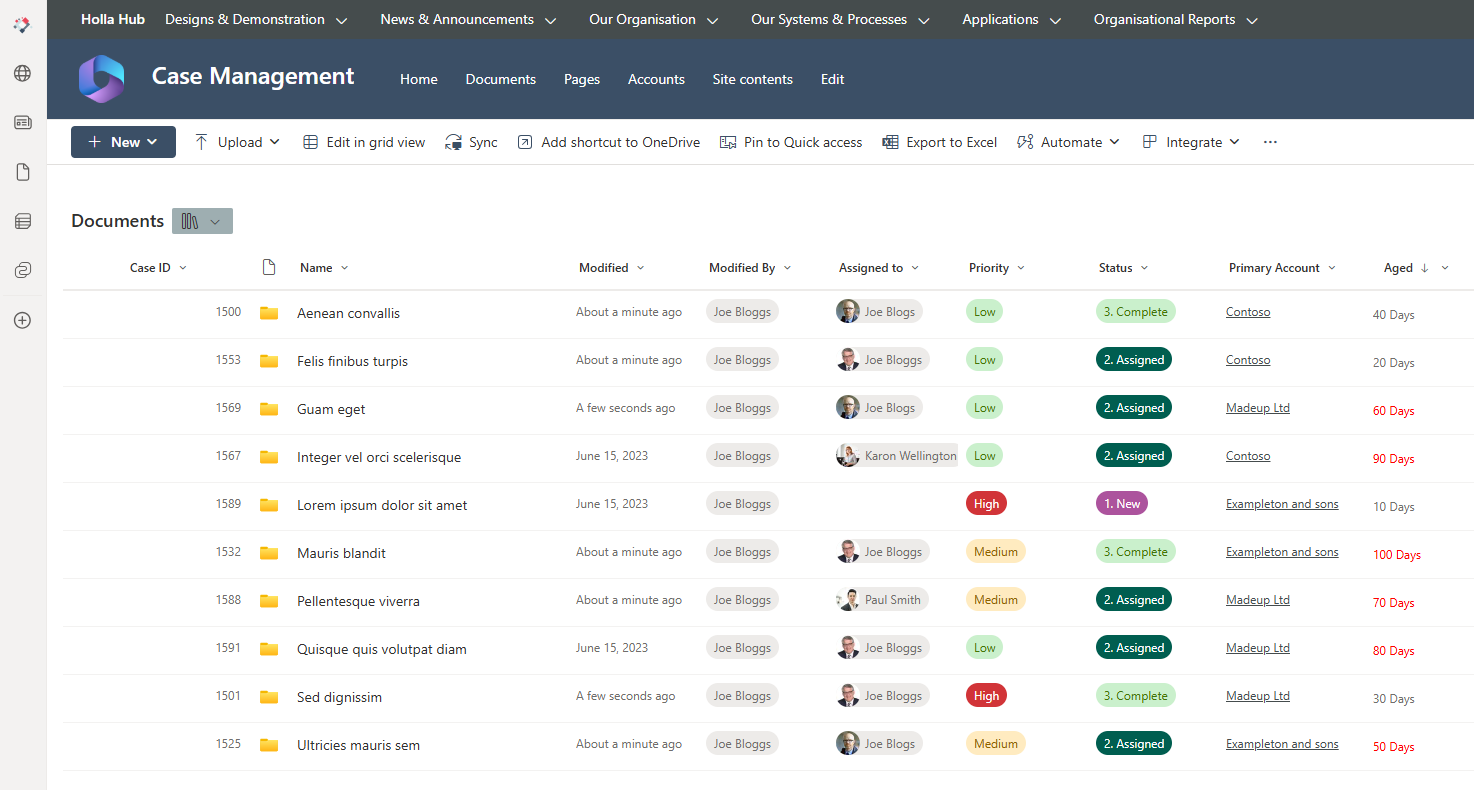
A SharePoint case management system begins with the generation of a unique case ID number. This identifier can be automatically generated and may contain a pre-fix or suffix, enabling easy referencing and tracking throughout the entire lifecycle of the case. By implementing this feature, you can swiftly locate and retrieve case-related information whenever required.

Folder Template: Structured Sub-Folders in Case Management SharePoint

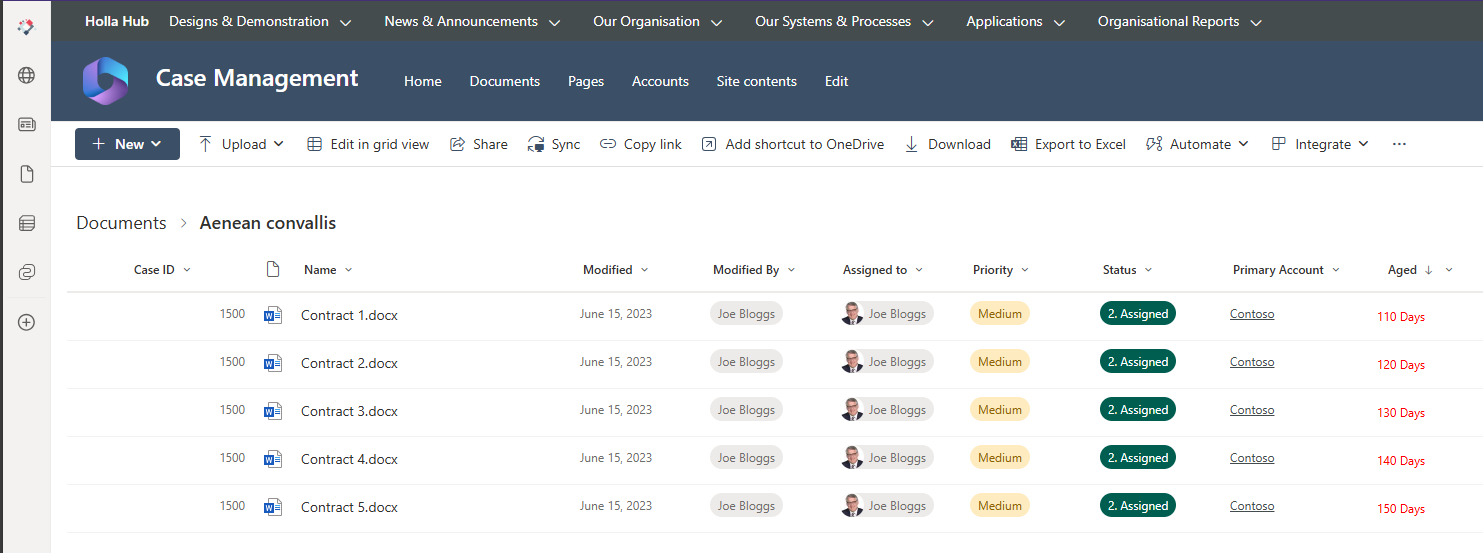
To enhance the organization and management of case-related documents, a SharePoint case management system should incorporate a folder template. This feature automatically creates sub-folders within a pre-configured structure, ensuring consistent organization across all cases. By utilizing this functionality, you can categorize documents, correspondence, and evidence in a standardized manner, simplifying retrieval and ensuring efficient collaboration.

sharepoint case management system PLAY ME

Assign People: Streamlined Responsibilities and Accountability

Assigning specific users to each case is a crucial aspect of a SharePoint case management system. By designating responsible individuals, you establish clear lines of ownership and ensure that each case is handled by the appropriate personnel. SharePoint’s intuitive user management features make it easy to assign users, empowering your team members to access and contribute to the relevant case files seamlessly.

Control Access: Secure Information Management

Confidentiality and data security are paramount in case management systems. With a SharePoint solution, you can enforce granular access controls, ensuring that only authorized individuals have access to each case. By leveraging SharePoint’s robust security features, you can restrict access to sensitive information and maintain the highest levels of confidentiality and compliance within your organization.

SharePoint Case Management System: Bespoke User Interface

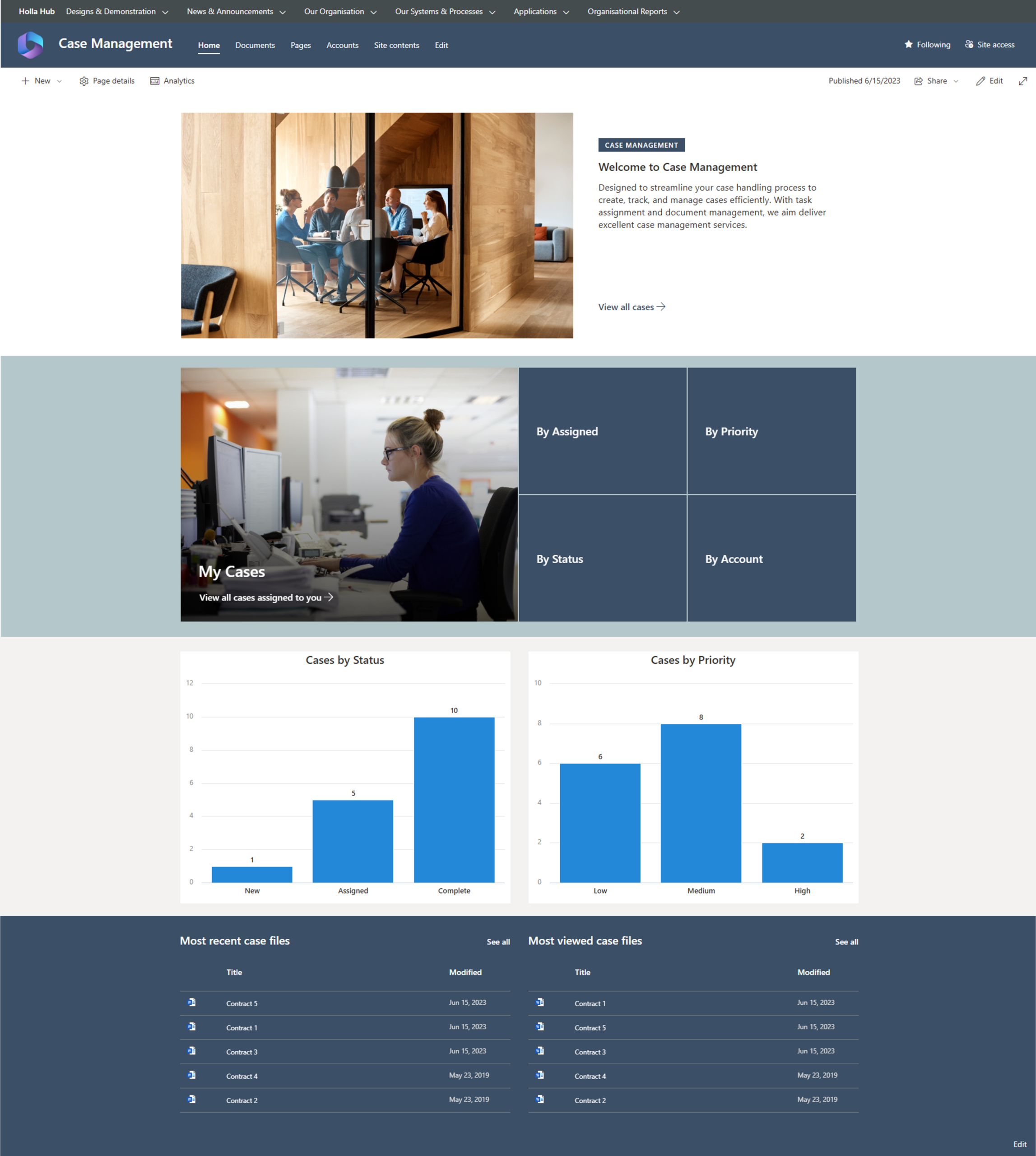
Leverage the power of Microsoft SharePoint to build a simple and easy to use interface. Building your case management system with SharePoint means you can leverage all of the native features that Microsoft have prebuilt for you. As it is a native Microsoft product, SharePoint integrates with Power Automate to provide automated notifications and approvals if required.

SharePoint Case Management System

Priority Rating: Efficient Prioritization and Focus

Efficiently managing multiple cases requires a priority rating system. A SharePoint case management system allows you to assign priority levels such as low, medium, or high to each case, enabling you to allocate resources and focus on critical matters. By leveraging this capability, you can effectively prioritize your workload and ensure that urgent cases receive the attention they require.

Track Status: Case Management SharePoint

To track the progress of cases, a SharePoint case management system should incorporate a status feature. Cases can be categorized as new, assigned, complete, or canceled, providing a clear overview of their current state. This enables stakeholders to monitor progress in real-time, identify bottlenecks, and ensure that cases move smoothly through the system.

Workflows: Automation for Streamlined Processes in a Case Management System

Streamlining case management processes is facilitated through workflow automation. SharePoint’s robust workflow capabilities enable you to create customized workflows for reminders on aging cases, document approvals, and other critical tasks. By automating repetitive tasks and notifications, you can enhance efficiency, minimize errors, and ensure adherence to predefined processes.

Streamline your Case Management with SharePoint

SharePoint case management system

It is a powerful tool for legal firms and organizations seeking to streamline their case management processes. Valto, with our expertise in developing tailored SharePoint solutions, can help you deploy a comprehensive system that encompasses features such as case ID generation, folder templates, user assignments, access control, priority rating, status tracking, and workflow automation. Contact us today to discuss how we can assist you in deploying a SharePoint case management system that aligns perfectly with your specific requirements.

Trusted by Leading Brands

Our SharePoint Consultants work with organisations across many sectors of different shapes and sizes from 10 to 100,000 employees.

SharePoint – Next Steps

I hope you found this article useful, if you are interested in getting some assistance with SharePoint Online or PowerApps, please feel free to contact me with any questions using our contact us form.

You might can also contact out expert SharePoint Team here:  The Best Microsoft SharePoint Consultants in the UK

Author

Dougie Wood

Solutions Architect

Case Management SharePoint Site

Frequently asked questions

A case management system is a software solution that helps organisations efficiently manage and track cases or incidents. It provides a centralised platform to capture, store, and retrieve case-related information, documents, communications, and workflows. It enables streamlined case handling, collaboration among teams, and effective tracking of case progress.
While both case management and Customer Relationship Management (CRM) systems deal with managing information, there are some key differences. Case management systems primarily focus on managing individual cases or incidents, such as customer support tickets, legal matters, or service requests. CRM systems, on the other hand, are designed to manage customer relationships, including lead generation, sales, and marketing activities. While they may overlap in some areas, their primary functions and purposes differ.
A case management system is beneficial for organisations that deal with a high volume of cases or incidents. It helps streamline and automate case workflows, ensuring timely resolution and improved customer satisfaction. With a case management system, businesses can efficiently track and manage case details, allocate resources effectively, collaborate across teams, maintain accurate records, and generate insightful reports. It promotes efficiency, consistency, and transparency in case handling, leading to enhanced productivity and better customer service.
A SharePoint Case Management System refers to the utilisation of Microsoft SharePoint, a web-based collaboration and document management platform, as the foundation for implementing a case management solution. SharePoint offers features and capabilities that allow organisations to create custom case management applications, workflows, and document repositories. It provides a secure and scalable environment for storing case-related data, integrating with other systems, and facilitating collaboration among case workers.
Building a case management system in SharePoint Online offers several advantages. SharePoint Online is a cloud-based version of SharePoint, providing easy access, scalability, and cost-effectiveness. It offers customisable features, such as form creation, workflow automation, document management, and data visualisation. SharePoint Online also integrates well with other Microsoft tools, like Microsoft Teams and Power Automate, enabling seamless collaboration and process automation. Additionally, SharePoint Online provides robust security controls to protect sensitive case information.

Talk to our team

Share this

Related reading

NewsSharePoint

Mastering Document Control with SharePoint

Struggling with document versioning, policy visibility or outdated files? Learn how Valto’s SharePoint-based Controlled Documents Solution solves the most common document control challenges.

7 May 2025

Atlassian Server is end of life
NewsSharePoint

Atlassian Server is End of Life

Is your organisation still using Confluence on an unsupported version? Discover the benefits of migrating to SharePoint Online, including better security, cost savings, and seamless integration with Office 365.

22 January 2025