

NewsOffice365
New Microsoft AI tools just announced at Microsoft Build 2025
All NEW Microsoft AI tools announced at Microsoft Build 2025 . Discover Microsoft CEO's AI vision to scale businesses with AI Chatbot Agents.
23 May 2025

News
Watch a short video outlining our top 5 best apps in Office 365 E3 license. We guarantee you are not already using all of these apps.
We are going to show you our top five Microsoft 365 apps available with an Office E3 license.
Whether you’re looking to boost engagement or increase productivity, these apps might include some you haven’t yet discovered.
Valto offer a free Microsoft 365 license audit to ensure you are getting the best possible price on your licenses.
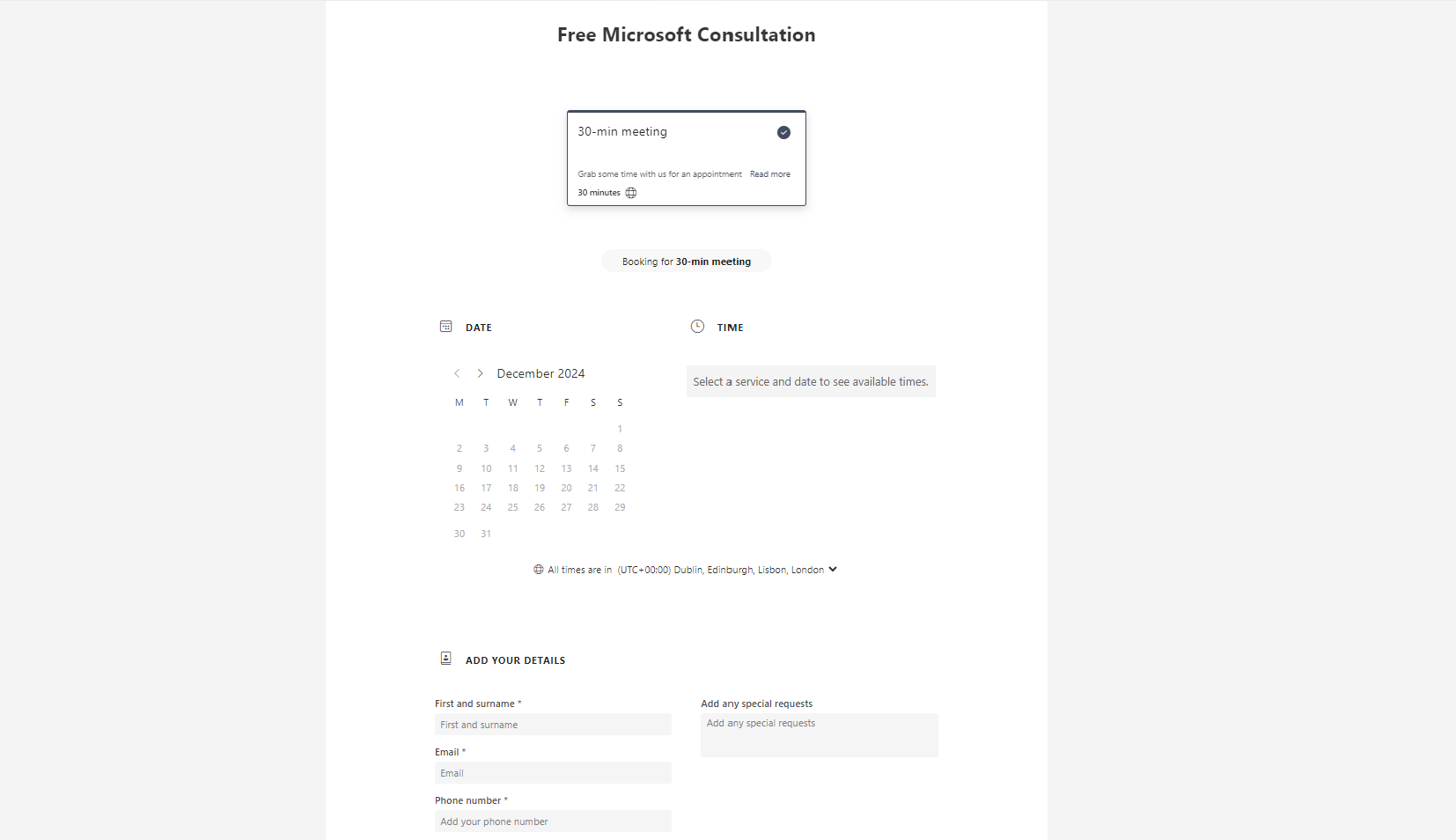
This app is a fantastic way to schedule appointments without the back-and-forth emailing. At Valto, we use it in several ways, including sending customers a link to book time with us.
For instance, if someone wants to discuss Power Apps, we send a link that pulls together the availability of our sales team specializing in Power Apps. The customer can select a date and time that works for them, fill in their details, and book the meeting.
Bookings integrates with calendars to ensure only available slots are shown, factoring in breaks, lunches, and existing meetings. This eliminates scheduling conflicts and streamlines the booking process.
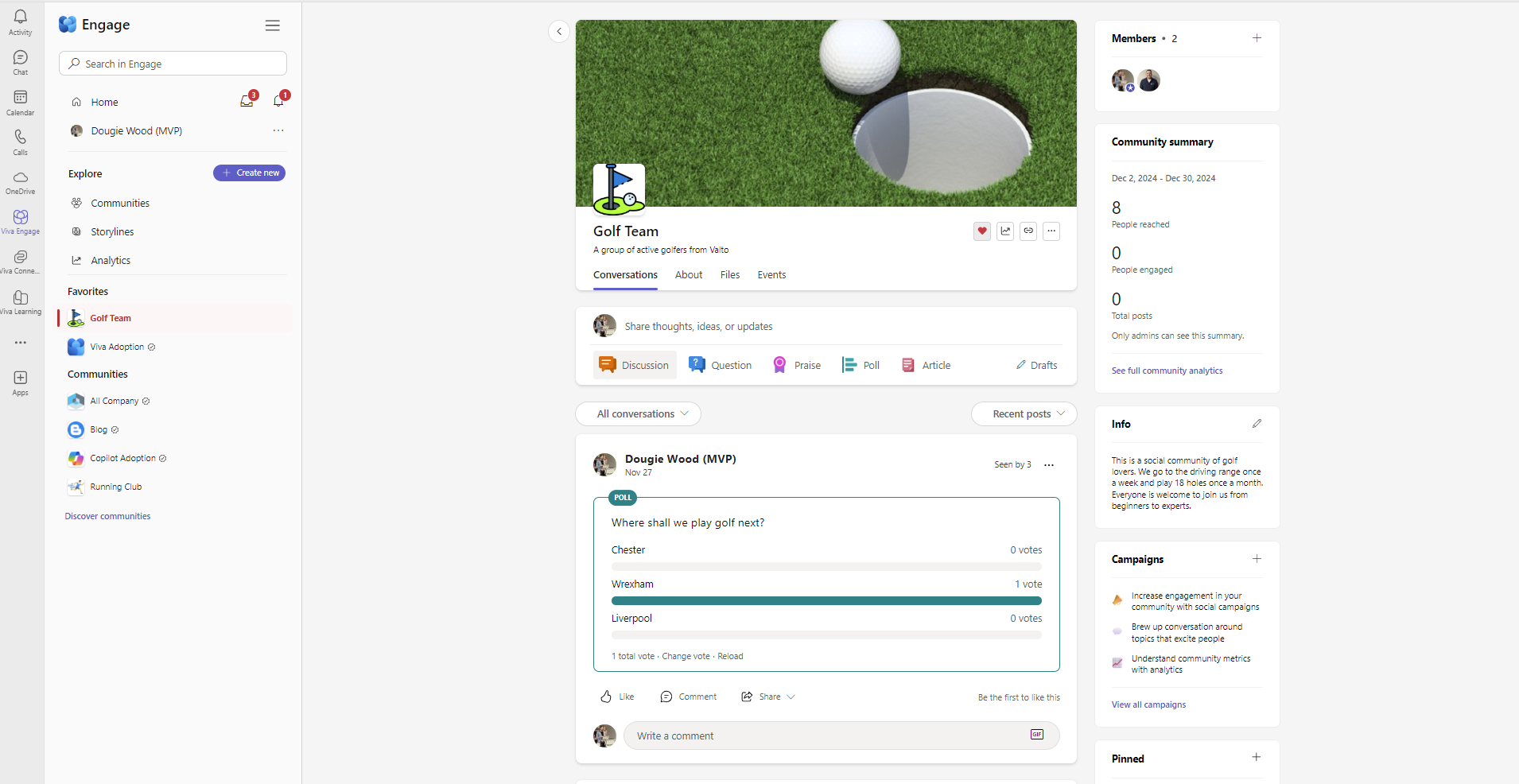
Previously known as Yammer, Viva Engage acts as the social media platform for Microsoft 365. It features profile pages, storylines (similar to a Facebook feed), and tools to post discussions, questions, praise, surveys, polls, or articles. Users can interact by liking, commenting, and upvoting content.
Often people are not aware that Microsoft Viva Engage is included within the Office E3 License, so you should consider this as part of your employee engagement and employee satisfaction goals.
It also promotes communities—both official and unofficial. Official communities often align with company initiatives, like adoption plans for new tools such as Viva Engage or Copilot, while unofficial ones could revolve around interests like book clubs or sports teams. These communities foster connection and engagement, particularly for hybrid and remote workers. Official communities are verified, ensuring trust in the content shared there.
Think of Stream as an internal YouTube for Microsoft 365. It stores all Teams meeting recordings and allows users to upload, create, and organize videos. You can record screen or camera sessions for training or demonstrations and edit them as needed.
Playlists can be created for onboarding, CEO updates, or training videos. For instance, new employees can follow a sequence of onboarding videos, or leadership can share monthly updates with the team. Stream is a centralized hub for video content, easily accessible with an Office 365 E3 license.
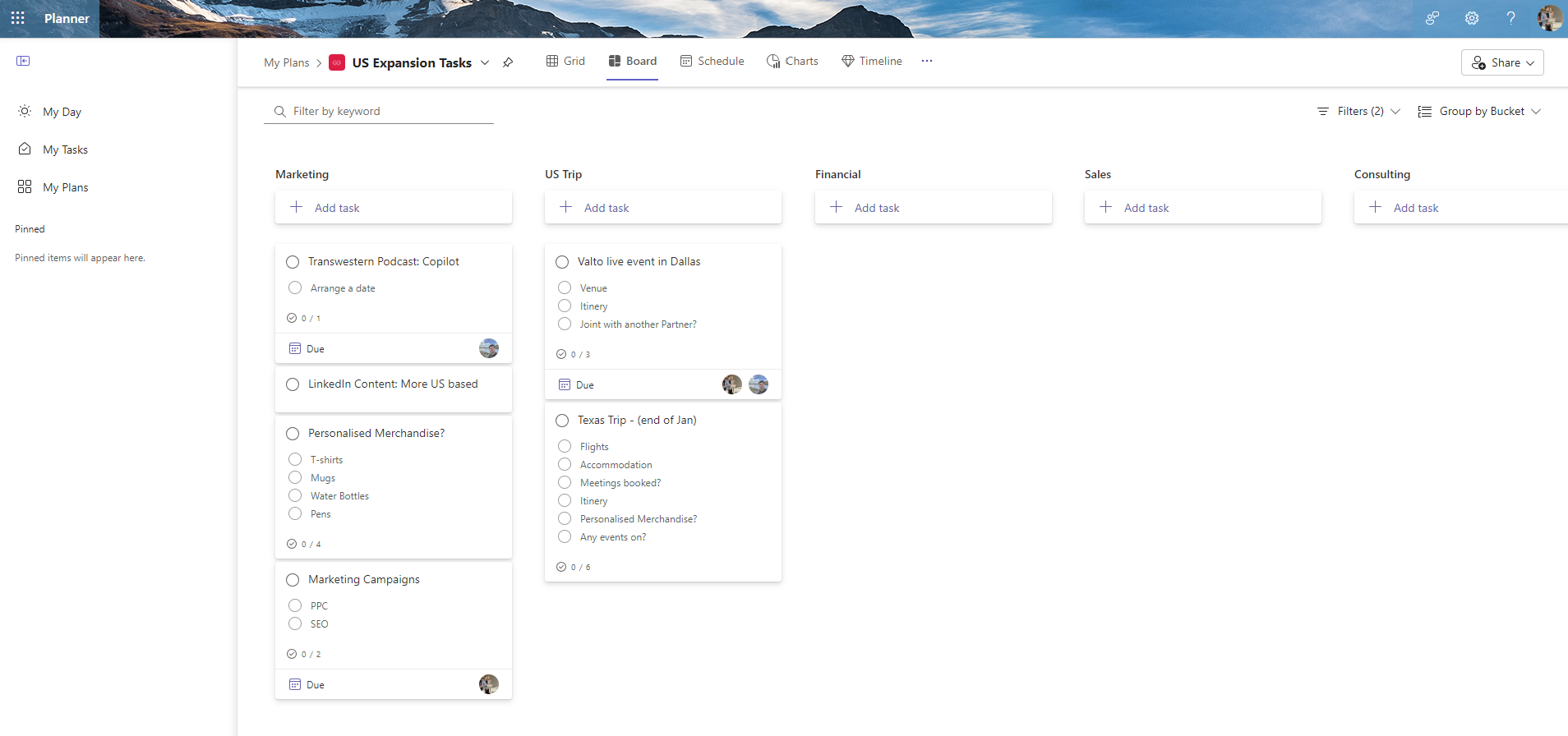
Planner is a powerful tool for project management, using an agile, Kanban-style approach. This is one of our favourite apps included in the Microsoft E3 license. You can create task buckets for different stages of a project and drag and drop tasks between them. For example, in planning a Christmas party, you might have buckets for entertainment, catering, and music, each with tasks assigned to team members. Tasks can include details like due dates, priorities, subtasks, attachments, and comments. Planner also offers multiple views, such as boards, lists, calendars, and charts, so you can track progress and reassign tasks to balance workloads effectively. Why you should be using Microsoft Copilot Microsoft Copilot is an AI tool that helps generate ideas, write content, and create imagery. It’s ideal for producing blog posts, social media graphics, or other creative assets. For instance, you could prompt it to generate an image of a skier heading down a snowy mountain toward a village, and it will provide several options. The key advantage of Copilot over tools like ChatGPT is its enterprise-grade security. Copilot operates within your organization’s compliance framework, ensuring data is not shared externally or used to train models. However, to integrate it with apps like Word, Excel, or PowerPoint, you’ll need the additional Microsoft 365 Copilot license.
If you’re considering moving to Office 365 E3 licenses or looking to optimize your Microsoft 365 costs, YOU CAN review the current Office 365 E3 License pricing here and Valto offers a free license audit.
We’ll review your licenses, suggest ways to save, and help lock in lower rates before Microsoft’s planned price increases in early 2025.
Book your free Microsoft License consultation using the contact form below.
I personally love all of the apps available within Office 365 E3 License. But my two favourite have got to be Microsoft Planner and Microsoft Copilot.
Microsoft Planner and Microsoft Copilot are transformative tools that significantly enhance productivity. Planner’s intuitive Kanban-style interface makes project management seamless, enabling teams to stay organized and on track. Meanwhile, Copilot’s AI-driven capabilities streamline content creation and idea generation, offering creative solutions swiftly and securely. Together, these tools empower users to achieve more efficiently and with greater innovation.
Book your free license audit with Valto using the contact form below.
“We work with organisations across many sectors of different shapes and sizes from 10 to 100,000 employees.”
Contact our team today!
All NEW Microsoft AI tools announced at Microsoft Build 2025 . Discover Microsoft CEO's AI vision to scale businesses with AI Chatbot Agents.
23 May 2025

Explore how Microsoft Copilot supports IT and Marketing teams with real-world scenarios, helping automate tasks, analyse data, create content, and accelerate project delivery.
7 May 2025
Learn the key differences between Microsoft Copilot’s free and paid versions, including features, use cases, pricing, and how to boost productivity with the right setup.
7 May 2025