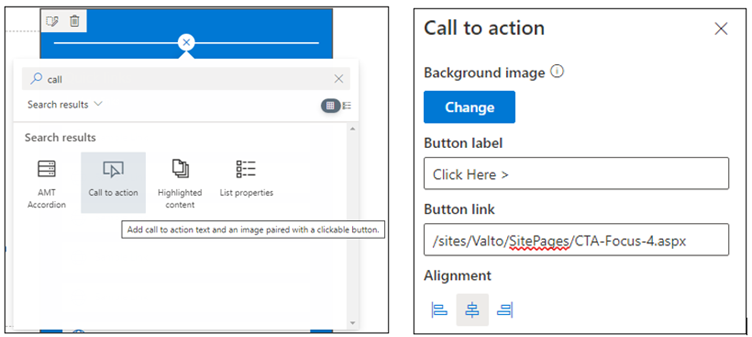
As previously detailed the key use case for this web part is to create an interactive component, that will direct users to content within your organisation, be it links internally within your intranet or to external systems and sites that are frequently used.
The use of imagery and buttons within the web part provides a more improved design in comparison to placing a hyperlink within text, allowing the content to stand out, drawing the attention of users.
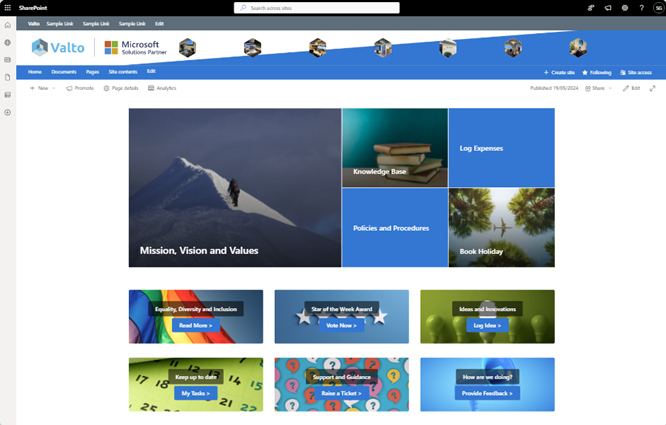
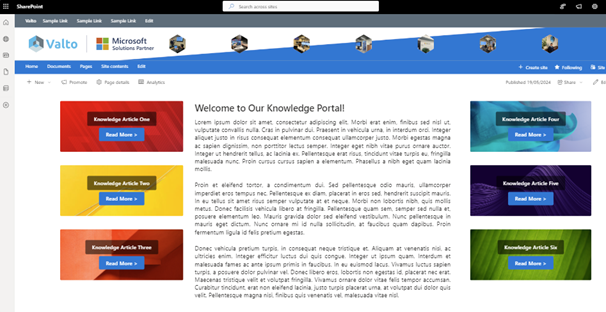
Combining this web part with varying page sections and layouts will provide differing results, helping your SharePoint pages remaining engaging. Some of examples of this will be explored below.
The most common approach for this web part is to provide a few links that stand out from other content on the page, if using this web part minimally.
The combination of the Call-to-action web Part alongside some text or quick links will easily draw the attention of users and can also be used to demonstrate importance.
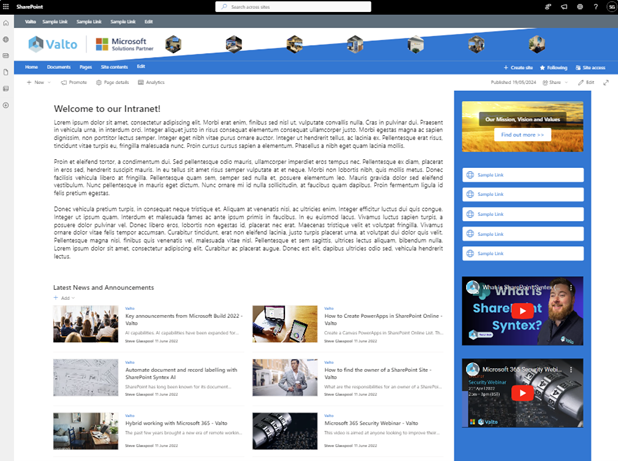
In the example below, you will see a call-to-action component being used alongside a set of quick links. Notice how the eye is drawn to the call to action first, and how it appears to be more important compared to the next set of smaller links.
In this case it is linking to a page covering “Out Mission, Vision and Values” but could be used to request feedback, or complete surveys.
As a final note on this use case, consider the need to highlight messages or links to systems for a short time period.
You may take the decision to add a call to action to announce a new system being released in the organisation, before it becomes a regular quick link, or to announce a specific survey such as voting for the end of year awards ceremony.
In these situations, the call to action can be added for a period and then removed when it is no longer applicable.
This approach drives user adoption even more, as typical users will identify that they have not seen that button before and will decide to read it and click on it!