
NewsMicrosoft 365
How Microsoft AI Is Evolving in 2026
Our best practices and tips for designing SharePoint Department Sites. Training, development and support for Microsoft services.
20 November 2025

News
Discover Microsoft Ignite 2024’s Copilot Agents, including Facilitator, Interpreter, Project Manager, Employee Self-Service, and SharePoint Agents, designed to streamline workflows and boost productivity.
One of the most important new features of Microsoft Copilot everyone is talking about that was announced at Microsoft Ignite 2024 is Copilot Agents.
They were introduced as AI-powered tools designed to streamline workflows, improve communication, and enhance productivity.
Copilot Agents specialise in different areas, providing tailored responses dependant on their specific skill set to meet the unique needs of modern workplaces.
In this blog we are going to explore the capabilities of each Copilot Agent.
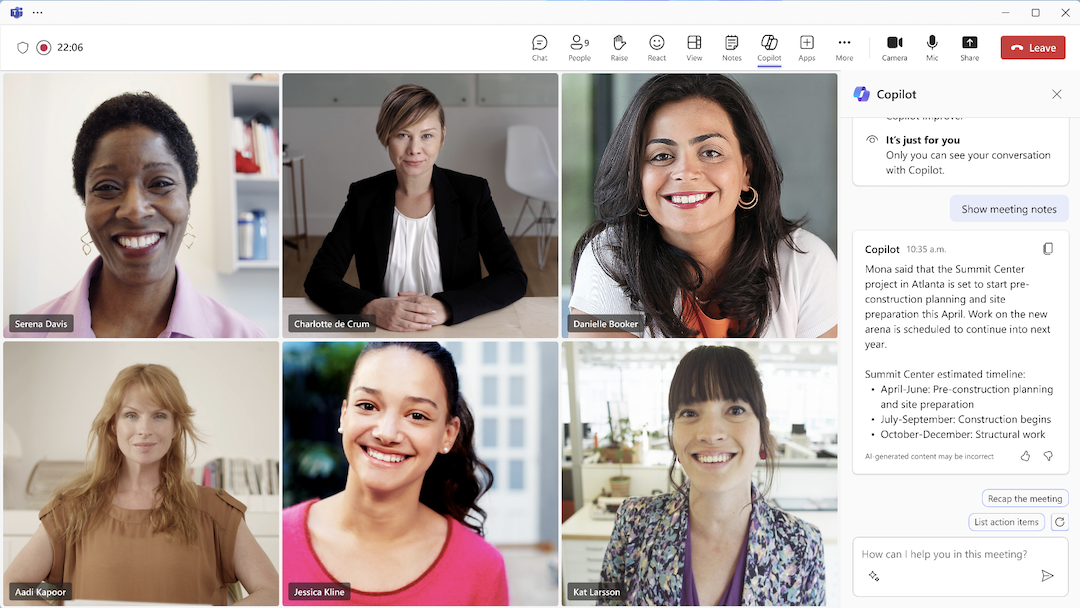
The Facilitator Agent is a Copilot Agent that enhances meeting productivity by providing real-time notetaking capabilities during Microsoft Teams meetings. This feature captures key discussion points during your Microsoft Teams meetings along with any decisions that have been made. It will document all your action items as they happen, ensuring nothing is missed. While initially available for virtual participants, this functionality will expand to Microsoft Teams Rooms in early 2025, so keep your eyes peeled. With this amazing update, users can invite a Teams Room to scheduled meetings or enable ad-hoc notetaking for in-office discussions. This will be like having your very own meeting facilitator sat alongside you. This means participants, whether remote or in-person, will have access to a unified, real-time record of the meeting. In addition to meeting support, the Facilitator Agent also aids Teams chat by creating live summaries of key information that the attendees of the meeting will find useful all from the Copilot user interface. These summaries capture: By providing an up-to-date overview of the conversation, the Facilitator Agent helps teams stay focused on the purpose of the meeting. Without having to waste anytime with the formulates and admin that comes along with running a work meeting. The facilitator agent is here to resolve issues efficiently, whether in meetings or ongoing chats. It will ensure that you are getting traction within your meetings and get the most value from your time.
The Facilitator Agent is a Copilot agent that will also eventually take on even more responsibilities, with the goal of managing meetings from start to finish. These future capabilities will include:
Effective communication in a global workplace can be challenging, especially when language barriers come into play. The Copilot Agent known as Interpreter Agent will be able to bridge gaps easier to increase collaboration with a multilingual workforce.
Traditionally, organisations have relied on costly interpretation services to ensure inclusivity in meetings.
The Interpreter Agent is set to change this by offering a seamless, real-time solution for language interpretation within Microsoft Teams.
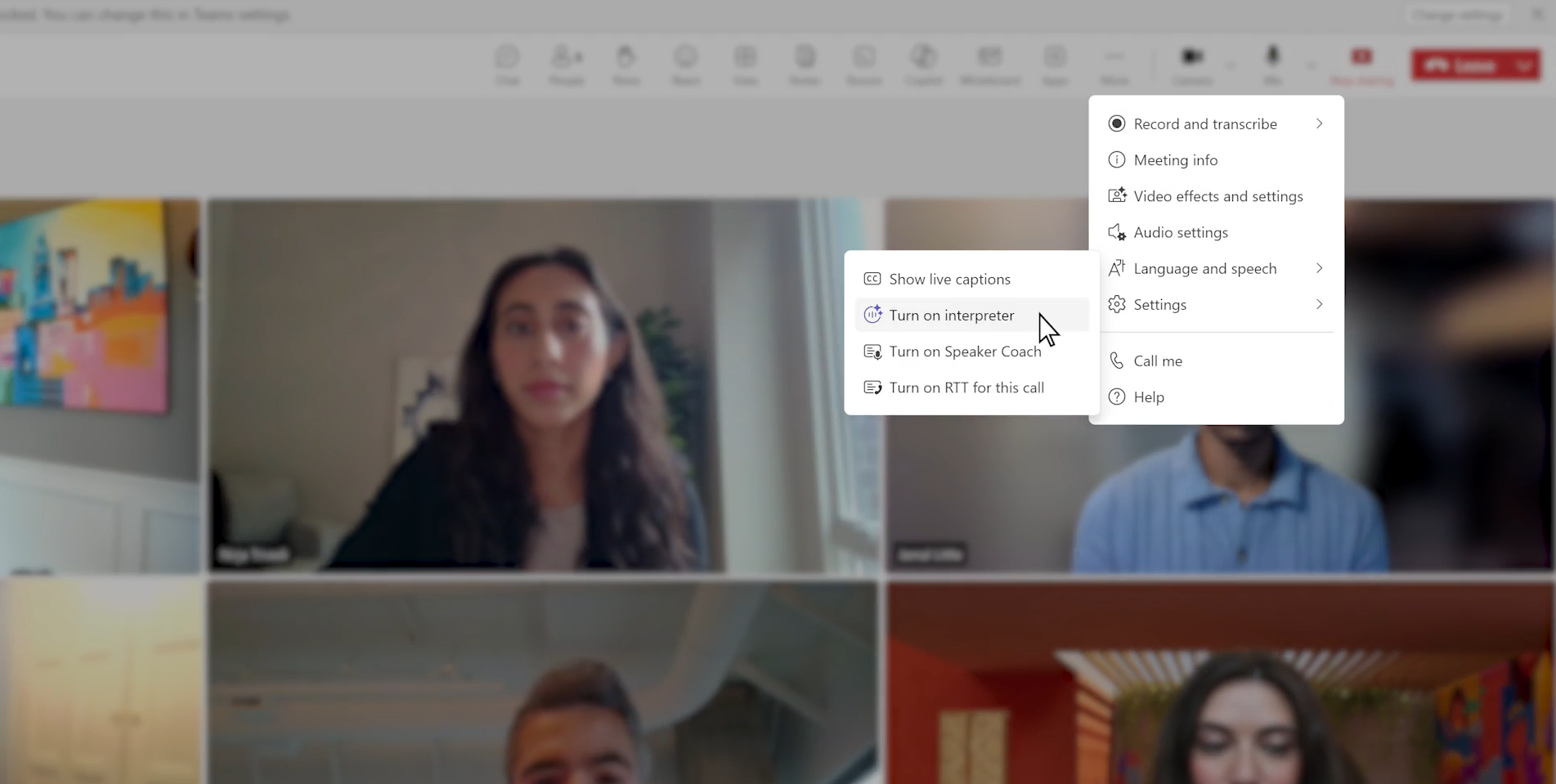
The Copilot Agent known as Interpreter Agent enables real-time speech-to-speech interpretation, allowing participants to:
Initially, the Interpreter Agent will support nine languages, including Chinese (Mandarin), English, French, German, Italian, Japanese, Korean, Portuguese (Brazil), and Spanish. But we expect that Microsoft will release many more languages within the next year.
This feature will be available in public preview starting early 2025, requiring a Microsoft 365 Copilot license for access. If you need a Microsoft Copilot license you can contact us for a free consultation to discuss your Copilot requirements.
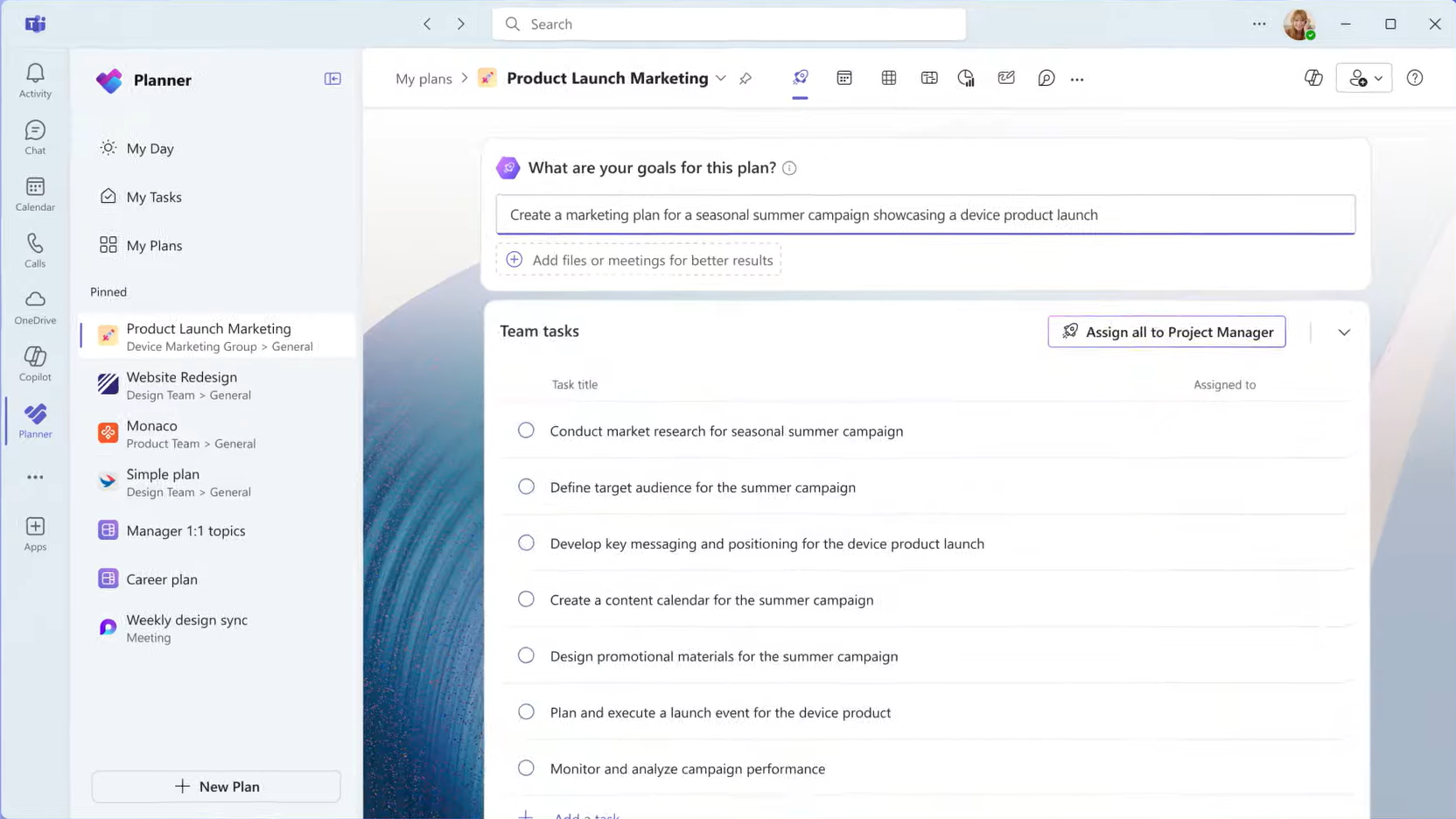
The Copilot Agent known as Project Manager Agent is designed to simplify project processes by offering a cost-effective, AI-powered solution that assists teams in organising, executing, and managing tasks efficiently.
The Project Manager Agent provides dynamic task management and content creation capabilities, allowing teams to:
This integration bridges the gap between ideation and execution, making it particularly useful for teams that rely on visual collaboration to generate and organise ideas. At Valto we are expecting this to be very useful within our Marketing and Creative department as they require visual collaboration to generate content ideas. By handling task automation and tracking, this Copilot Agent lets project managers focus on strategic priorities. This is yet another example of how Microsoft Copilot is automating some of the repetitive manual tasks that are less fun, freeing up time to focus on more exciting and value add tasks. The Project Manager Agent Copilot Agent is currently rolling out in public preview for customers in North America, with availability expanding to other regions through the first half of 2025. At Valto we are excited to get our hands on this Copilot Agent. A Microsoft 365 Copilot license is required to access the public preview. If you need any help purchasing or deploying Copilot, contact us today for a free Copilot consulting session.
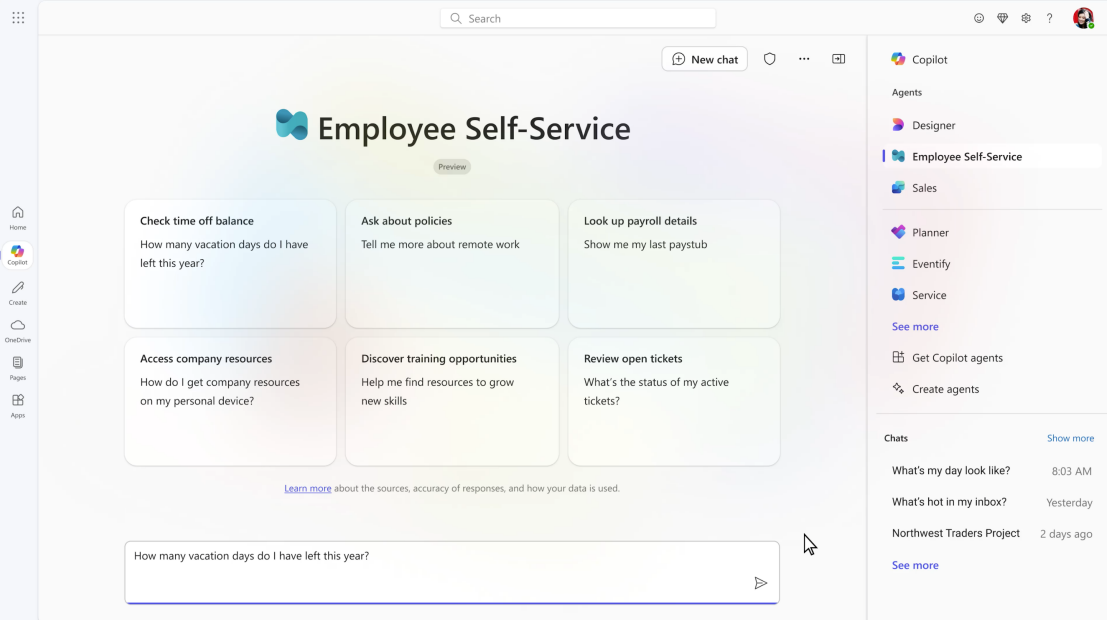
Navigating systems and policies to find answers can be time-consuming and frustrating for employees. The Copilot Agent known as Employee Self-Service Agent changes this by offering a centralised, real-time solution for common HR and IT needs.
This truly will be a game changer for any human resources department as It allows employees to access real-time answers and take action on essential HR and IT topics, such as logging PTO hours or submitting IT helpdesk tickets.
The employee self-service agent is connected to company knowledge bases and systems. This Copilot Agent ensures employees receive accurate information while helping organisations improve service delivery and reduce administrative costs.
Through Business Chat, users can handle a variety of tasks in one place, including accessing benefits and payroll details, initiating a leave of absence, requesting IT equipment like laptops, and getting assistance with Microsoft 365 products and services.
The agent is fully customisable via Copilot Studio, where administrators can use pre-configured topics, workflows, and authoritative knowledge sources like SharePoint.
It also allows for integration with Microsoft-built connectors for systems such as Workday, SAP, and ServiceNow, and can create tailored responses for sensitive topics.
Currently available in private preview, the Employee Self-Service Agent requires a Microsoft 365 Copilot license to access.
Microsoft has out done themselves with this Copilot Agent. It is going to completely revolutions how employees find and consume documentation from SharePoint Online.
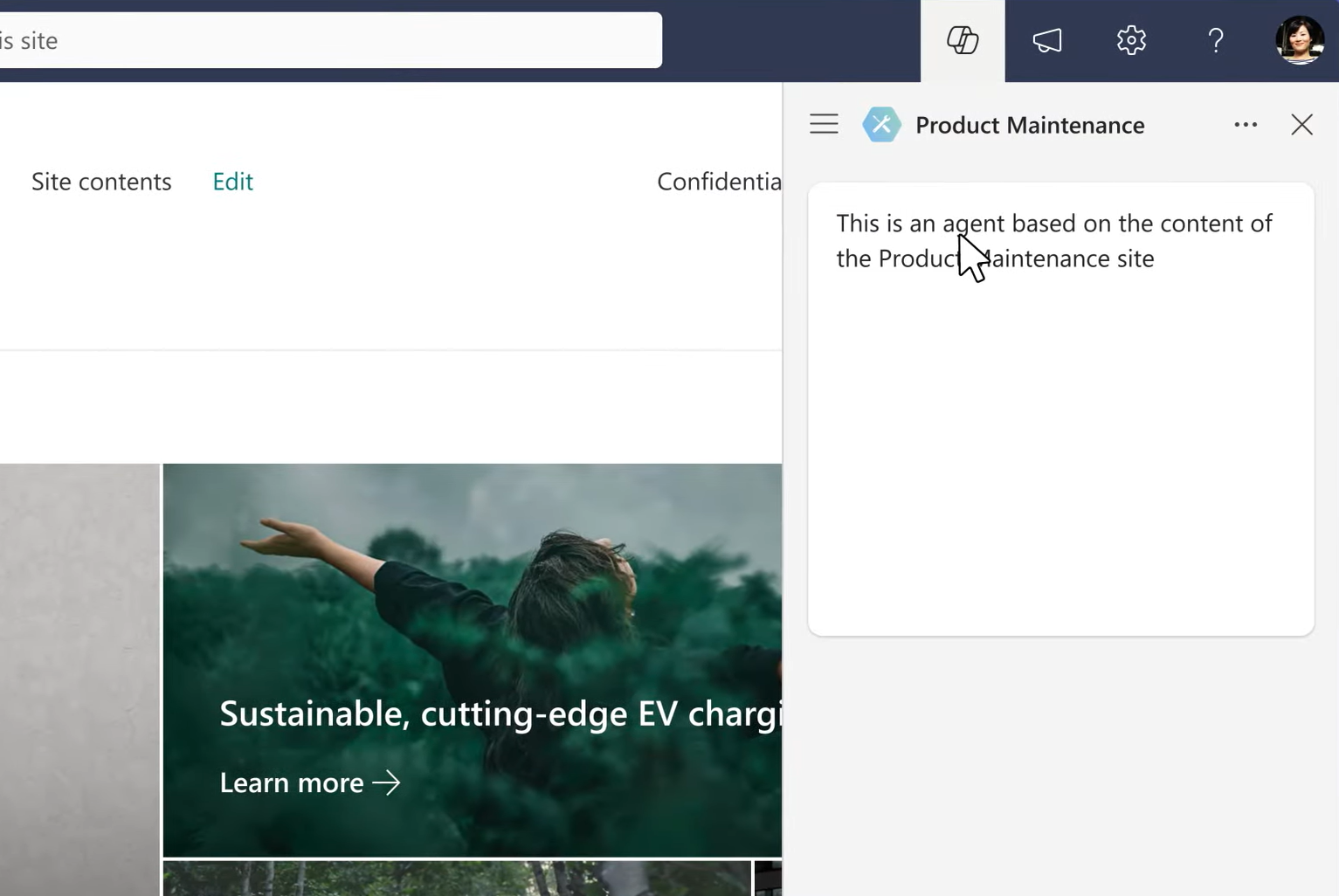
They have introduced Agents in SharePoint, designed to provide real-time information and insights directly from SharePoint sites. This means you can apply a Copilot Agent directly over the top of your existing document libraries within SharePoint.
Do you have a document library in SharePoint that hosts all of your company policies? Then you can apply a SharePoint Agent directly over the top of this to instantly build a specific Copilot chat bot that knows everything about your policies. Employees can then ask questions such as “How many days annual leave do I get” and the SharePoint Agent that is specially looking at documents from your policies library will have the exact answer.
These agents are grounded in the SharePoint site’s data, offering immediate, relevant answers without requiring customisation or time-consuming searches.
These agents are designed to integrate seamlessly into daily workflows. Employees can:
One of the best things about Copilot Agents as the content within a SharePoint site evolves, the agents automatically stay current with the latest information. So, you do not need to worry about updating your Copilot Agent.
This ensures that responses remain accurate and reflect the most recent updates, making them invaluable for decision-making, collaboration, and efficiency.
Whether using the ready-made agents or creating custom ones, Agents in SharePoint simplify the process of accessing key insights.
This new feature is now generally available and included with a Microsoft 365 Copilot license.
I am so excited about Copilot Agents. These products demonstrate a commitment to enhancing productivity and collaboration across organisations.
At Valto we will very quickly get return on investment from tools like the Facilitator Agent for real-time notetaking, Project manager agent, and Agents in SharePoint for up-to-date information based on our working documents.
If you have any questions about how Copilot can transform your workplace, book a free consultation with us today.
“We work with organisations across many sectors of different shapes and sizes from 10 to 100,000 employees.”
Contact our team today!
Our best practices and tips for designing SharePoint Department Sites. Training, development and support for Microsoft services.
20 November 2025
Our best practices and tips for designing SharePoint Department Sites. Training, development and support for Microsoft services.
8 October 2025
Explore how Microsoft Copilot supports IT and Marketing teams with real-world scenarios, helping automate tasks, analyse data, create content, and accelerate project delivery.
7 May 2025