


News
What is Microsoft Fabric
A unified data analytics platform. One product, one experience, one architecture, one business model. Unified data is stored in OneLake, a SaaS data lake for the entire organization. Data is integrated and stored in an open format, allowing one copy to be used to train machine learning models, visualize data, and run SQL queries on the lake and data warehouse.
- Published
- 8 November 2024
What is Microsoft Fabric?
In this article we will be answering the question of what is Microsoft Fabric?
Now, a lot of people, when they’re thinking about data, and reporting, and things like that, often think about Power BI. In fact, a lot of people get confused and think that Microsoft Fabric is just Power BI that’s had a facelift and Microsoft have rebranded.
In fact we recently published another article “Microsoft Fabric vs Power Bi” so if you have not seen that go and check that out.
The role of Power Bi in Microsoft Fabric
Think of Power BI almost like it’s part of the suite of Fabric products. Now, there’s other products and suites available in Microsoft that you might have heard of, like the Office suite, which has Excel documents, Word documents, and PowerPoints. Now, think of Power BI and think of Power BI.
Almost like it’s one of the products inside of the suite, which is known as Fabric.
Microsoft Fabric the unified data analytics platform
Now Fabric is known as a unified data analytics platform because it will do multitude of things, including
- Data engineering
- Data science
- Data governance
How Microsoft describe Fabric
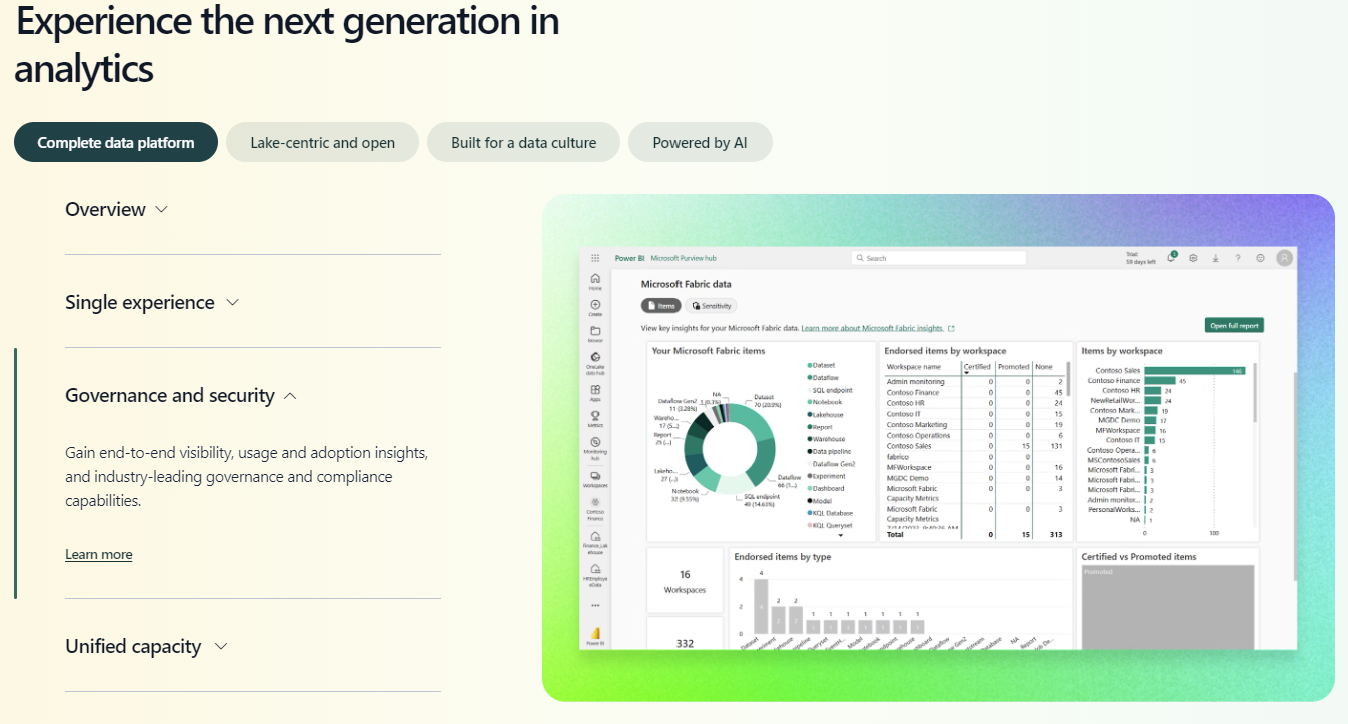
Introducing Microsoft Fabric, a unified data analytics platform. One product, one experience, one architecture, one business model. Unified data is stored in OneLake, a SaaS data lake for the entire organization. Data is integrated and stored in an open format, allowing one copy to be used to train machine learning models, visualize data, and run SQL queries on the lake and data warehouse. A unified experience brings together all the tools data professionals need. Pipelines for orchestrating data movement, experiments for training machine learning models, semantic models for defining key metrics, and much more. And for business users, Fabric brings together data for collaborating and doing ad hoc analysis in Microsoft 365. Unified governance, security, and compliance is built in for all your data. And with Copilot from Microsoft. Fabric AI helps everyone be more productive, whether it's writing SQL statements, building reports, or setting up automations based on triggers, all your data, all your teams, all in one place. This is Microsoft Fabric.
The 7 workloads of Microsoft Fabric explained
That’s a fantastic intro into what Fabric can do, but actually what the different products are available inside of Fabric.
Now, these products are referred to as workloads and there’s seven in total. We have:
- Data Factory
- Synapse Data Engineering
- Synapse Data Science
- Synapse Data Warehousing
- Synapse Real Time Analytics
- Power Bi
- Data Activator
What to expect from the user interface of Microsoft Fabric
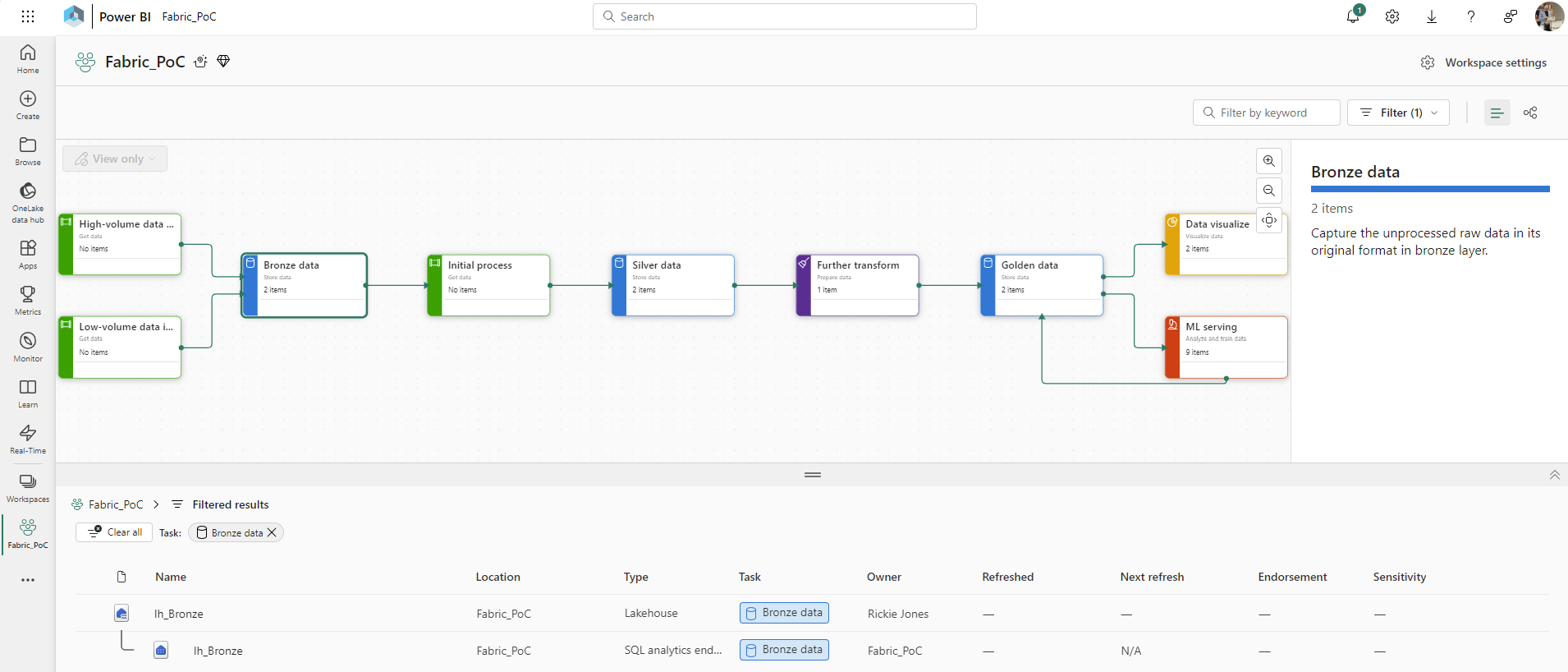
Microsoft Fabric actually has a very similar interface to power bi.
So if you’ve used Power Bi before you’ll be very familiar with the user interface and the concepts of things like workspaces and capacities.
How we actually create items is pretty much the same in Fabric as it was in Power Bi.
This is where a lot of confusion comes from about separating the two different products.
The problems that Fabric fixes
Everything you need for a data solution is provided by Microsoft Fabric under one roof. You don’t need to provision anything. These are all done and available for you.
And in fact, the number one problem before Fabric was launched was actually, you’d often require very large teams of people to work on a data project with lots of different roles and responsibilities.
For data analysts, especially using Power BI, you might not know who to contact to get access to the data or it can be very hard to access the data or even stand up your own data warehousing.
Even then it was a challenge to connect them all together. Whereas now with Microsoft Fabric, they’re all wired up for you automatically.
How to get started with Microsoft Fabric
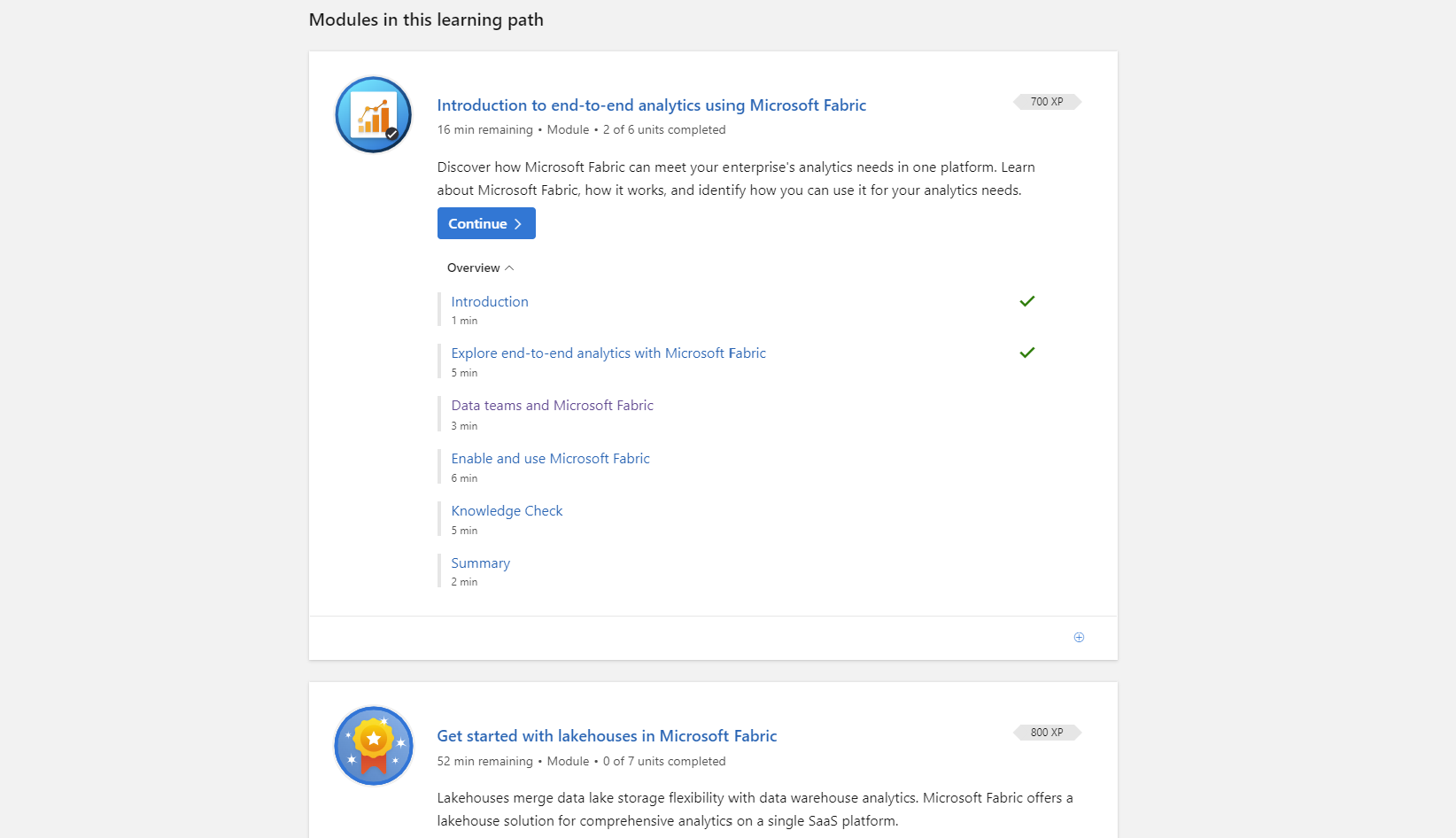
If you’re starting your journey learning about Fabric, I would recommend that you start this by checking out the Microsoft Learning Pathways website.
They have some free training courses that are all built by Microsoft, and they’re for complete beginners to start off with, and you can work your way through modules to earn XP, and work your way up to more advanced modules.
This will also help you work towards some industry recognized Microsoft official exams, which are basically showing you that you are qualified, and you know what you’re talking about when it comes to Microsoft Fabric.
So go and check that out and work your way through some of those training courses.
Book a free 1-hour Microsoft Fabric Consultation
If you need any professional help with your data project, there’s a link in the description where you can book your free one-hour consultation with one of our data experts.
We can discuss with you your data project any concerns you have and provide you advice on the best next steps.
We also assist in projects from the very beginning of proof of concepts all the way through to development and deployment.
As well as providing training and support around your data Power Bi and Fabric projects.
What is Micrsoft Fabric – Our Expert Says
Microsoft Fabric is like a Swiss Army knife for data. It brings together analytics, governance, and data integration tools all in one, so every “blade” you need to handle data is right there, ready to go.
Microsoft Fabric truly is is a game-changer. I’ve seen it break down the silos we often see in larger enterprise companies and empower teams to collaborate seamlessly across the organization. It’s remarkable how employees can go from hitting roadblocks on a daily basis to a full transformation. Being able to access and analyze data without juggling multiple tools. – Dougie Wood, Microsoft MVP
Trusted by Leading Brands
“We work with organisations across many sectors of different shapes and sizes from 10 to 100,000 employees.”
Contact Form
Contact our team today!
Talk to our team
Contact Us
Related reading

EventAI & Automation
What’s next? How data, automation & AI are reshaping business
17 November 2026 · 11:00 · 20 Stories, Manchester

NewsAI & Automation
Valto and Holstein UK launch major multi-year digital transformation programme
New partnership will modernise core systems and create a connected, data-driven platform powered by Microsoft technologies.
6 October 2026