

News
Windows 11 – Simple to Follow Guide
Windows 11 is the new operating system from Microsoft and is the successor to Windows 10. It was officially released on October the 5th and is now available to download. It is the first major system update from Microsoft since the launch of Windows 10 back in 2015. Windows 11 is the new operating system from Microsoft and is the successor to Windows 10. It was officially released on October the 5th and is now available to download. It is the first major system update from Microsoft since the launch of Windows 10 back in 2015. Windows 11 is the new operating system from Microsoft and is the successor to Windows 10. It was officially released on October the 5th and is now available to download. It is the first major system update from Microsoft since the launch of Windows 10 back in 2015.
- Published
- 15 October 2021
What is Windows 11?
Windows 11 is the new operating system from Microsoft and is the successor to Windows 10. It was officially released on October the 5th and is now available to download. It is the first major system update from Microsoft since the launch of Windows 10 back in 2015.
It has many exciting new features and improvements such as upgraded security, and a brand-new, modern aesthetic.
What is an operating system?
An operating system is a software that controls the computer. This manages and allocates a computers resource, such as computer memory, file storage, network connection etc.
Is Windows 11 free?
Windows 11 (opens in a new tab) is available to download for free for current users of Windows 10. Microsoft will be rolling out this update over the coming months to eligible customers. If you already have Windows 10 you will receive a notification when Windows 11 is ready for you to download.
Windows 11 will also come pre-installed for free on new PC’s and laptops.
Microsoft have also announced that there will be yearly updates for this system going forward.
Are you eligible to download Windows 11?
Microsoft have published minimum requirements to be eligible to download Windows 11. They have these in place so that they can adapt and update software to their users’ standards. The eligibility requirements are as follows: You can check if your laptop or PC is eligible for this upgrade by using Microsoft's PC Health Check App, which can be found at the bottom of this page.
- Processor: 1 gigahertz (GHz) or faster.
- RAM: 4 gigabytes (GB)
- Storage: 64GB or larger storage device.
- System firmware: UEFI, secure boot capable
- TPM: Trusted Platform Module version 2.0
What’s new in Windows 11?
Microsoft have named Windows 11 as ‘the most secure release yet’. It comes with many new features, which we lay out below:
Health check app
The new health check app is found in settings, and it will advise you on things such as screen brightness levels and if you need to turn this down to give your eyes a break. It also advises on when to change to power saving mode and will give a run-down of your PC’s battery percentage levels throughout the day.
In this breakdown of the battery percentage, it will also show you which apps are using either the highest or lowest level of battery and allows you to change the background settings for each of these apps individually.
Microsoft Teams integration
The taskbar has now been redesigned and optimized for touch as well as mouse peripherals and has been renamed ‘the dock’.
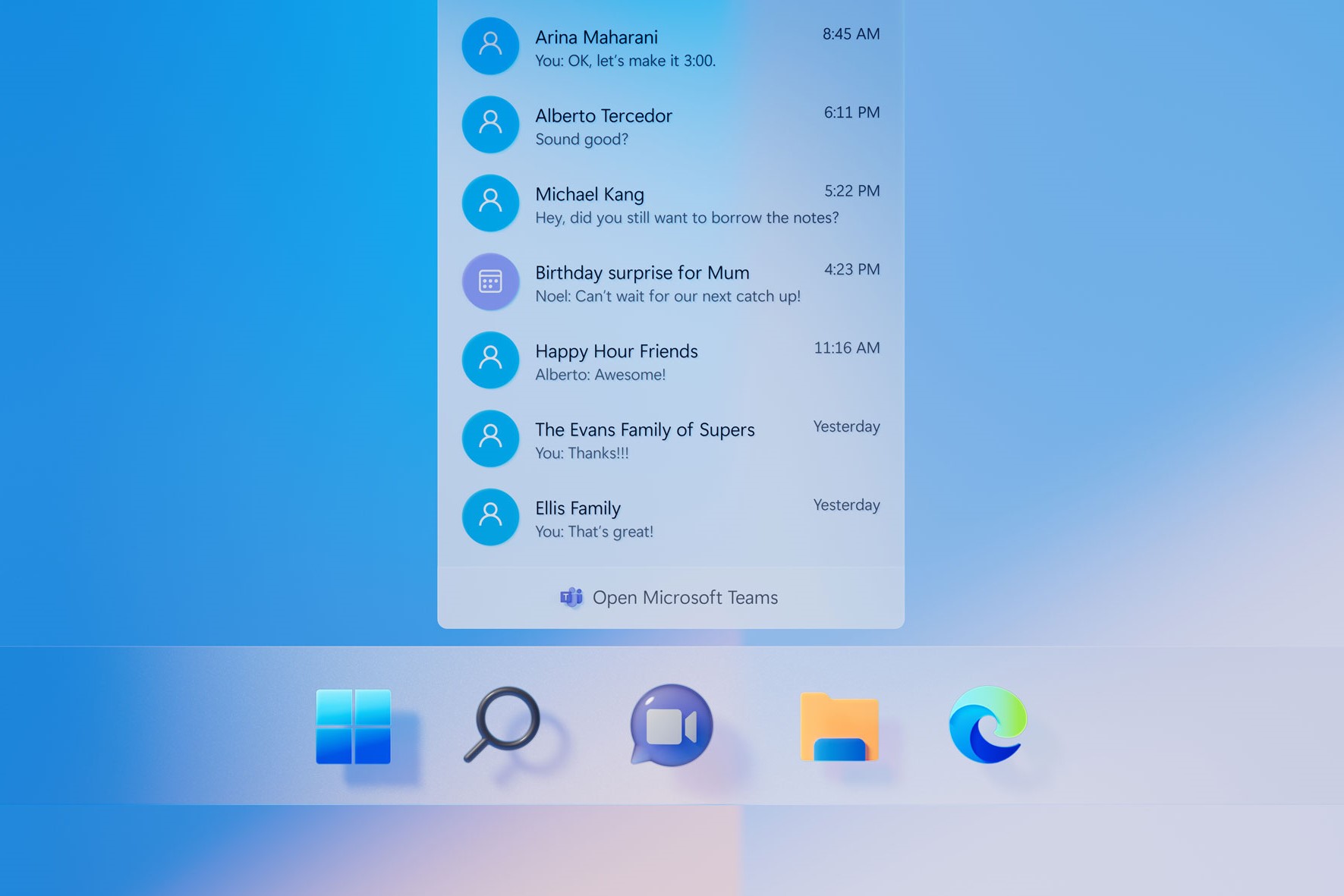
The dock now features Teams integration built in, which makes it easier to join in with meetings within Microsoft Teams. This is also a continuation of the retirement of Skype, and the switch to Microsoft Teams.
New Microsoft store
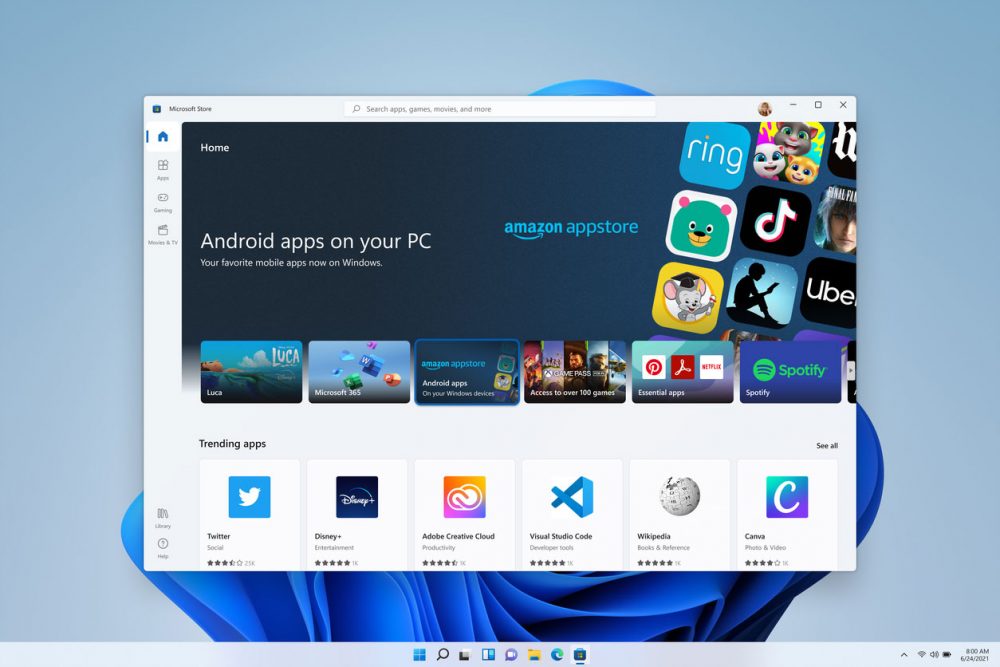
The Microsoft store has had a complete redesign. It not only has updated content but also better options and settings for TV show or video purchases, such as being able to mirror them, so that you can watch on your TV.
Many apps are already included in this redesign and are ready and compatible to use with Windows 11 including Adobe Creative Cloud, Pinterest and many more.
Android apps are also compatible with this update via the Amazon App Store. This also opens opportunities for Apple applications to become available in the future.
Fluent Design
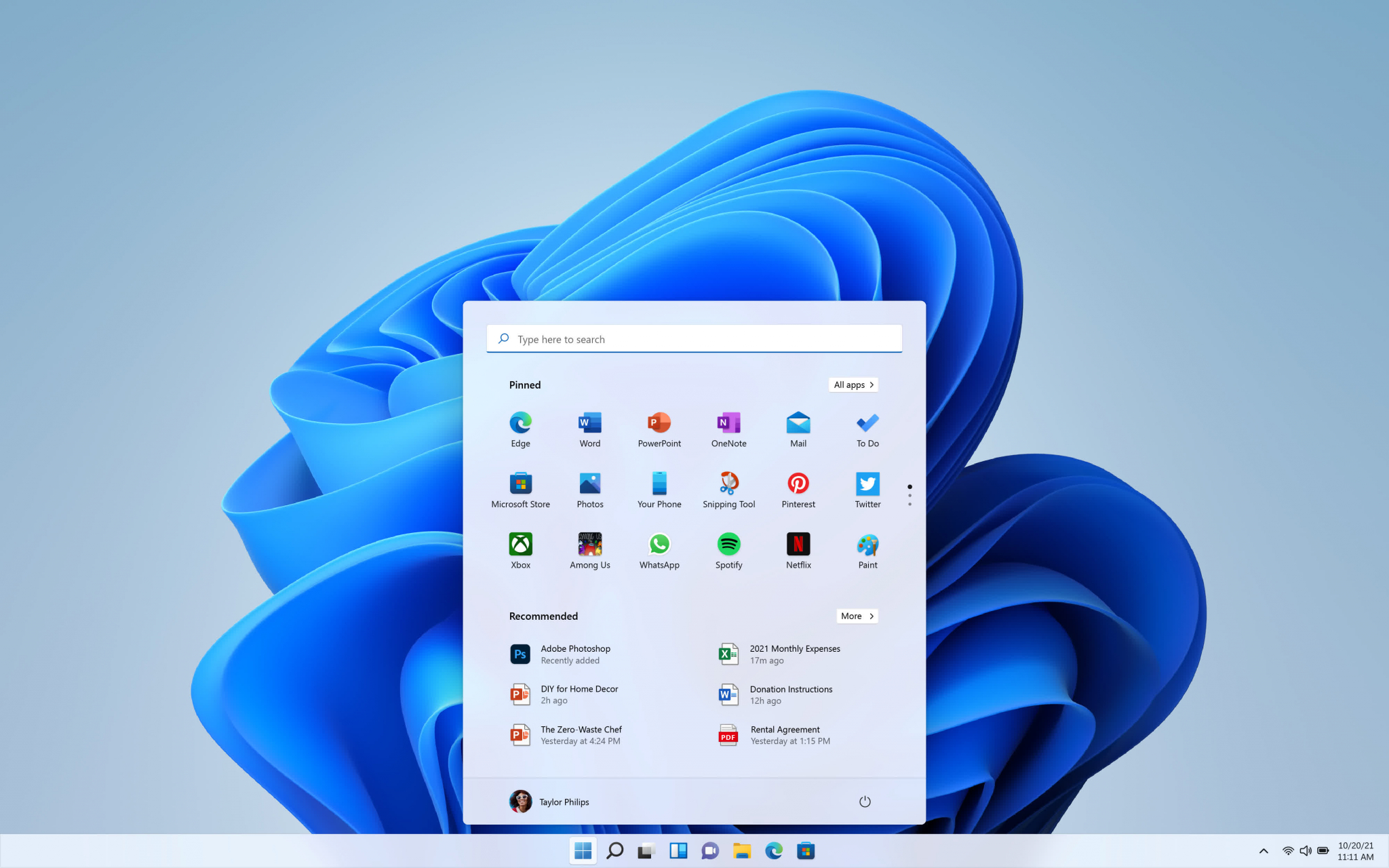
Fluent Design is what Microsoft have named the fresh look for Windows 11. The entire redesign of the system gives a more modern look. This fresh look comes with the ability to switch between light and dark mode. Additionally, the start menu is now cloud powered and sits in the centre of the screen. This means that it changes depending on the time of day, and the content and tools you are working with in that moment. Windows 11 also includes the integration of widgets such as news, weather and other third-party widgets are also supported on this platform. In addition to the redesign of the system aesthetics, Microsoft have also redesigned some of their apps to fit with the theme of Fluent Design, such as photos, snipping tool, and pain. Although, if the look of the new Fluent Design isn’t to your taste, Microsoft have made it easy and free of cost to personalise it to your liking. You can easily change the theme with many available and built ready for your use, and even more available to download from the Microsoft Store.
Touch improvements
Windows 11 features easier touch improvements, such as better ways to navigate and more around when using touch screen so that you don’t lose track of the apps you are using, and it is easier to rotate the screen.
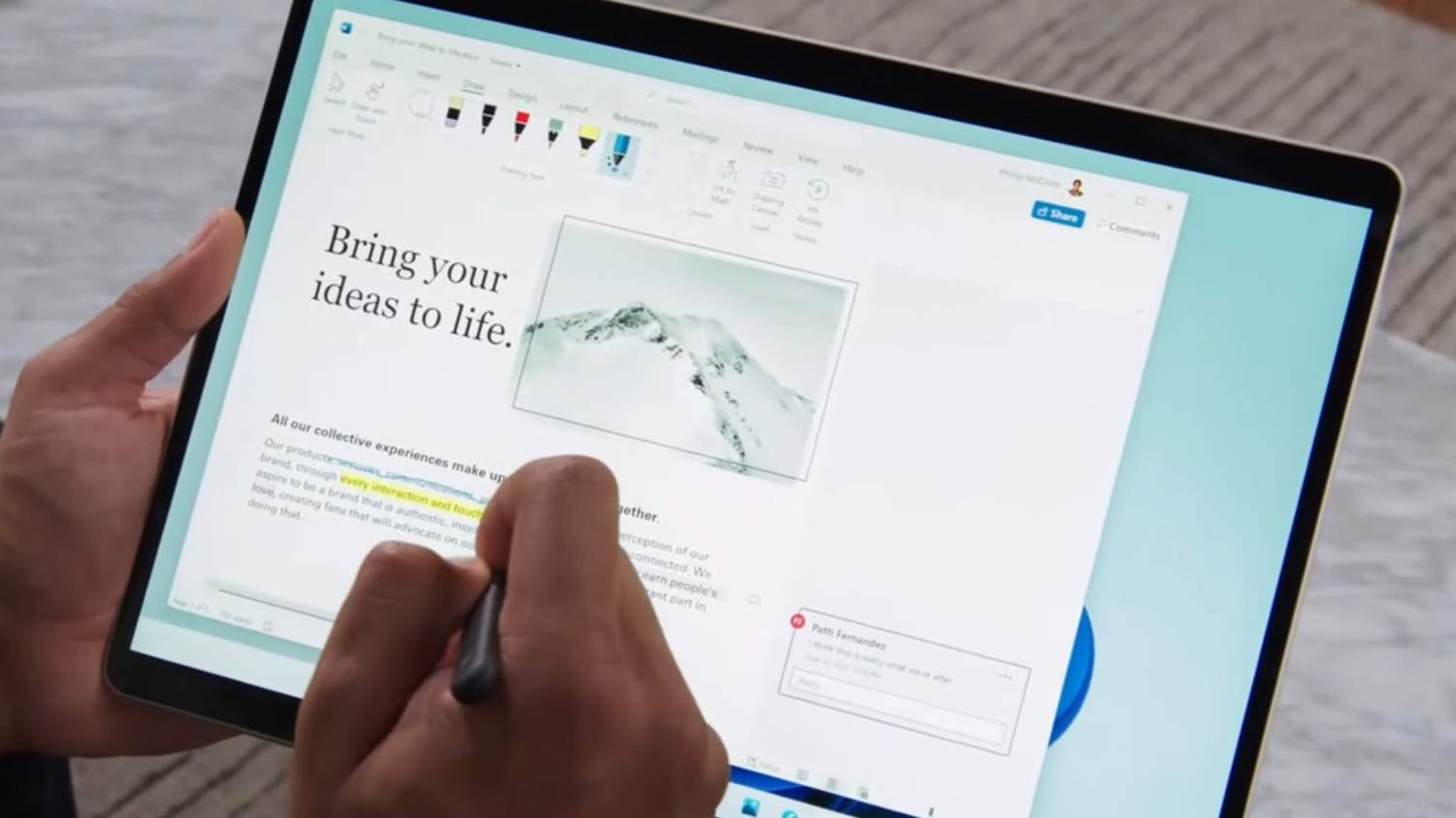
Haptics are also new in Windows 11, making using a stylus easier and more precise, especially if you are using this to digitally draw and sketch.
Additionally, the keyboard has been redesigned and made smaller for your thumb, as well as improved voice commands.
Focus Sessions
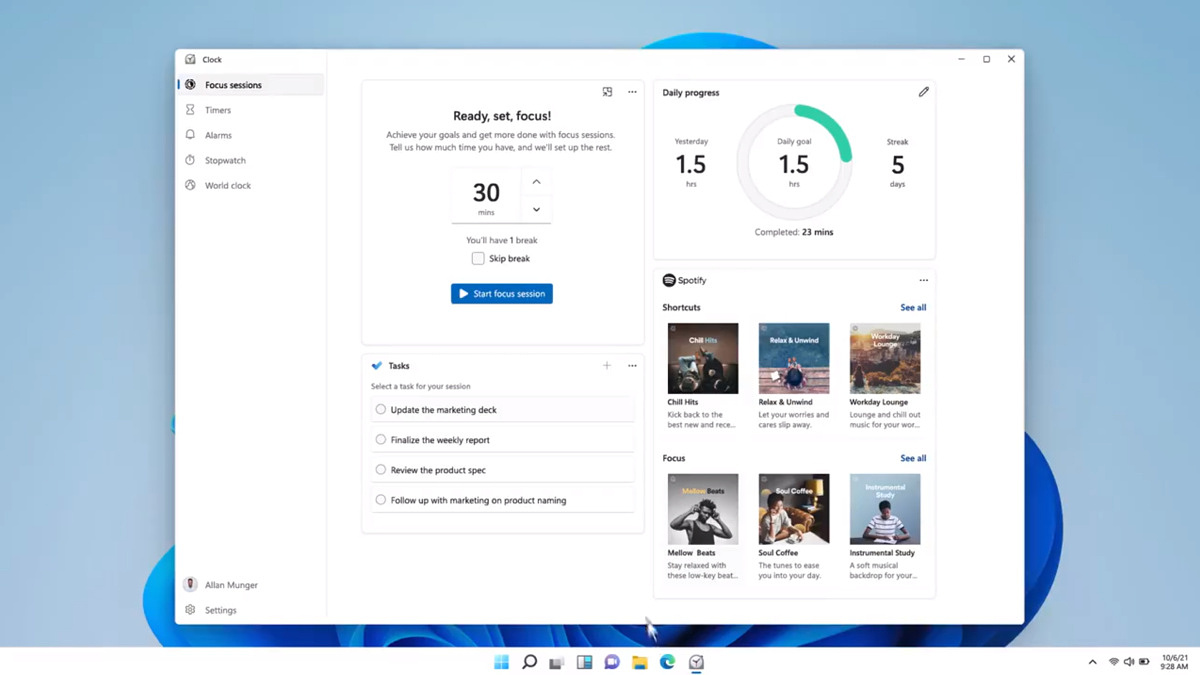
Many applications within Windows 11 use notifications, which can become distracting if you are trying to focus on your workload. Windows 11 has a feature called ‘Focus Sessions’ to help with this. It is an easy-to-use function that helps you to manage your notifications, and lets you decide when these should be muted.
You can customise the Focus Sessions feature, set up a schedule, and create priority lists. These can even be changed depending on which monitor you are using if you use multiple.
How to download Windows 11
If you are updating your system from Windows 10 to Windows 11, you will receive a notification when this update is ready for you to download.
Although if you do not wish to wait, you can also download Windows 11 straight from the download page (opens in a new tab) on the Microsoft website.
This system update can take some time to complete so we recommend downloading when you do not need to use your PC. If you are downloading this for your company or organisation, we also recommend rolling it out to a few individuals first, before making it available to the entire workplace. This ensures a smoother transition.
Valto are Microsoft specialists, and we can help make sure that the deployment of Windows 11 for your workplace is seamless, as well as provide help with how to navigate and get the most out of its new features. Get in touch!
About Valto – Your UK Microsoft Partner
Valto are here to help you with all your Microsoft 365 projects.
Valto are Microsoft 365 Specialists who provide a full range of services for the platform. This includes Support, Training, Adoption, Consultancy and Migration. Learn more about the Valto story or Contact Us today!
Frequently asked questions
Windows 11 is the new operating system from Microsoft and is the successor to Windows 10. It is the first major system update from Microsoft since the launch of Windows 10 back in 2015.
Windows 11 was released on the 5th of October 2021
You will receive a notification when the upgrade is ready for you to install. However, if you do not wish to wait, you can download Windows 11 now here.
Windows 11 is available as a free upgrade to those who are currently running Windows 10.
Talk to our team
Related reading

EventAI & Automation
What’s next? How data, automation & AI are reshaping business
17 November 2026 · 11:00 · 20 Stories, Manchester

NewsAI & Automation
Valto and Holstein UK launch major multi-year digital transformation programme
New partnership will modernise core systems and create a connected, data-driven platform powered by Microsoft technologies.
6 October 2026