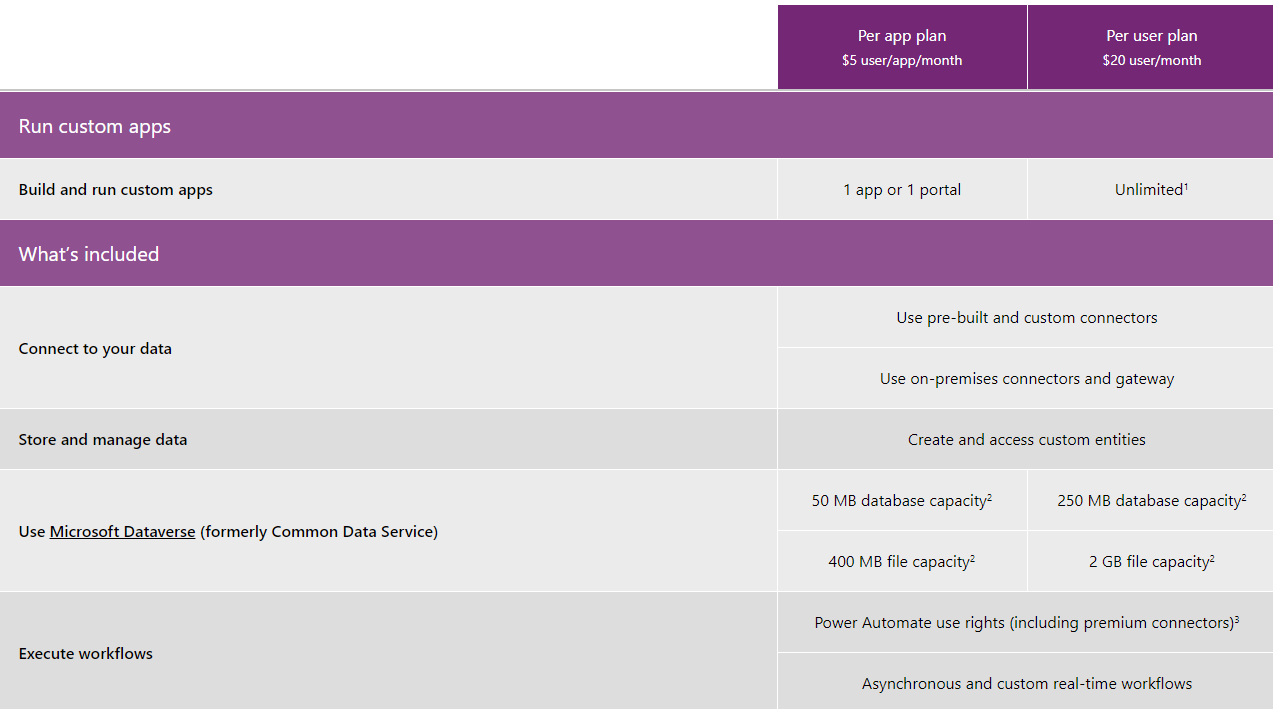
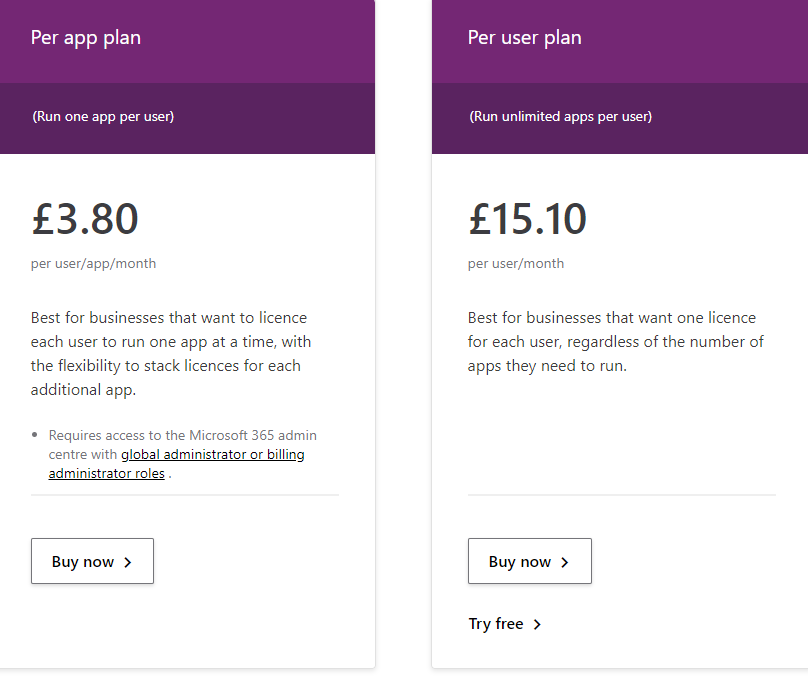
Microsoft PowerApps prices has two plans available, these are shown and compared in the images below:
An Access app is a database that you use in a standard web browser. Although you still design and modify changes within Access 2013 or later. The data and database objects are stored in SQL Server or Microsoft Azure SQL Database, so you can share the data within your organization using on-premises SharePoint.
Microsoft Access Online gives you all the features and functionality of the full desktop version of Microsoft Access but just in a web browser instead that is therefore accessed over the internet. This also means that you can share your creations with your colleagues.
Using Power Apps, you can quickly build custom business apps that connect to your data stored either in the underlying data platform (Microsoft Dataverse) or in various online and on-premises data sources (such as SharePoint, Microsoft 365, Dynamics 365, SQL Server, and so on). Apps that are made using PowerApps also have the capability to run on computers, laptops, mobile devices etc.
Microsoft Access can essentially provide the same functionality as PowerApps. Although, PowerApps is a cloud-based application and is therefore extremely secure. This means you can create custom apps and enter data without the worry of losing anything as it is all saved and backed up to the cloud. This function also makes it easier to keep up date, with team members being able to access information and consistently update this.