

News
Top 5 Features of Microsoft Teams in 2022
What are the top 5 features of Microsoft Teams in 2021? As more people are working from home, apps such as Microsoft Teams have gained popularity during the global pandemic. Since its release in 2017, Microsoft announced that as of October 2020, Microsoft Teams had reached 115 million daily active users. Whether you are new to Microsoft teams or an active user, this post outlines the best features of Microsoft Teams to help you get the most out of the app.
Microsoft Teams
- Published
- 8 April 2021
The Top 5 Features of Microsoft Teams in 2022
What are the top 5 features of Microsoft Teams in 2021? As more people are working from home, apps such as Microsoft Teams have gained popularity during the global pandemic.
Since its release in 2017, Microsoft announced that as of October 2020, Microsoft Teams had reached 115 million daily active users.
Whether you are new to Microsoft teams or an active user, this post outlines the best features of Microsoft Teams to help you get the most out of the app.
Bookmarking
Microsoft Teams include the option to bookmark specific messages and content.
In many businesses there is a constant stream of messages and information that is received throughout the day often made easy with Microsoft 365 Business Voice.
The bookmark feature helps to keep track of valuable information, and saves crucial time searching through an onslaught of data.
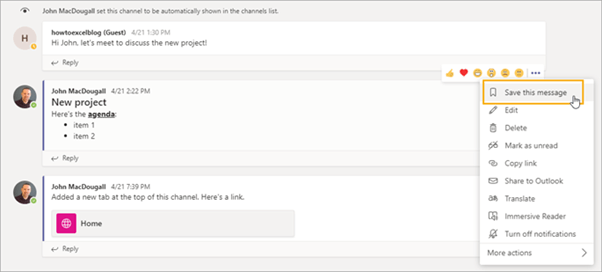
See below the screenshot that previews the bookmark feature for specific messages. These will then be available when clicking your profile icon under “saved” in the drop-down menu.
Whiteboard
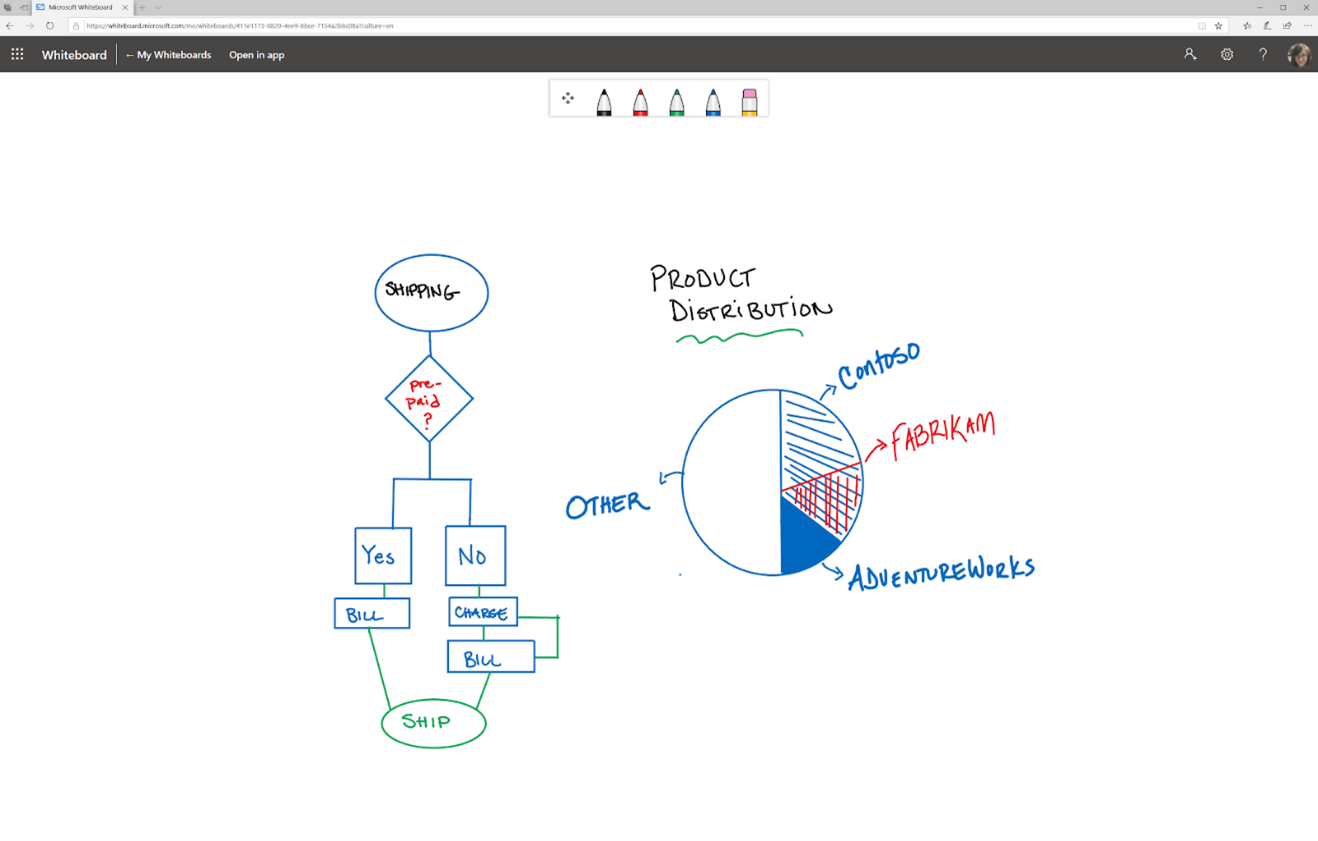
The whiteboard feature allows all participants of a team meeting to share and sketch ideas in real time.
Features of the whiteboard include different pens and graph options, and users without touchscreen access can collaborate using typed text.
The whiteboard feature is also available to the meeting participants after the meeting has ended, under the whiteboard tab. This enables the continuation of collaboration between the attendees.
Cloud Recording
This feature allows you to record your meetings on teams and store it in the cloud.
It will record not only the meetings audio, but also video and any screen sharing activities. This allows you to go back and listen to aspects of meetings you might have otherwise missed.
This feature also has the option of automatic transcription. This makes it easier to search for specific information with a keyword or phrase.
The recording happens in the cloud and is then saved to Microsoft stream.
Slash Commands
Slash commands are shortcuts for performing common tasks in teams and are a great way to get work done fast and efficiently.
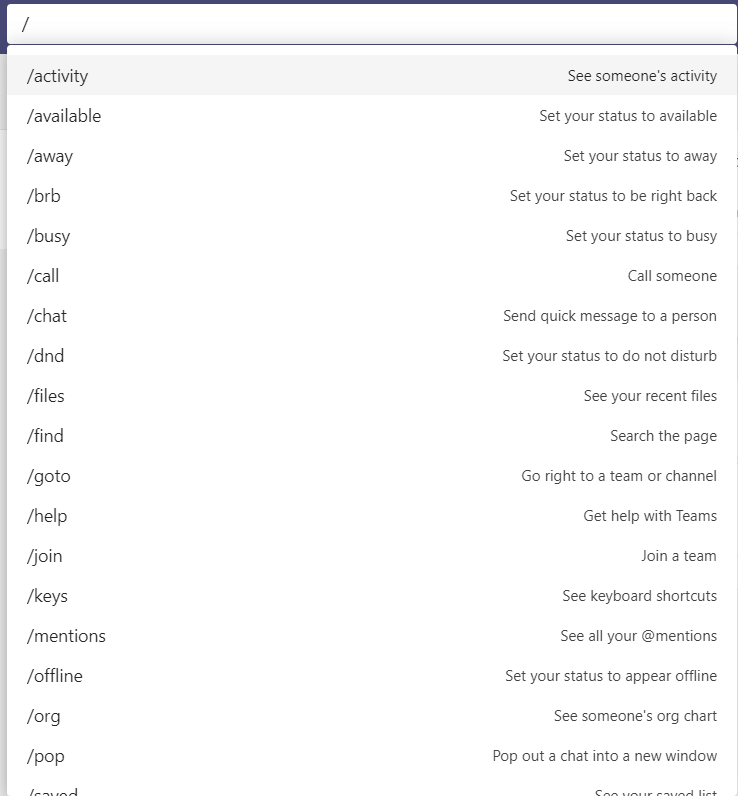
To use a slash command, simply type / in the command box at the top of the teams app, and then select which command you would like to use.
This Microsoft Teams feature can be used for various actions such as, setting your status, accessing saved messages, view your @mentions, check to see what’s new in teams, and much more.
See below for a list of all slash commands that are currently available.
Custom Connectors
Custom connectors keep your team updated and ahead of the curve by delivering updates from services that are frequently used by your team or business.
By using connectors your team can receive updates from popular channels such as Twitter, Trello, Wunderlist, GitHub, and Azure DevOps services within the teams chat stream.
This saves time trying to find information from these channels separately, and everyone in the team will receive updates and notifications when updated content and messages appear.
Any member of a team can connect the other team members to these popular cloud services, and these connectors will continue to function after the team member that set them up has left.
Hopefully, this gives good insight into the top 5 features for Microsoft Teams.
Contact Us
Valto are here to help with your Microsoft 365 projects. Get in touch via 03335 779 009 or Contact Us.
We offer Teams Services including Business Voice, Consulting Services, & Migration Services.
Talk to our team
Topics
Related reading

EventAI & Automation
What’s next? How data, automation & AI are reshaping business
17 November 2026 · 11:00 · 20 Stories, Manchester

NewsAI & Automation
Valto and Holstein UK launch major multi-year digital transformation programme
New partnership will modernise core systems and create a connected, data-driven platform powered by Microsoft technologies.
6 October 2026