Modern Workplace
SharePoint Controlled Documents & ISO Management
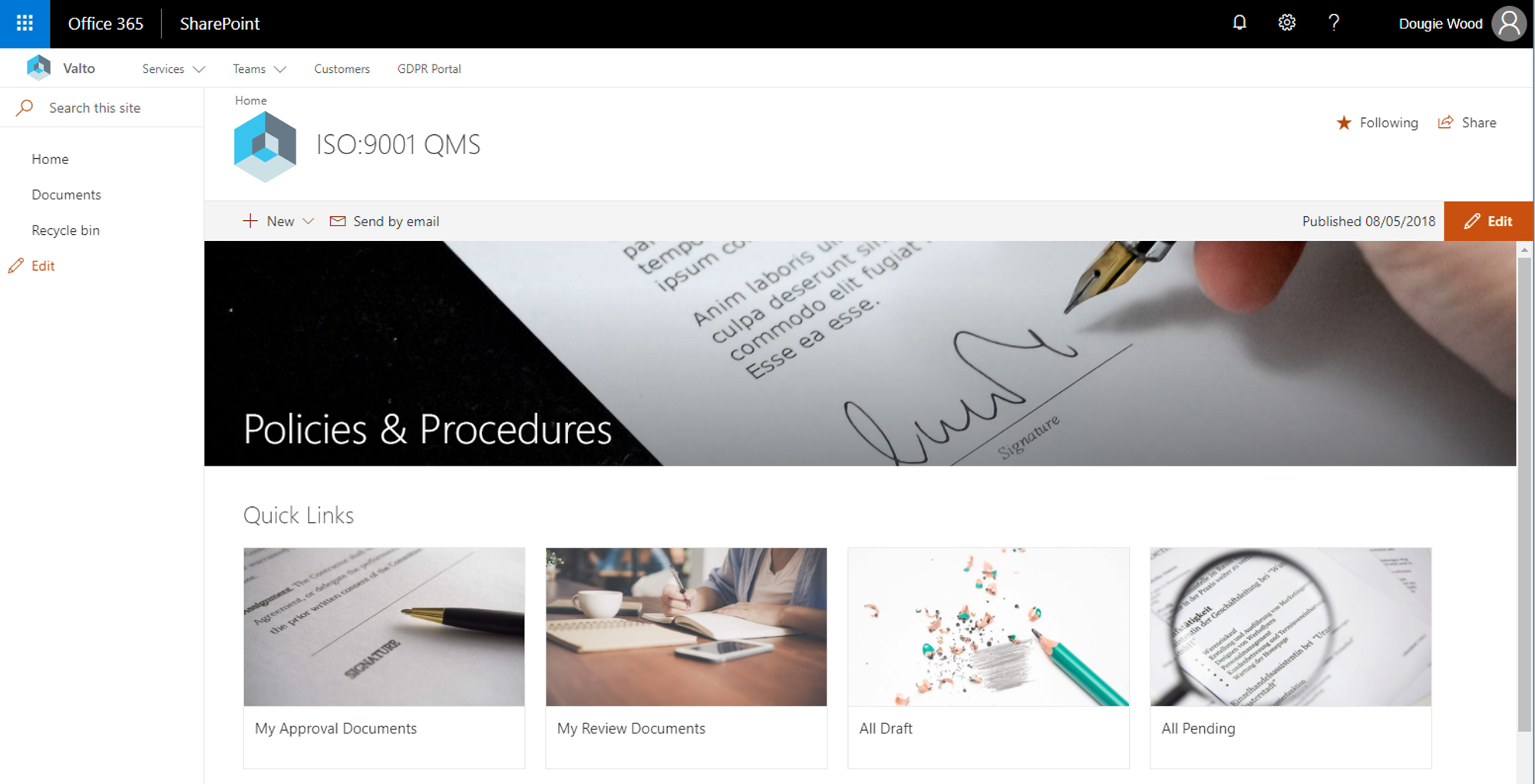
Easily manage your SharePoint ISO Document Management, IMS Processes and Document Approvals with our fixed priced solution.
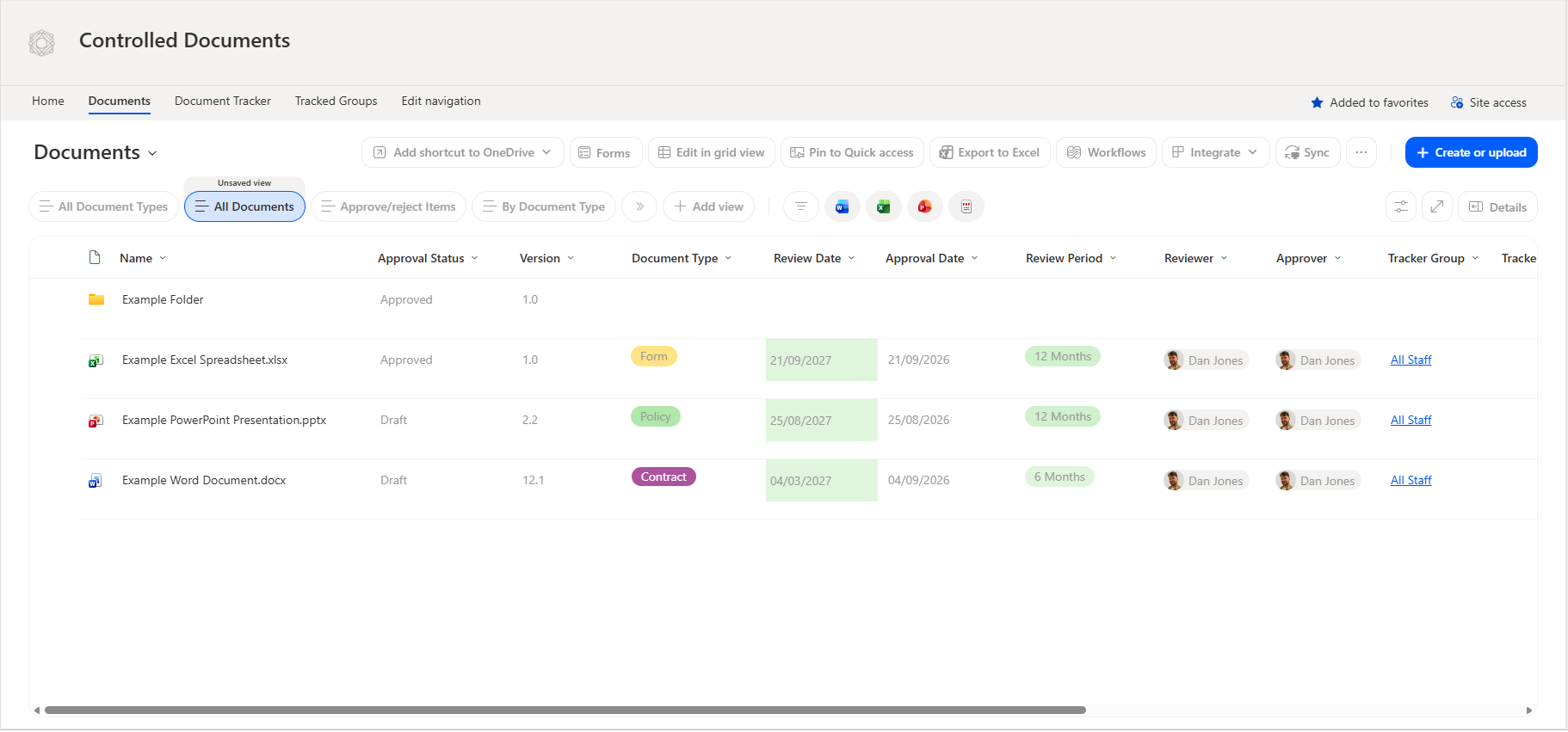

Version History
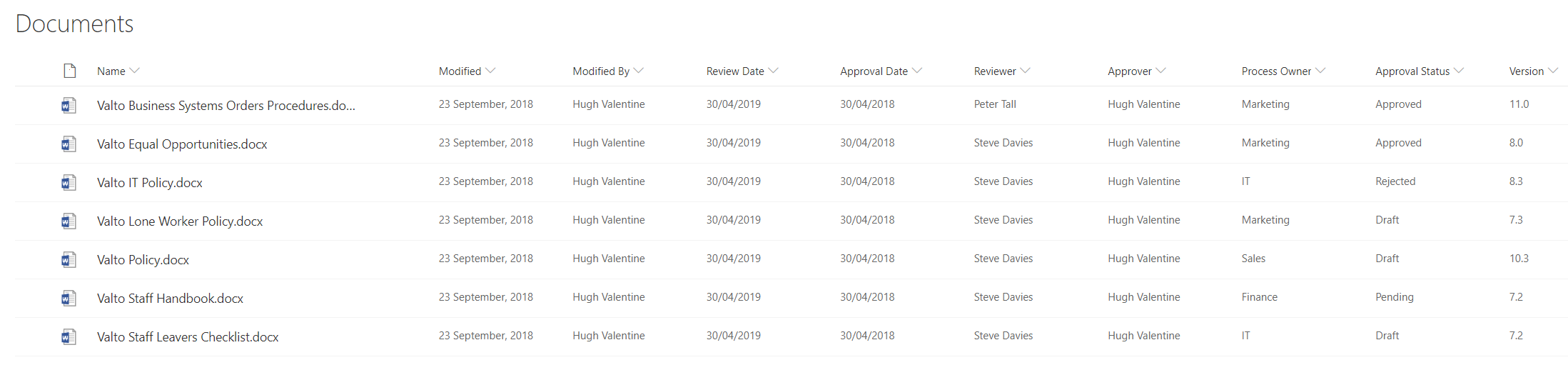
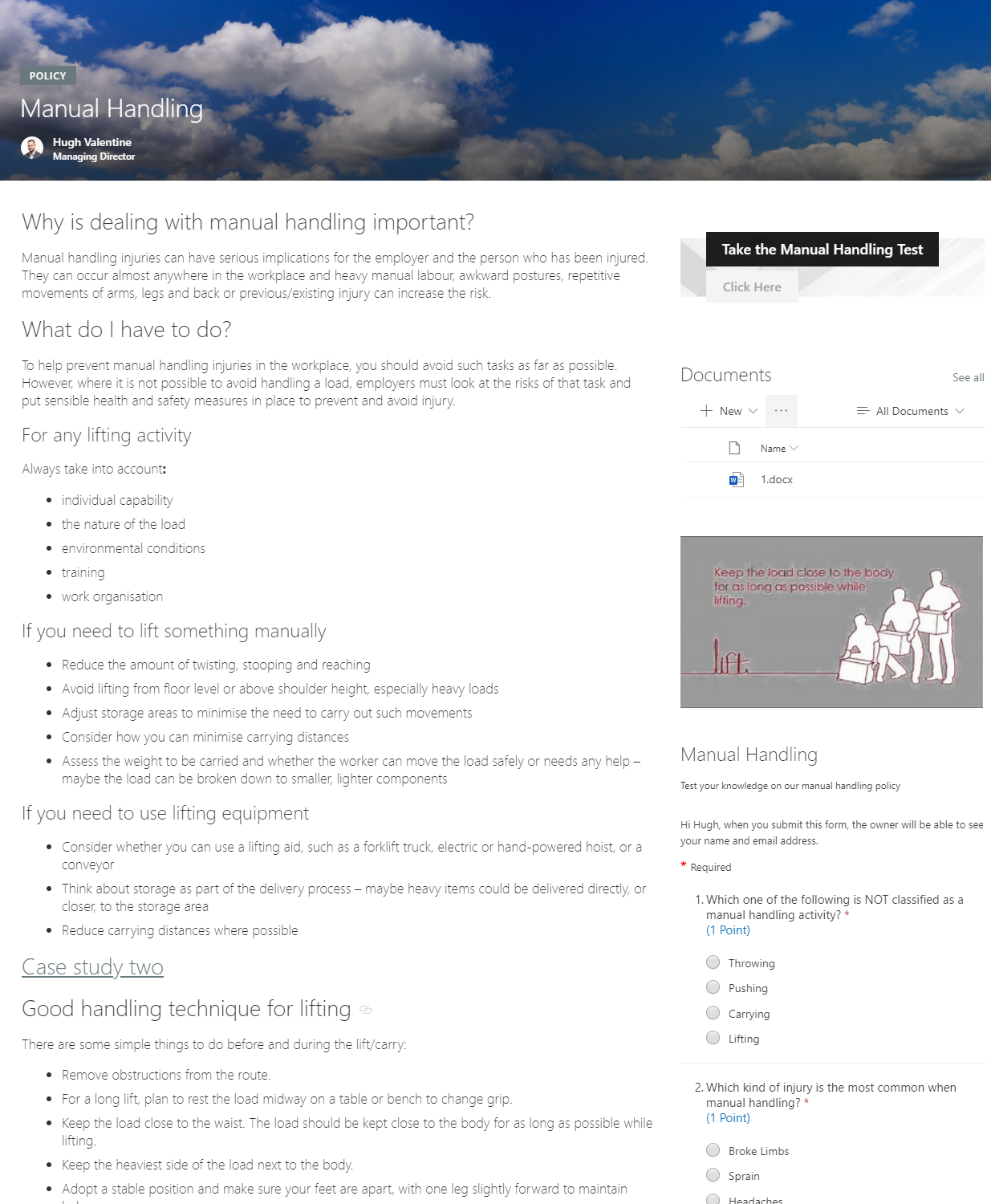
Full version history for all documents including comments, approval notes, document versions and more.
Multi Step Approval
Our policy system allows for multi step approvals. Allow policies to be reviewed then approved or add additional steps in as required.
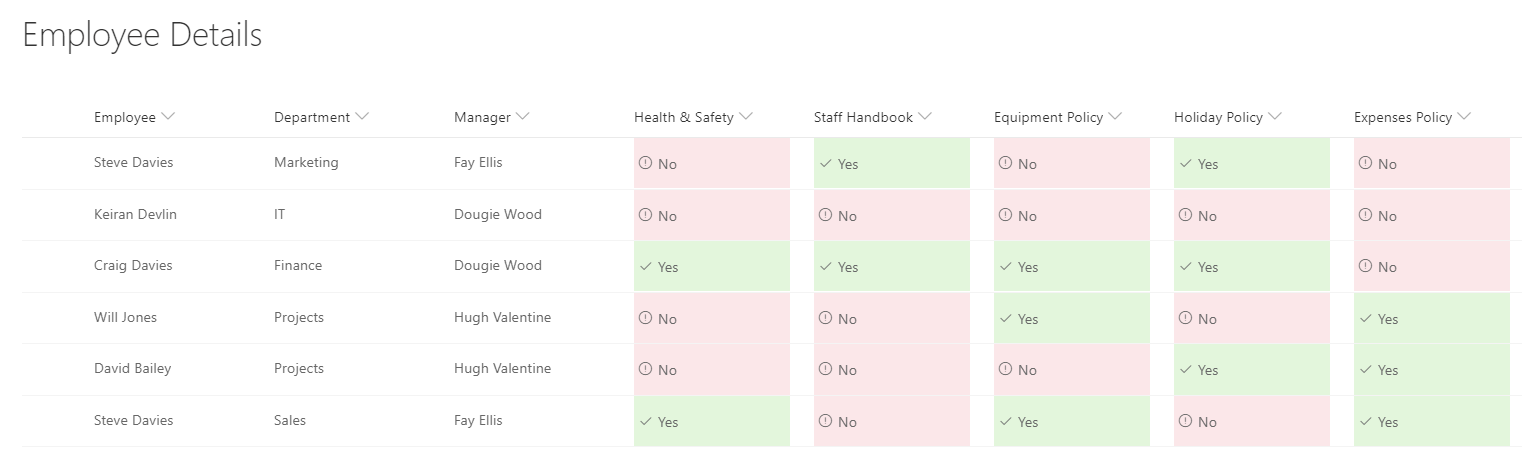
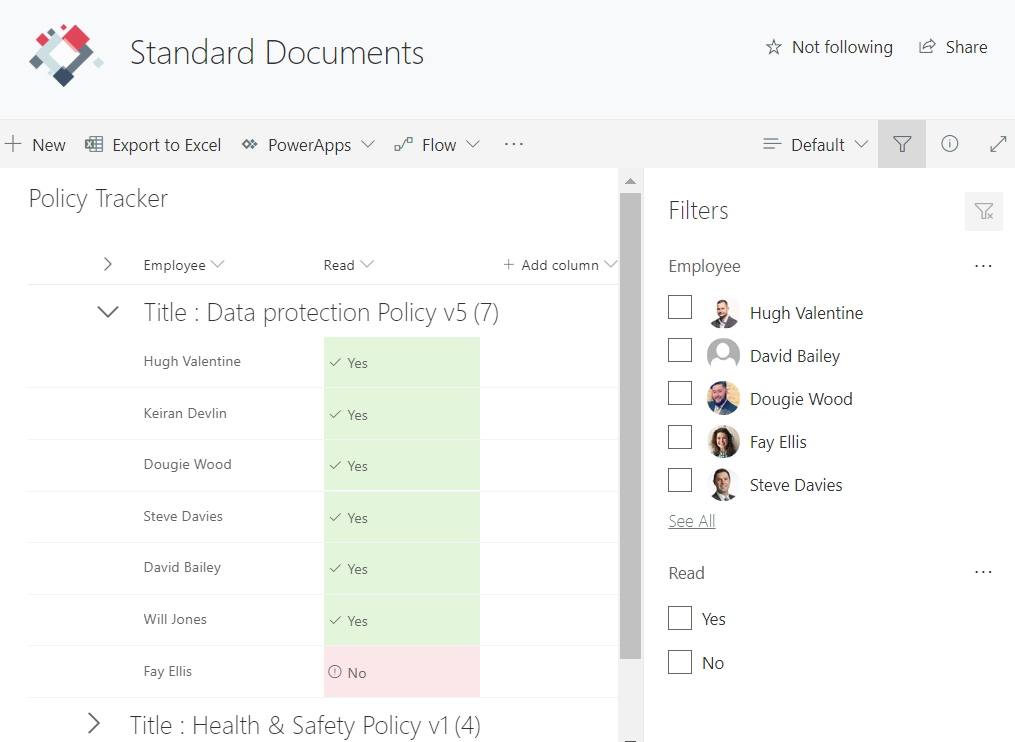
Policy Tracker
Track whether staff members have read and understood the policies when they approved as new versions.
Easy to Deploy
Our SharePoint developers can deploy the ISO & IMS system for you in no time. Allowing you to automatically manage the reviewing, approval and version control processes required for ISO & IMS processes.
SharePoint ISO Document Management
Easily manage your SharePoint ISO Document Management, IMS Processes and Document Approvals with our fixed priced solution.
Works with SharePoint On Premise & Online
Our SharePoint ISO & IMS Process can be deployed on SharePoint 2013 to SharePoint Online at no additional cost.
Trusted by Leading Brands
"We work with organisations across many sectors of different shapes and sizes from 10 to 100,000 employees."













Our 5 Step Process
Our simple 5 step process is clear and transparent from start to finish
 1
1Assessment and Workshop
1-2 Working Days
We begin by conducting a comprehensive review of your existing files and data. This thorough evaluation is essential to gain a clear understanding of the complete scope and volume of data that needs to be migrated to Microsoft 365. This initial step sets the foundation for a successful migration.
 2
2Prepare Your Data and Organise
3-5 Weeks
When focusing on the organisation of your data, take the time to meticulously arrange and categorise your files. Pay close attention to what access permissions are currently set and how this will transition. A well-organised structure is key to ensuring a seamless transition and efficient data management within Microsoft 365.
 3
3Start the Migration Process
1-2 Weeks
It's time to set the wheels in motion. Begin the migration process by moving specific departments or designated sections while keeping other areas intact on your current system. This selective approach ensures a smoother transition for those initial sections, allowing you to learn from and refine the process as you go.
 4
4Verify and Test
1-2 Weeks
Once the migration is completed, start on a thorough verification process. Confirm that all your files and data have been successfully and accurately transferred to Microsoft 365. Rigorously test accessibility and functionality to guarantee that everything functions as expected.
 5
5Training at Different Levels
2-3 Working Days
To maximise the benefits of Microsoft 365, consider implementing training at various organisational levels. This includes providing end users and IT admins with the knowledge and skills required to manage the environment. Additionally, explore the 'Train the Trainer' approach, empowering a designated in-house expert to guide both end users and IT administrators.
SharePoint ISO Document Management with Microsoft 365 – Full Demo
Watch the video (opens in a new tab)
Benefits of using Sharepoint as an ISO Document Management System
SharePoint is Microsoft’s versatile collaboration platform. It offers numerous benefits when used as an ISO document management system. ISO standards are crucial for ensuring consistency, quality, and efficiency across industries, making a robust document management system essential.
SharePoint aligns well with these needs:
- Centralized Repository: SharePoint acts as a centralized hub for ISO documents, providing a secure and organized location for storing, managing, and accessing essential files. This ensures that the latest versions of ISO documents, such as policies, procedures, and work instructions, are readily available to authorized personnel. This centralization reduces the risk of outdated or conflicting information, contributing to better compliance with ISO standards. This is what we at Valto refer to as a single source of truth.
- Version Control: SharePoint’s versioning capabilities are invaluable for ISO document management. It tracks changes, allows for easy retrieval of previous versions, and provides a clear audit trail, which is vital for ISO compliance. These versions can also be surfaced directly inside of a Word document if hosted in SharePoint Online. Version control ensures that any revisions or updates to ISO documents are documented, making it easier to demonstrate adherence to ISO standards during audits.
- Collaboration and Workflow: SharePoint enhances collaboration by enabling multiple users to work on ISO documents simultaneously. This is what we at Valto refer to as co-authoring a document. We use Power Automate to provide a robust workflow packed with automated review and approval processes, ensuring that ISO documents undergo the necessary checks before finalization. This streamlines document management and ensures that ISO-related tasks progress smoothly within the organization.
- Access Control: ISO documents often contain sensitive information. SharePoint’s granular access controls permit administrators to define who can view, edit, or delete specific documents. This ensures that ISO documents are accessible only to authorized personnel, reducing the risk of unauthorized changes or leaks. Typically, we expect everyone in the organization to have read access with just a handful of super users having edit access.
- Search and Retrieval: SharePoint’s powerful search capabilities make it easy to locate specific ISO documents quickly. This feature is particularly beneficial during audits, as auditors can efficiently retrieve the necessary documents, demonstrating compliance with ISO standards. SharePoint will also allow you to invite auditors into SharePoint with external read access to find documents they wish to include in the audit process.
Upgrading to SharePoint as an ISO document management system enhances efficiency, reduces the risk of errors, improves collaboration, and strengthens ISO compliance. Its features align well with the needs of organizations seeking a robust and organized system for managing ISO-related documentation.
 Watch the video