

News
Microsoft Ignite
Microsoft Ignite is Microsoft’s largest annual event. It attracts on average about 25,000 attendees a year and takes place across several locations around the world, including Orlando and Barcelona. In this article we will summarise 4 of the top key announcements from this year's event.
Microsoft TeamsOffice365SharePoint
- Published
- Last updated
Microsoft Ignite 2022
Microsofts’s annual gathering of IT industry leaders and experts is back for 2022. Microsoft Ignite has been growing in popularity year on year and the 2022 edition promises to be the best yet. By attending Microsoft Ignite 2022, you will be given a look into the future of Microsoft business technology. You will also get the chance to ask questions about what these changes mean for you and your business.
Here at Valto, we’re always excited about these events. This is because it gives us an opportunity to see how we can best adapt our processes to provide flawless support for the future of Microsoft Azure, Microsoft SharePoint, Microsoft 365, Office 365, PowerApps, Microsoft Teams, Microsoft cloud services programs.
When is Microsoft Ignite 2022?
This year, Microsoft Ignite will take place from November 7th to November 11th. This makes it the perfect way for Microsoft users and customers to end their year on a high. As we expect this event to once again take place online, there will be an unlimited amount of tickets and everyone who is interested can attend.
Some topics expected to be covered at Microsoft Ignite 2022 include the future of project management, compliance and standards, cloud strategies, data management and data centers. We also expect to see talks and panels regarding upcoming changes to Windows, Microsoft Office, SQL Server and mobile device integration.
Want to know more about how professional IT support can help expand your business? Talk to an expert!
Highlights from Microsoft Ignite 2021
Microsoft Ignite is Microsoft’s largest annual event. Each year, it attracts an average of around 25,000 attendees and this event has previously taken place in several luxurious locations around the world. This include Orlando and Barcelona. Ignite 2021 was the first held virtually, and attendees exceeded over 250,000 people.
Context IQ
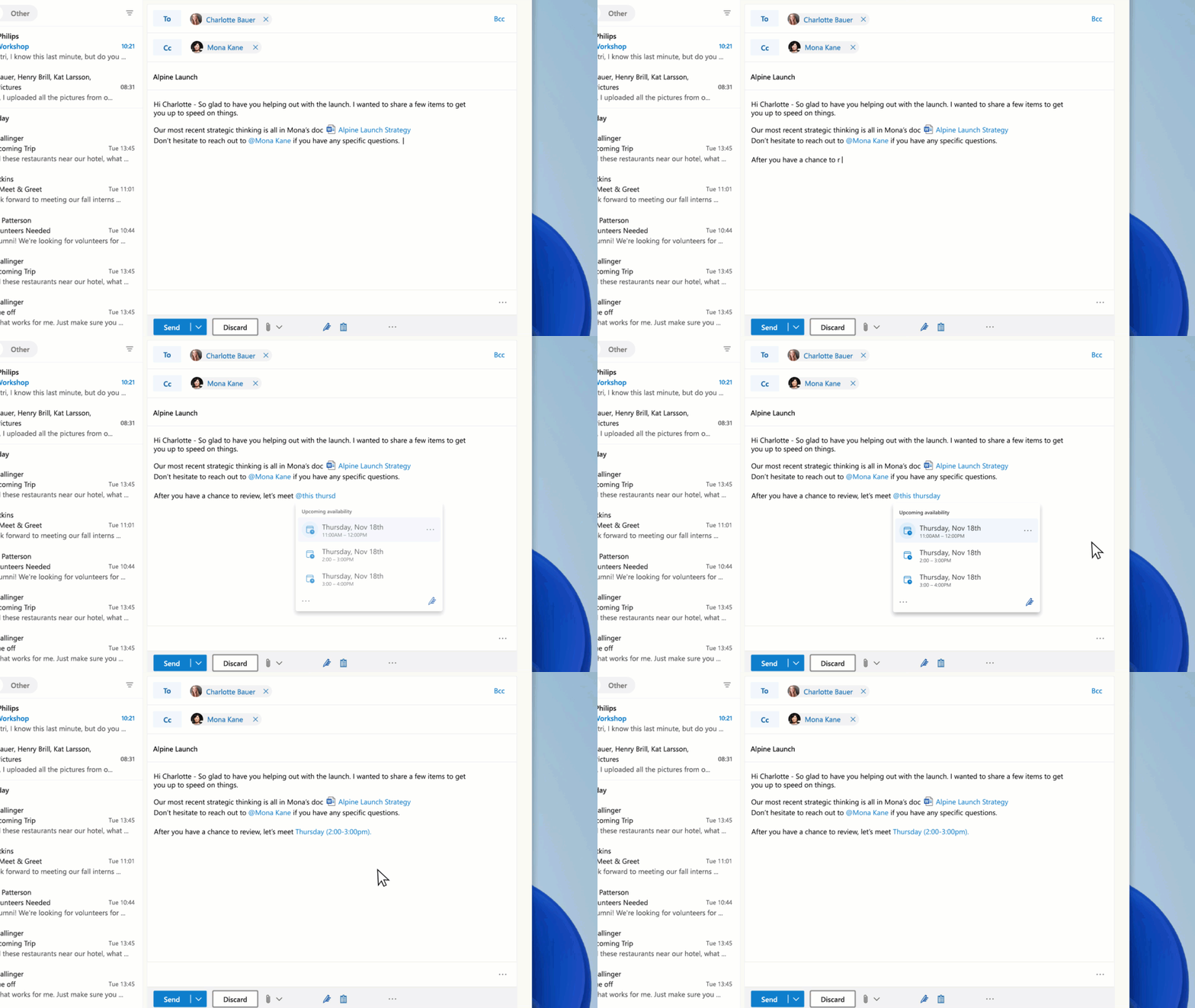
Context IQ (opens in a new tab) is an AI experience that is integrated into Microsoft 365. It includes Microsoft Editor, Teams, Dynamics 365, and Loop. This useful tool is used to predict, suggest, and seek information that people might need.
This will include inserting files, recommending meeting times, tagging colleagues in comments and emails, pulling data from Dynamics 365 when collaborating on sales opportunities, and entering data and objects as you type.
Microsoft Mesh and Teams
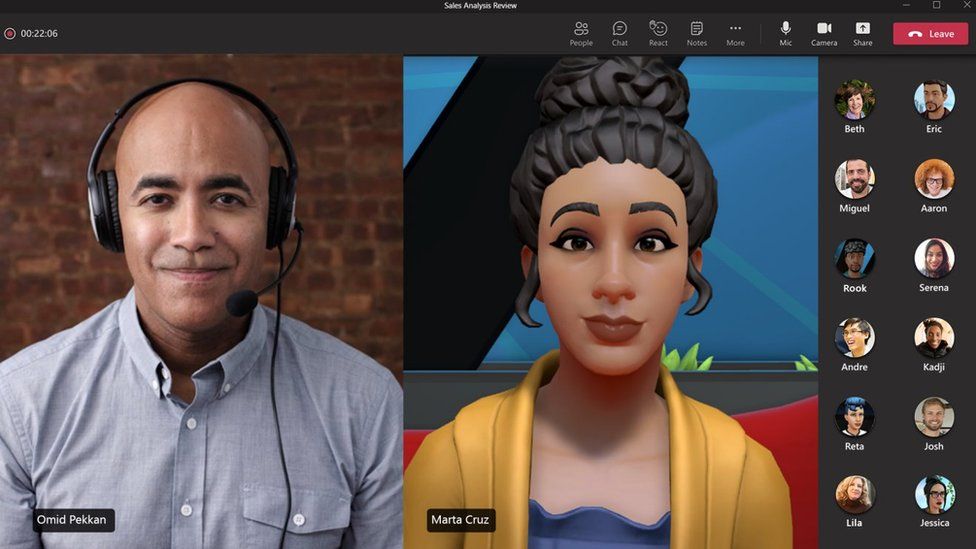
Mesh (opens in a new tab) for Teams will start rolling out in 2022. Mesh can be integrated with Microsoft Teams to give you new experiences with personalised avatars within immersive spaces. This will be accessible from standard smartphones and laptops. It is also compatible with mixed-reality headsets.
Users can create a customised avatar of themselves, and organisations have the option to create immersive spaces within Teams where these avatars will come to life. Mesh will include numerous pre-built immersive spaces with options for meetings to social mixers.
Microsoft SharePoint Syntex
During last year’s Ignite event, Microsoft launched SharePoint Syntex. This is a content management solution that uses AI to organise information within files to help you find, collect, protect, and automate business practices. This year Microsoft has added new capabilities including content assembly.
Content assembly is also launching soon. This tool lets you build new content from your existing data. It can also turn your existing documents into automatic templates, create contracts, invoices, statements of work and much more. Syntex (opens in a new tab) also enriches content with metadata, making it easier to turn your content into knowledge for Microsoft Search and for Viva Topics.
In the future, when generating new content, you will be able to use knowledge from Viva Topics automatically in Syntex content assembly. This will therefore improve the employee experience by saving time searching, reading, and summarising. It will also allow employees more time to work on what is important.
About Valto The UK Microsoft IT Partner
Valto is here to help you with all your Microsoft 365 projects!
Here at Valto, we are Microsoft 365 Specialists who provide a full range of services for the platform. This includes Microsoft Support, Training, Adoption, Consultancy and Migration. Learn more about the Valto story or Contact Us today. Our number is 03335 779 009.
Are you ready to upgrade your Microsoft IT systems with specialist support? You need Valto!
Microsoft Loop (opens in a new tab) is a brand-new application that is aimed at the enhancement of the hybrid workplace. It is combined with a powerful and flexible canvas, which consists of portable components that can move freely whilst staying in sync across all apps. It comprises three elements: Loop components, Loop pages, and Loop Workspaces.
Loop components can interface with lists, tables, notes, tasks, or data from Microsoft Dynamics. These components help with collaboration and the flow of your work. With each item staying in perfect sync across all apps, the data and information are always kept up to date.
Loop pages are flexible canvases that promote teamwork. They can pull in useful data, files, and links to enhance workflow and collaboration. Alongside this, Loop workspaces are shared spaces that allow you and your team to view everything important to the projects that you are working on. You can react to ideas, and track progress.
Microsoft Loop
Microsoft Loop is a brand-new application that is aimed at the enhancement of the hybrid workplace. It is combined with a powerful and flexible canvas, which consists of portable components that can move freely whilst staying in sync across all apps. It comprises three elements: Loop components, Loop pages, and Loop Workspaces. Loop components can interface with lists, tables, notes, tasks, or data from Microsoft Dynamics. These components help with collaboration and the flow of your work. With each item staying in perfect sync across all apps, the data and information are always kept up to date. Loop pages are flexible canvases that promote teamwork. They can pull in useful data, files, and links to enhance workflow and collaboration. Alongside this, Loop workspaces are shared spaces that allow you and your team to view everything important to the projects that you are working on. You can react to ideas, and track progress.
Frequently asked questions
Microsoft Ignite is Microsoft’s largest annual event. It provides insight into any new announcements, tools, services, and initiatives that Microsoft is planning on rolling out over the next year.
Microsoft describes this event as being for anyone who is motivated to be at the forefront of innovation and technology. This includes a multitude of roles, from developers and IT implementers to those who make large-scale purchasing decisions for enterprise tech and security solutions.
Microsoft Ignite 2022 will take place online from November 7, 2022, to November 11, 2022. This virtual event makes it easy for anyone interested in the future of Microsoft products to attend.
Talk to our team
Contact Us
Related reading
NewsSharePoint
Why Organisations Are Moving Their Intranet Back to Microsoft SharePoint
Organisations are increasingly rethinking their intranet platforms. As Microsoft 365 evolves, many are moving back to SharePoint to reduce cost, simplify governance, integrate with Teams and prepare for AI with Copilot.
15 May 2026
NewsOffice365
New Microsoft AI tools just announced at Microsoft Build 2025
All NEW Microsoft AI tools announced at Microsoft Build 2025 . Discover Microsoft CEO's AI vision to scale businesses with AI Chatbot Agents.
23 May 2025