Top 5 Microsoft Copilot examples in 2026
Five practical Microsoft 365 Copilot examples for everyday work, from analysing data in Excel and creating PowerPoint content to better prompting and building custom Copilot agents.
6 November 2026
Case study
Executive Insight partnered with Valto to automate project workspace management with a secure Microsoft 365 solution, reducing manual effort while improving access control, efficiency and security.

Executive Insight is a specialised healthcare consulting firm that supports biopharmaceutical companies in preparing, launching, and commercialising their products. With a global presence and a client base that includes six of the top ten global pharma companies, Executive Insight offers strategic insight and project delivery expertise to support major product launches across the pharmaceutical, biotech, and medtech sectors.
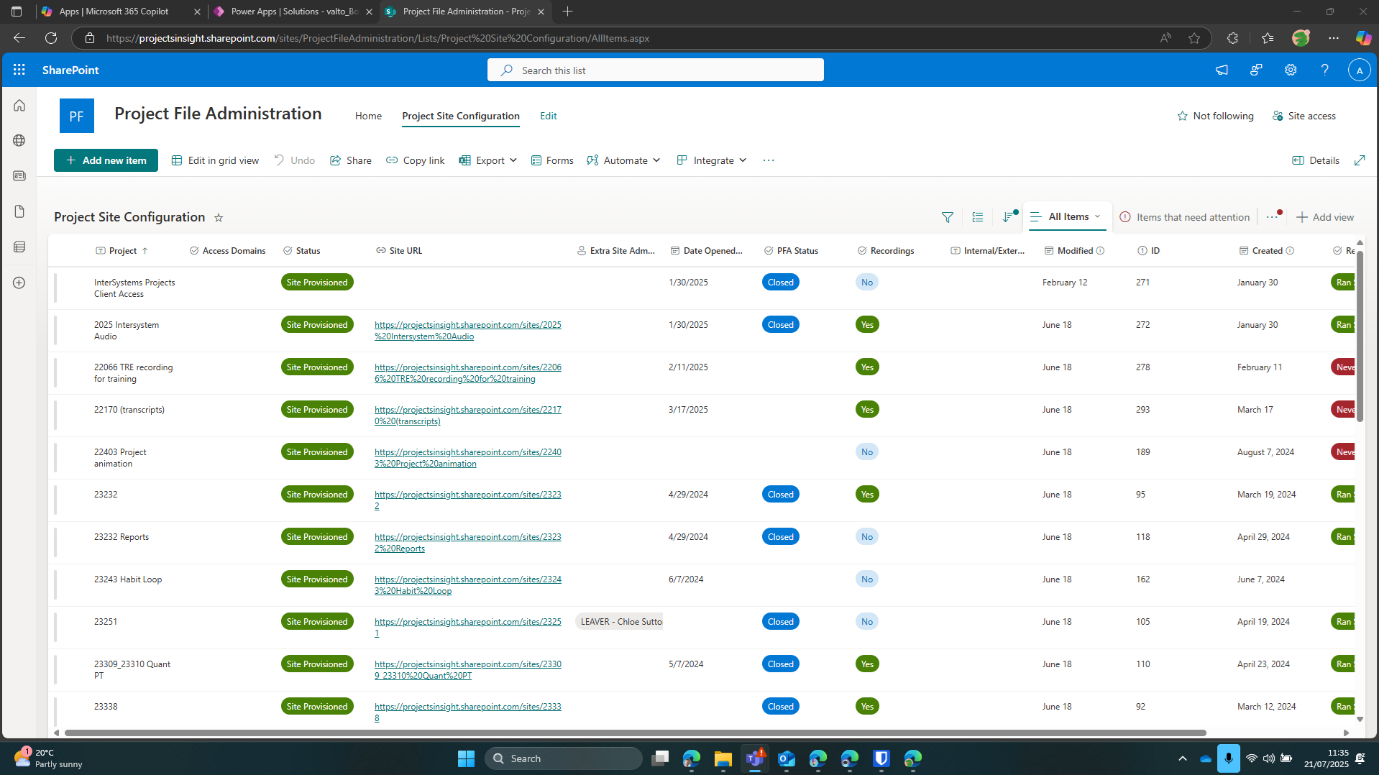
Before the project, Executive Insight relied on an on-premise system and manual creation of shared drives to manage project documentation.
Setting up new project workspaces, assigning permissions, and maintaining access control across multiple client accounts was time-consuming, prone to human error, and difficult to scale.
These manual processes also made it harder to enforce strict permission controls, especially important when working on restricted or competing projects under the same client account.
There was a clear need to modernise and automate their approach, ensuring secure, compliant, and efficient workspace management while reducing manual overhead.
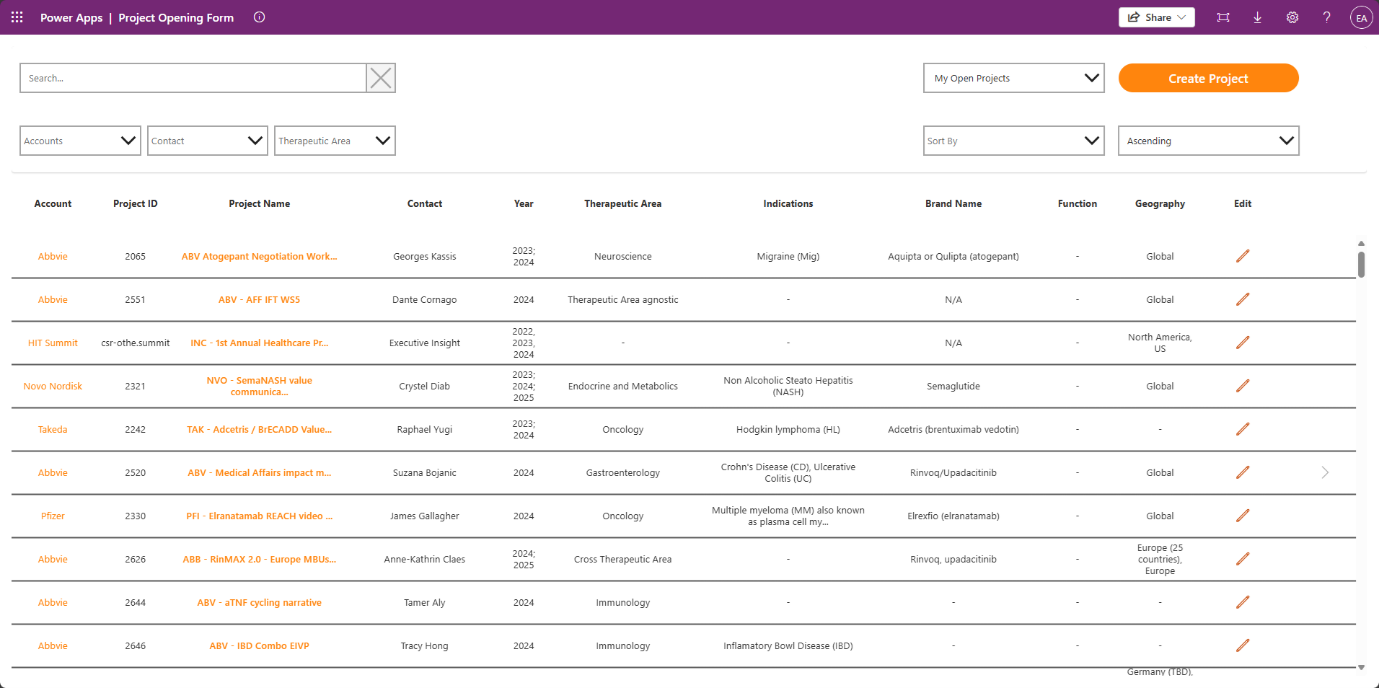
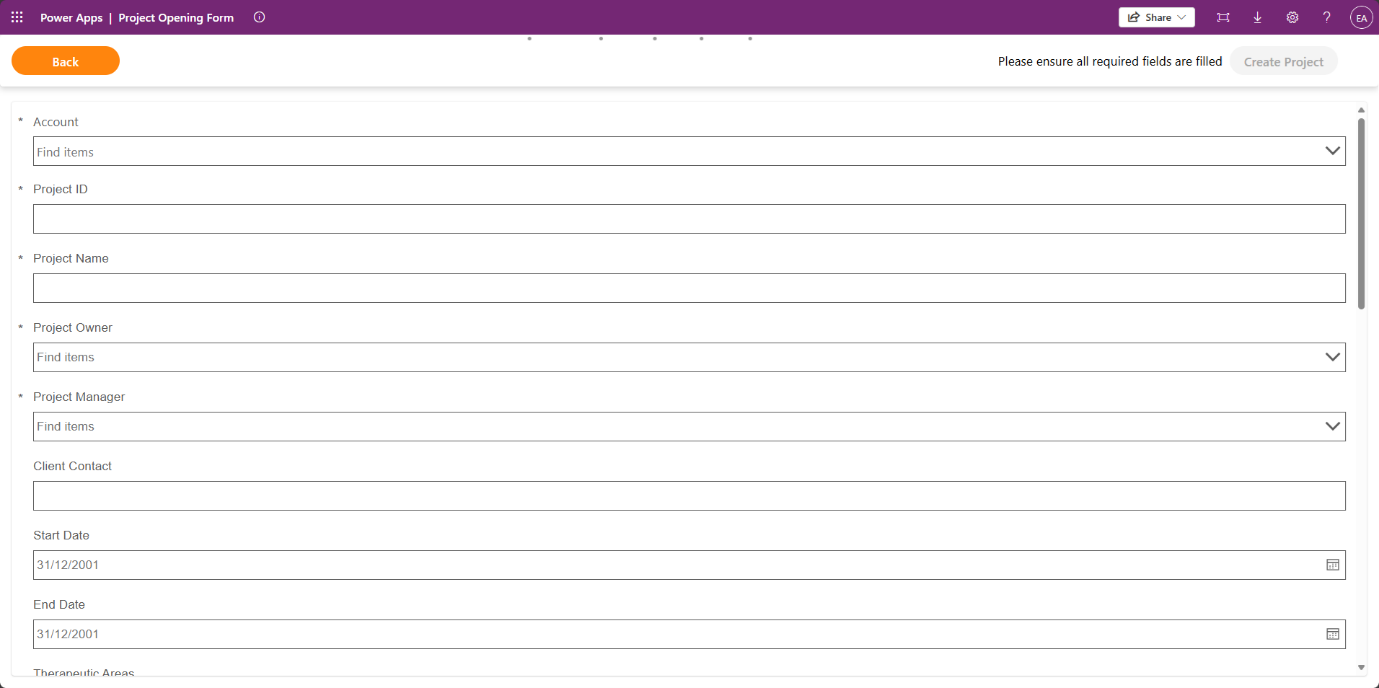
Valto worked closely with Executive Insight to design and implement a Microsoft 365-based solution, centred around a custom-built Canvas Power App with a SharePoint back end.
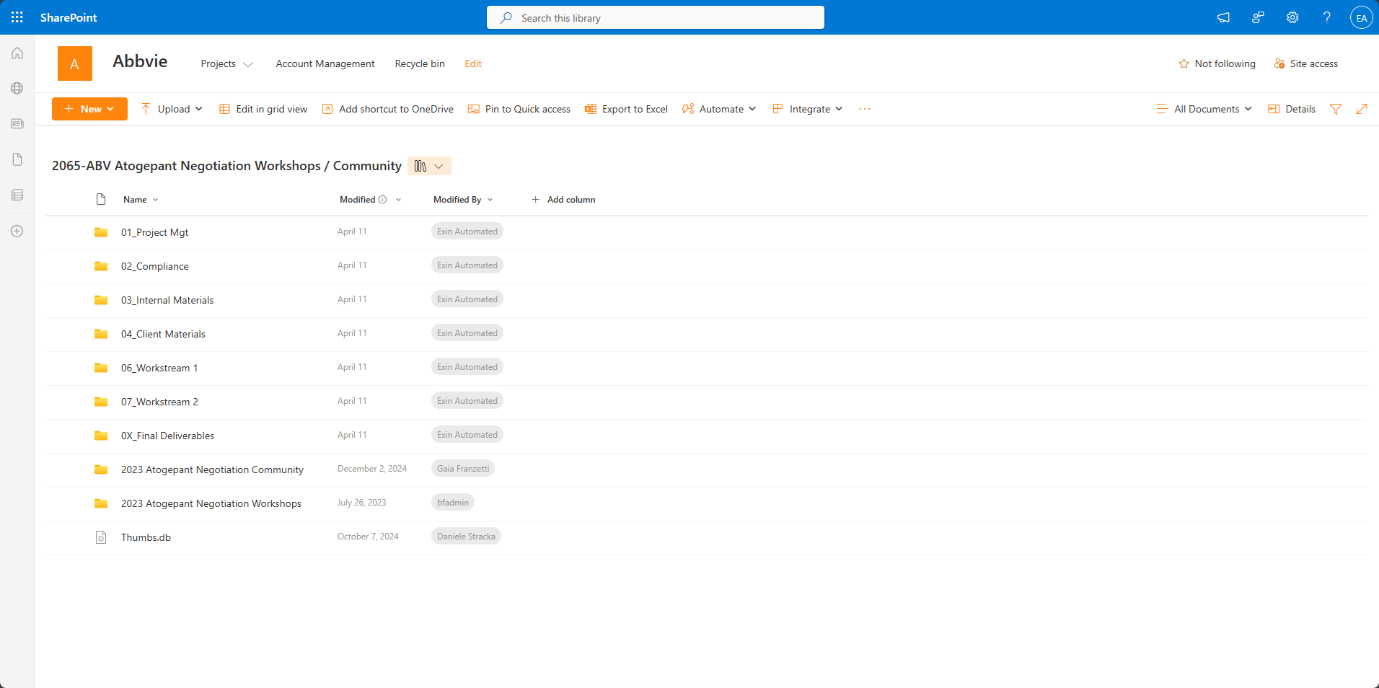
This app allows administrators to manage project creation, assign permissions, and control access to documentation with ease. The solution automated the provisioning of SharePoint sites, document libraries, and Microsoft Teams for each new project.
External access, when required, could be managed securely. Dynamic business rules were applied to control user access, enforce project lifecycle stages (e.g. open, closed, read-only), and streamline approvals for new project creation.
The system was also equipped with admin controls for account and project management, and workflows were implemented to ensure approval and oversight of all access changes.

The solution has significantly reduced the manual effort required to manage project workspaces and permissions, saving time and reducing the risk of errors.
By automating previously manual processes, Executive Insight has improved both efficiency and security.
The firm can now manage permissions with greater precision, ensuring only authorised users have access to specific projects, which is crucial for handling restricted or competitive engagements.
The team also benefits from enhanced oversight through audit trails and version history in SharePoint, supporting compliance and traceability.
With a robust foundation in place, Executive Insight is now planning to build on this success. Future enhancements include implementing custom search functionality across all project documents using PNP Modern Search and exploring further automation and reporting capabilities as the business continues to grow.

Five practical Microsoft 365 Copilot examples for everyday work, from analysing data in Excel and creating PowerPoint content to better prompting and building custom Copilot agents.
6 November 2026

Holstein UK is undertaking one of the most significant technology investments in its history, partnering with Valto to modernise core systems, simplify complex processes, and build a connected, data-driven platform for the future. The programme is currently in active delivery, and this page will continue to evolve as new milestones, achievements, and insights emerge.
6 October 2026

Lanterna, a legal sector technology and transformation consultancy, partnered with Valto to bring an innovative AI concept to life for a leading law firm client.
17 September 2026